

Closed (fixed)
Project:
FeedAPI ImageGrabber
Version:
6.x-1.9
Component:
Code
Priority:
Normal
Category:
Feature request
Assigned:
Reporter:
Created:
30 Oct 2009 at 01:11 UTC
Updated:
17 Mar 2010 at 09:56 UTC
Jump to comment: Most recent file



Comments
Comment #1
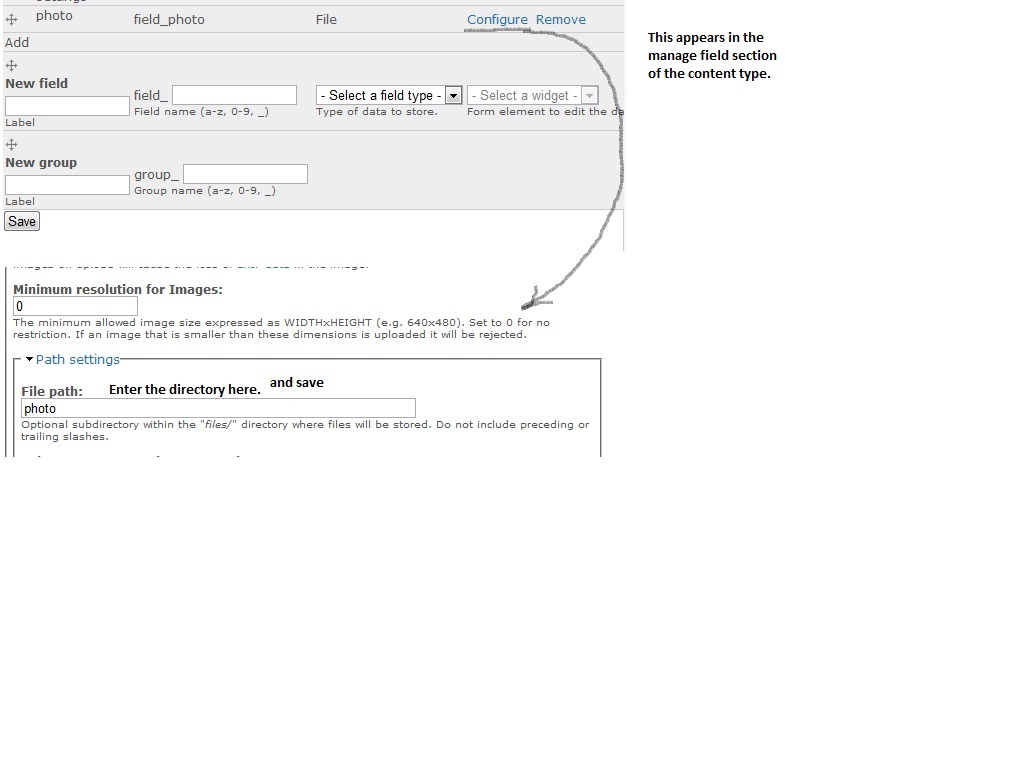
publicmind commentedThe module correctly saves the images into the directory mentioned in the path settings of the field. You will have to set the path of each field from the "manage fields" page. Refer to the screenshot attached. Let me know if it doesn't work out for you.
Comment #2
Sc0tt commentedWow! Thanks for the great response!
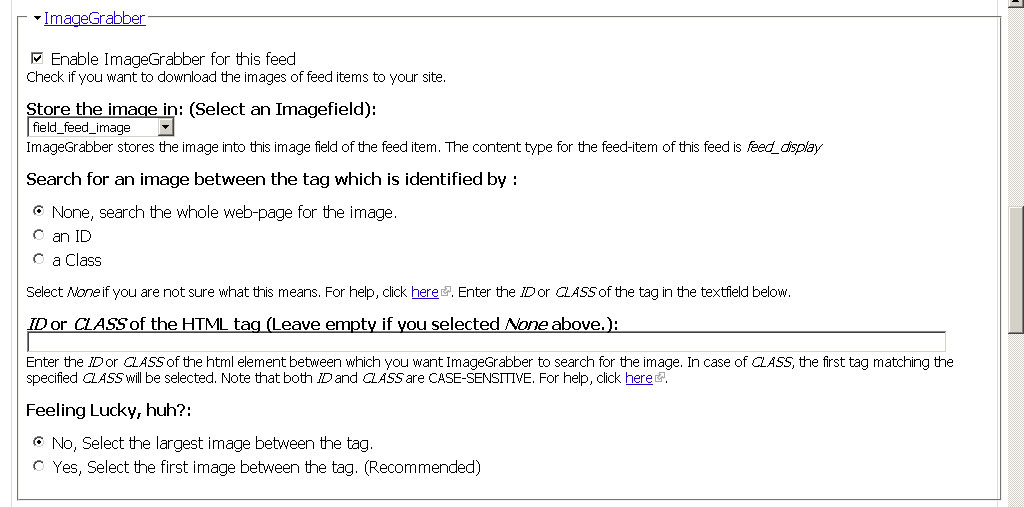
I looked at the manage fields page for my CCK image field and I do have a path; but I did notice a difference. Your image shows the path settings under "path settings" and mine is under "FileField Path settings". I tested the CCK image filed in my story node and images are being saved to the correct path.
I've attached a screenshot.
Thanks again for your help,
Scott
Comment #3
publicmind commentedScott,
If your story images are being uploaded to the right folder, then ImageGrabber must as well store it in that directory as ImageGrabber inquires from filefield about the field directory. I am not sure why this is happening, can you lend me some details about your supporting module versions (Filefield, Imagefield, FeedAPI especially)? Also, if possible include the page URL in the screenshot. I am currently using v3.2 of Filefield and it works as expected on this version.
Regards,
Comment #4
Sc0tt commentedThank you!
Please find below the information you requested along with a few more screen captures of my settings and directory structure. If you need more information or access to my site, please let me know.
Thank you again,
Scott
FileField 6.x-3.2
FileField Paths 6.x-1.3
ImageField 6.x-3.2
FeedAPI 6.x-1.9-beta2
Image Grabber 6.x-1.9
Drupal 6.14
MySQL database 5.0.77mm0.1
PHP 5.2.9
PHP memory limit 96M
PHP register globals Disabled
Unicode library PHP Mbstring Extension
Update notifications Enabled
Web server Apache/1.3.41 (Unix) mod_auth_passthrough/1.8 mod_log_bytes/1.2 mod_bwlimited/1.4 FrontPage/5.0.2.2635.SR1.2 mod_ssl/2.8.31 OpenSSL/0.9.8b mod_status/0.2mm
cURL Library 7.15.5
jQuery UI 1.6
Comment #5
publicmind commentedHi Scott,
First, I apologize. I thought you were talking about the default paths settings of the filefield, when you were actually discussing Filefield Paths module. I just got confused, as I never used Filefield Paths module or heard of it. I am extremely sorry for wasting your as well as my time.
Before I write, what my view is, can you do this:
1) go to a feed-item node created by imagegrabber.
2) click on edit and make some changes in the title or body
3) save it.
Then check if the image associated with this node is moved to the desired directory or not. Please report what happens, in the meantime I will do some checking as well.
Thanks and Regards.
Comment #6
publicmind commentedHere is the conclusion after day's work. I was able to integrate ImageGrabber with Filefield Paths but unfortunately it required some changes in Filefield Paths. At the moment, Filefield only updates filepaths when a node form is submitted.
The form id of the node is not set when imagegrabber updates a node, as it uses node_load and node_save functions for the purpose. I think we must push this issue into the Filefield Paths queue, before anything can be done from imagegrabber side.
Regards.
Comment #7
Sc0tt commentedNo need to apologize. Thank you for taking the time to investigate this and submit the support request to the FileFile Paths project.
Scott
Comment #8
publicmind commentedComment #9
publicmind commentedThe issue about form id has now been fixed in the dev version of Filefield Paths. Though I have still written the patch code to make it work with 1.3 release. It will be available in the dev version (will be available after the packaging scripts run in next 12 hours) and its stable for use on production site.
Regards,
publicmind
Comment #11
paganwinter commentedSubscribing...