

Closed (fixed)
Project:
Image Browser
Version:
6.x-2.x-dev
Component:
Miscellaneous
Priority:
Critical
Category:
Bug report
Assigned:
Unassigned
Reporter:
Created:
10 Nov 2009 at 12:52 UTC
Updated:
2 Jan 2014 at 19:06 UTC
Jump to comment: Most recent, Most recent file

Comments
Comment #1
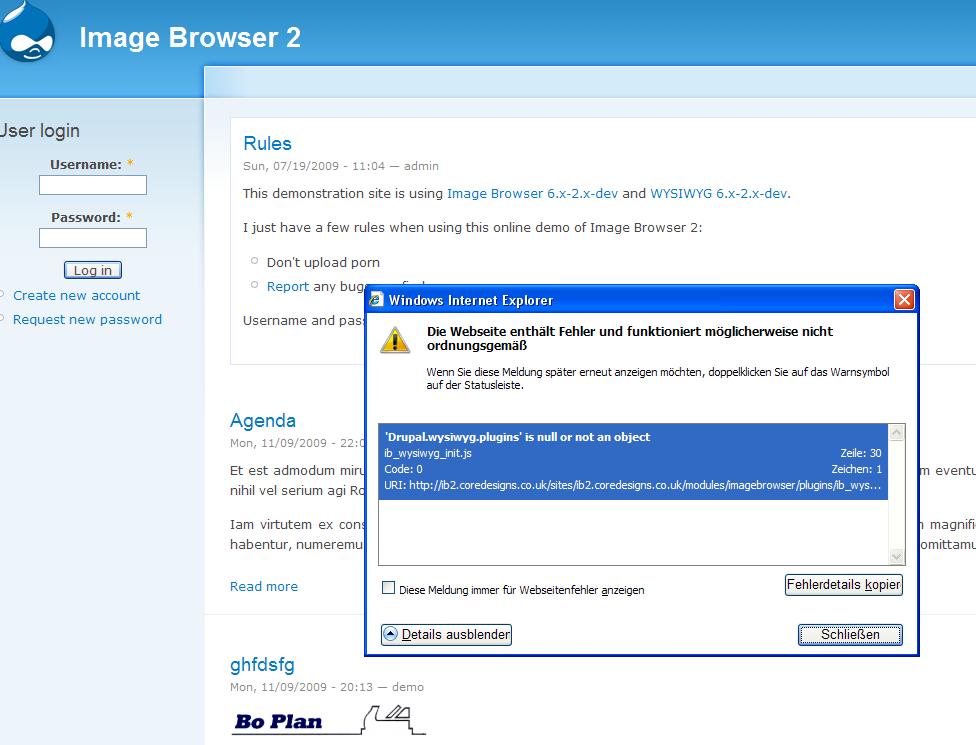
neoglez commentedThis situation can be seen in the same demo page of the IB module http://ib2.coredesigns.co.uk/
Comment #2
jdelaune commentedI imagine it's more my problem. I'll take a peak when I can.
Comment #3
neoglez commentedThanks!
Comment #4
milos.kroulik commentedI also experience this problem. Additionally i get:
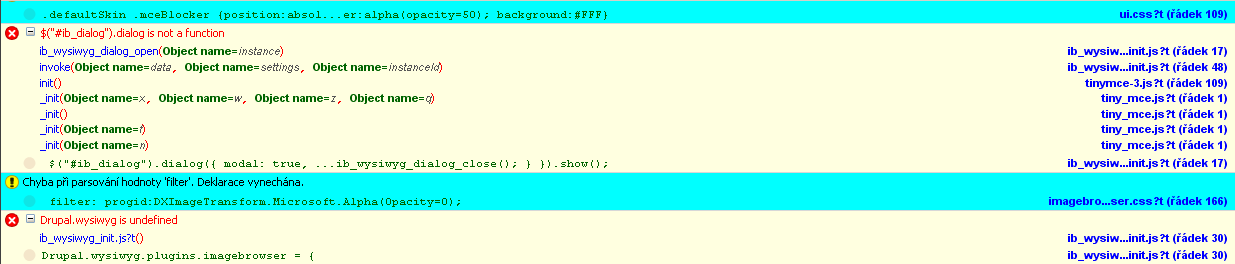
$("#ib_dialog").dialog is not a functionwhen I click on the Imagebrowser button. I enclose screenshot made with Firebug.
Comment #5
ihanick commentedQuick and dirty fix:
add several js lines at the begining of plugins/ib_wysiwyg/ib_wysiwyg_init.js file.
Drupal.wysiwyg = Drupal.wysiwyg || { 'instances': {} };
Drupal.wysiwyg.editor = Drupal.wysiwyg.editor || { 'init': {}, 'attach': {}, 'detach': {}, 'instance': {} };
Drupal.wysiwyg.plugins = Drupal.wysiwyg.plugins || {};
Comment #6
ñull commentedThat did not do it for me. Without the dirty fix I get the error:
Drupal.wysiwyg.plugins.imagebrowser = { drupal.wysiwyg is undefined on line 30
With the fix I get:
uncaught exception: [Exception... "Could not convert JavaScript argument arg 0" nsresult: "0x80570009 (NS_ERROR_XPC_BAD_CONVERT_JS)" location: "JS frame :: https://mydomain.com/misc/jquery.js?t :: anonymous :: line 13" data: no]
Line 0
Note: The wysiwyg_init.js is inserted, but it is in head of the page, but it is missing in the head of the editor's iframe! Shouldn't it be inserted there? And when I think of it, may be both should be inserted there?
Comment #7
jdelaune commentedHey everyone. Sorry for the lack of response. Had an unexpected spell in hospital, but I'm back now.
Is this JS error only seen in IE8 or earlier? I'm not seeing it in Safari or Firefox.
Please let me know your browser, version and operating system. Cheers
Comment #8
thsutton commentedI see this error in Safari 4.0.4 and Firefox 3.5.5 both on Mac OS X.
Modifying the
ib_wysiwyg_init()function inimagebrowser/plugins/ib_wysiwyg/ib_wysiwyg.moduleso that theib_wysiwyg_init.jsJavaScript file is included in the footer rather than the head as per default makes the error go away:This suggests that this is due to the JavaScript being loaded before something it depends on.
Comment #9
jdelaune commentedAh I thought the error was causing something not to work. It still works fine, you just get that JS error. It's due to the fact that those files shouldn't even be loaded in the imagebrowser window.
The quickfix is to change this function in ib_wysiwyg.module
A better fix is needed however to intelligently load the ib_wysiwyg_init.js file on any page which has a wysiwyg editor loaded.
Comment #10
thsutton commentedNeither my modification in comment 8 above, not that in comment 9 fixes this issue in all cases. I still get the
ib_wysiwyg_init.jsincluded incorrectly (on the front page, for example).wysiwyg.modulecontains the following comment:This suggests that both these hooks are only called when the WYSIWYG module is actually being used in a form. I've traced through the code and this seems to be the case.
I moved the three lines in
ib_wysiwyg_init()intoib_wysiwyg_wysiwyg_include_directory()instead, and this seems to have fixed the issue:ib_wysiwyg_init.jsis included on only those pages that use the WYSIWYG module and the JavaScript error is no more.Comment #11
jdelaune commentedawesome work. I'll roll that in :)
Comment #12
perandre commentedsub +1 (feel ashamed everytime I do this)
Comment #13
cvedovini commentedHi just stumbled upon this bug as well, it appears in every browsers and is due to the fact that the javascript for the wysiwyg plugin is included in each and every page whereas the wysiwyg javascript (upon which it depends) is only included when necessary.
To correct this I moved the drupal_add_js calls from the ib_wysiwyg_init() to the ib_wysiwyg_imagebrowser_plugin(), it looked more logical than other proposed solutions :)
Comment #14
ckngIt was due to the sequence of the js files, ib_wysiwyg_init.js is loaded before ckeditor.js.
#13 should fix it just fine.
Comment #15
peter törnstrand commented