

Closed (fixed)
Project:
Acquia Prosper
Version:
6.x-1.x-dev
Component:
Miscellaneous
Priority:
Normal
Category:
Support request
Assigned:
Unassigned
Reporter:
Created:
10 Nov 2009 at 15:57 UTC
Updated:
30 Nov 2009 at 15:24 UTC
Jump to comment: Most recent file


Comments
Comment #1
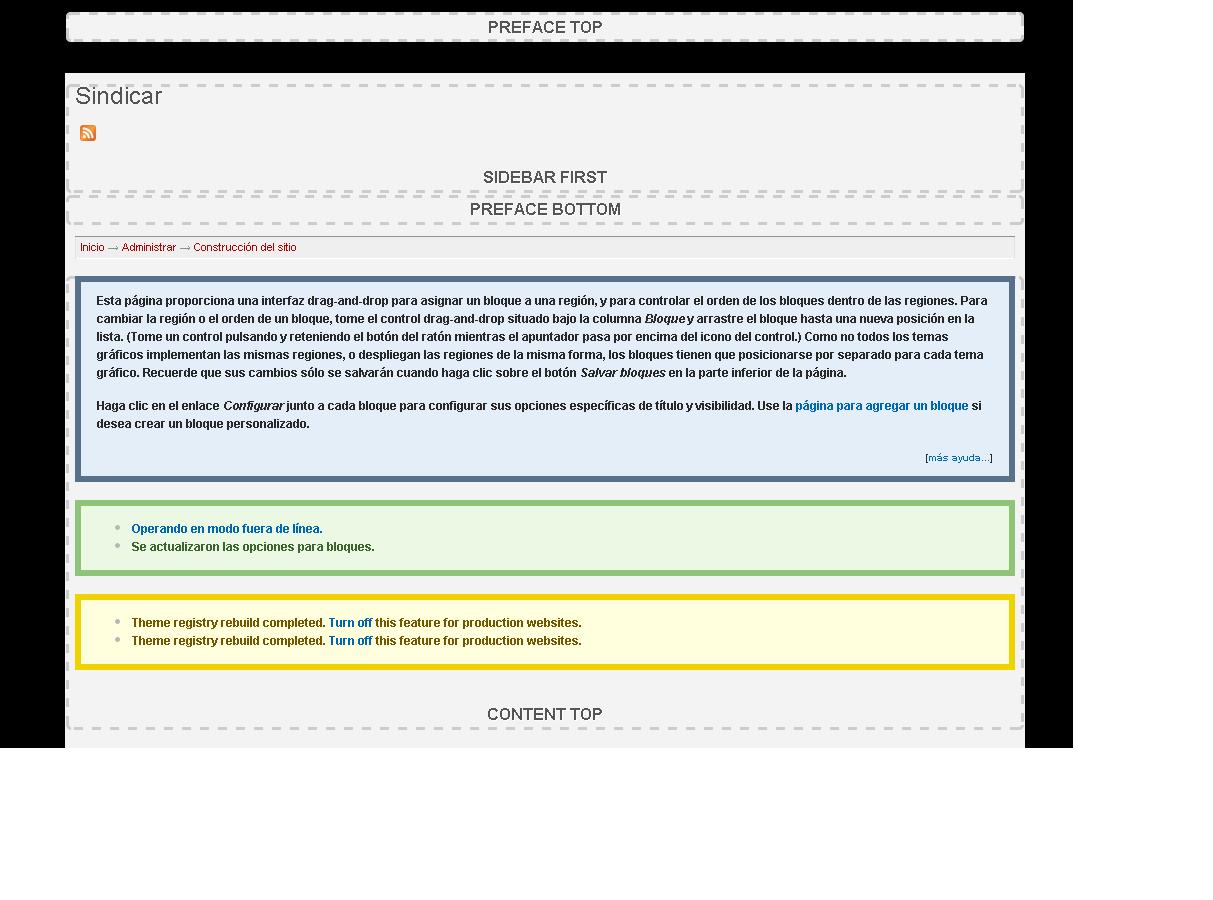
jeremycaldwell commentedThat's normal behavior when updating to the beta release of the themes. Go to your theme configuration page for Acquia Prosper and change the ""Layout" settings. We changed how that was built and how it works so you just need to update the layout to reflect the new changes. Attached is an image of those settings.
Comment #2
pepemty commentedThanks a lot, Jeremy!
Sweet solution with a prompt reply... :-)
Warm regards!
Pepe
Comment #3
pepemty commentedSorry for the duplicate...
Comment #4
jeremycaldwell commentedComment #6
laurian commentedHi, I have the same problem (stacked sidebars - 100% width), and changing the layout for prosper has no effect. Note that I have the same issue for Fusion starter.
More details in the forums: http://drupal.org/node/641680 (I didn't know there was an issue openned for this...)
Thanks for any help!