Closed (works as designed)
Project:
Feedback
Version:
6.x-2.0
Component:
User interface
Priority:
Normal
Category:
Support request
Assigned:
Unassigned
Reporter:
Created:
2 Dec 2009 at 03:53 UTC
Updated:
6 Mar 2010 at 19:23 UTC


Greetings,
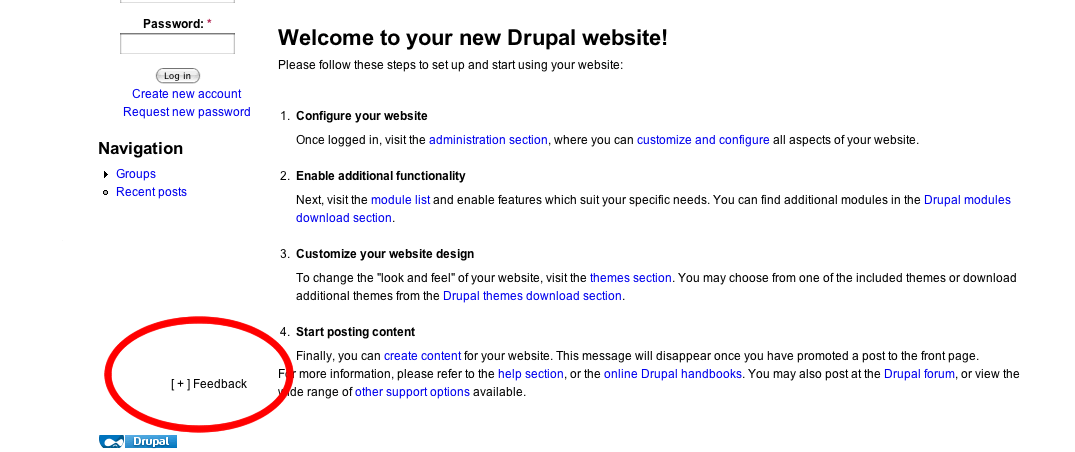
I noticed the positioning of Feedback was as intended when using a default theme like Garland, but when using the Fusion theme Feedback re-positions about 200 pixels from the left border (sreenshot attached) and about the same position from the bottom. In other words the positioning is not the same, it seems to lose the CSS. I'm wondering if anyone has used this with the Fusion theme, and if so, how have they solved this issue.
Thanks in advance.
Scott
| Comment | File | Size | Author |
|---|---|---|---|
| feedback.png | 26.22 KB | scott859 |

Comments
Comment #1
scott859 commentedI just found out what the cause (and the solution) is. I just started working with the Fusion theme and wasn't yet aware that you can style the blocks individually via the skinr module. The default style for the Feedback block was align left, so I changed it to align right and that corrected the problem.
Scott
Comment #2
sun