

 Come together with the global Drupal community in Rotterdam, 28 Sept – 1 Oct 2026. Sessions, contribution, connection, and Early Bird savings until 8 June.
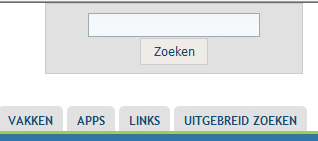
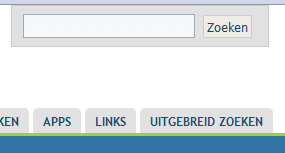
I just upgraded to v2.0 and noticed that the search box / search buttons are stacked for IE but appear correct for Chrome and Firefox. I've included an attached image that shows the two side-by-side. I wasn't sure if this is related to an old issue I found or not. I'm not up-to-speed yet on the CSS involved to fix it yet.
| Comment | File | Size | Author |
|---|---|---|---|
| #4 | IE8.PNG | 5.73 KB | Vincent Groen |
| #4 | Opera.PNG | 4.38 KB | Vincent Groen |
| #4 | Chrome-Firefox.PNG | 4.71 KB | Vincent Groen |
| Acquia Marian Search Box Browser Issue.gif | 4.06 KB | caschbre |



Comments
Comment #1
jwolf commentedWhich version of IE?
Please post a link to the site where this is happening so that we can see what's going on.
Comment #2
caschbre commentedI'm was testing in IE7. I also made sure to clear my local.css to make sure that wasn't conflicting in any way.
I've sent you the URL for the site using your contact form.
Comment #3
caschbre commented@jwolf... is there any other information you need to help debug this?
Comment #4
Vincent Groen commentedI read in the old issue (as mentioned by jwolf) that the bug in IE was fixed in release 6.x-1.2, but not long ago I upgraded to 6.x-2.0 and it's there again!
Since this issue seems almost closed, without a definite answer, I'd like to know how to resolve it.
I'm using IE8.
I've added screenshots of IE8, Opera and Chrome/Firefox layout of the searchbox.
website is: www.reviusplein.nl
Thanx in advance!
Comment #5
stephthegeek commentedComment #6
Francis Yip commentedHi ,
I had the same issue but solved it as follow: http://drupal.org/node/836498
Hope it is of help to you
Comment #7
jeremycaldwell commentedHi there, seems there is some CSS in the IE7 specific CSS file for this theme that isn't specific enough to set the width. Open your "ie7-fixes.css" file and make this change:
To:
That should do it! Please let us know if it works for you as well and will make sure it gets into the next release of the theme.
Comment #8
jamesialford commentedComment #7 worked for me. It is line 34 to 37 for me.
Thank you
James
Comment #9
jeremycaldwell commentedComment #10
goody815 commented