Come together with the global Drupal community in Rotterdam, 28 Sept – 1 Oct 2026. Sessions, contribution, connection, and Early Bird savings until 8 June.
1.Click on the 'Insert Image' icon in rich text field.
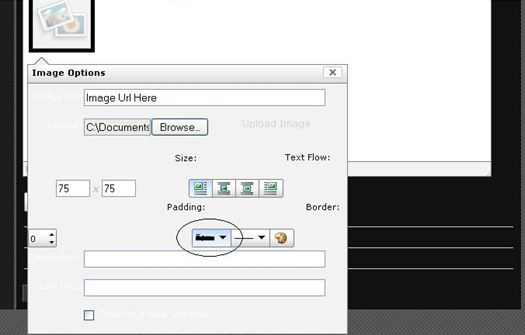
2.Select the '5 px' from Border dropdown.
3.Find that border line not displayed proper.
Expected Result:
Selected border line should be displayed proper at Image Options window.
Actual Result:
Border line displayed with line px as crossed
| Comment | File | Size | Author |
|---|---|---|---|
| Capture.JPG | 28.2 KB | telmad |