

 Come together with the global Drupal community in Rotterdam, 28 Sept – 1 Oct 2026. Sessions, contribution, connection, and Early Bird savings until 8 June.
Greetings,
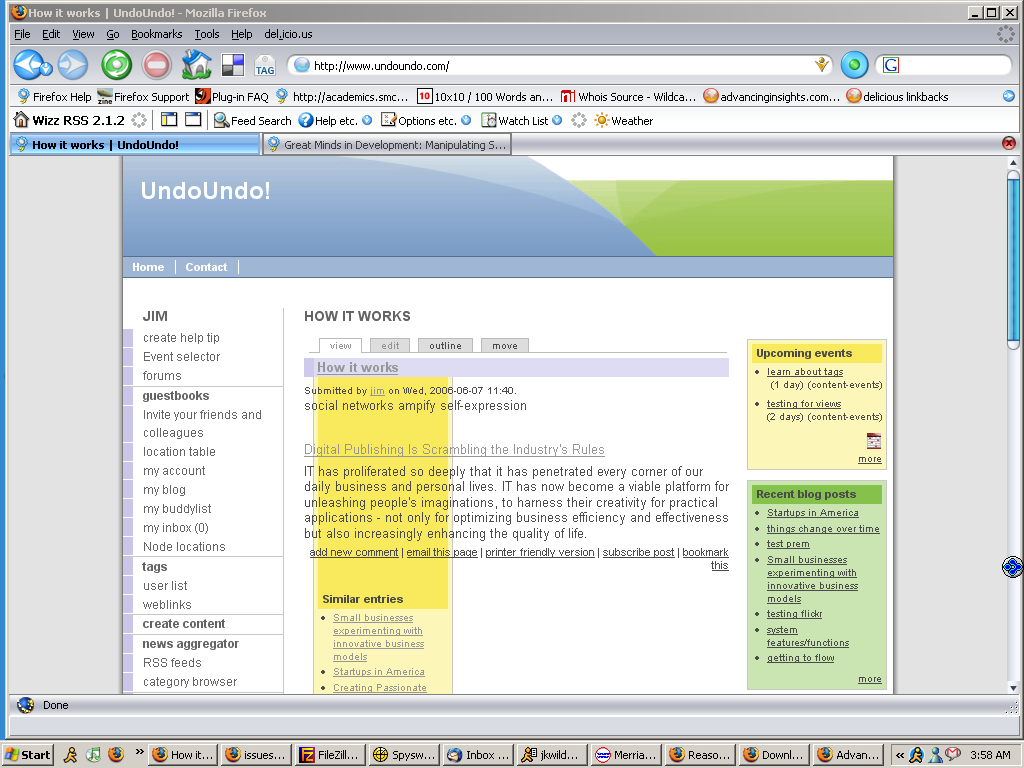
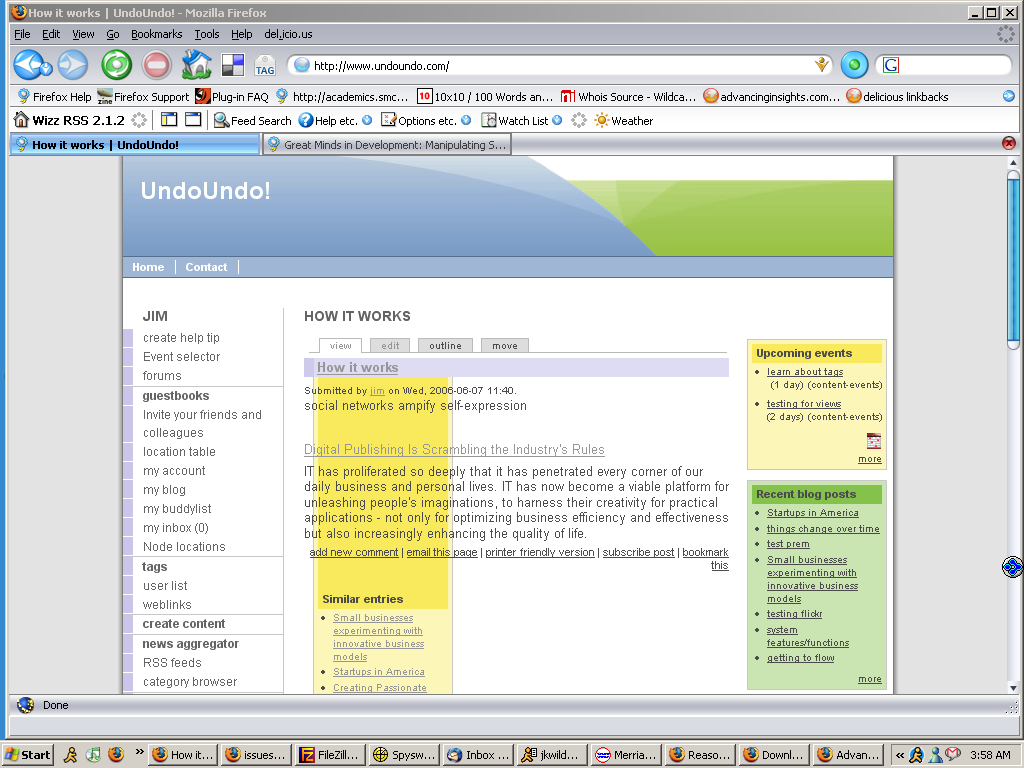
Nice theme, thank you! I was trying it out and found a couple of problems in both ie and firefox. In firefox, if a content block is selected it gets mixed or overlayed with the main content. In ie, the page is all over the place and the blocks and content are pushed down. I'll play around with it a little more and try to post fixes.
Jim
| Comment | File | Size | Author |
|---|---|---|---|
| #4 | screen-2.png | 88.94 KB | jwilde |
| #3 | screen-1.png | 88.94 KB | jwilde |

Comments
Comment #1
lakka commentedThanks Jim. Patches are always welcome!
Works for me with Firefox, although there are sometimes some problems with blocks placed on the lkeft hand side.
What are the steps to reproduce your problem? What modules are enabled for example? Do you have a screenshot?
Comment #2
jwilde commentedHi lakka,
Two of the biggest problems are that the header does not display on all of the pages and that the content block, selected in admin blocks, displays as the same size as side blocks. So, if you were to select recent blog posts in blocks and then select it to display in content, it would display incorrectly as the same size as the left or right blocks. It should have the width of the main content. Also, in firefox, the same problem overlays the content area.
Comment #3
jwilde commentedHi Lakka,
Here are a couple of screen shots.
Comment #4
jwilde commentedone more
Comment #5
jwilde commentedHi Lakka,
For the ie problem, content getting pushed down on the page, I add a cople of pixils to the page width in the css file.
/*************************/
/* SECTION 1 - MAIN BODY */
/*************************/
body {font-size: 75%; margin: 0em auto; padding: 0px; font-family: arial, tahoma, verdana, sans-serif; background: url(../img/background.gif) top center repeat-y;}
.page-container {width: 772px; margin: 0em auto; padding: 0px; border-left: solid 1px rgb(125,125,125); border-right: solid 1px rgb(125,125,125); border-bottom: solid 1px rgb(125,125,125); background-color: rgb(255,255,255);}
I also had a problem with the header disappearing. I fixed that by adding $base_path to the page-tpl.php file.
if ($site_name) { print($site_name); }if ($site_slogan) { print($site_slogan); }print($directory)/img/header.gif" width=970 height=100 alt=""/>Hope this helps.
I also trying to figure out what to do about the blocks in the content section of the page. Any ideas?
Regards,
Jim
Comment #6
jwilde commentedopps,
change this one line:
print($directory)/img/header.gif" width=770 height=100 alt=""/>Comment #7
lakka commentedTry using the MultiFlex2 code, now in cvs. Tarball should be available shortly.