

Closed (duplicate)
Project:
Table Wizard
Version:
6.x-1.x-dev
Component:
Code
Priority:
Normal
Category:
Bug report
Assigned:
Unassigned
Reporter:
Created:
18 Jan 2010 at 03:58 UTC
Updated:
24 Jan 2010 at 16:59 UTC
Jump to comment: Most recent file


Comments
Comment #1
cbear42 commentedSame exact problem here. Subscribing.
Comment #2
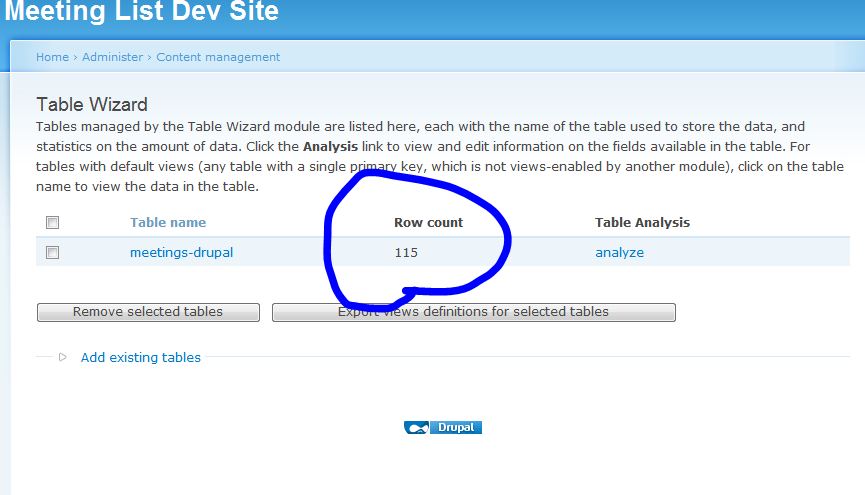
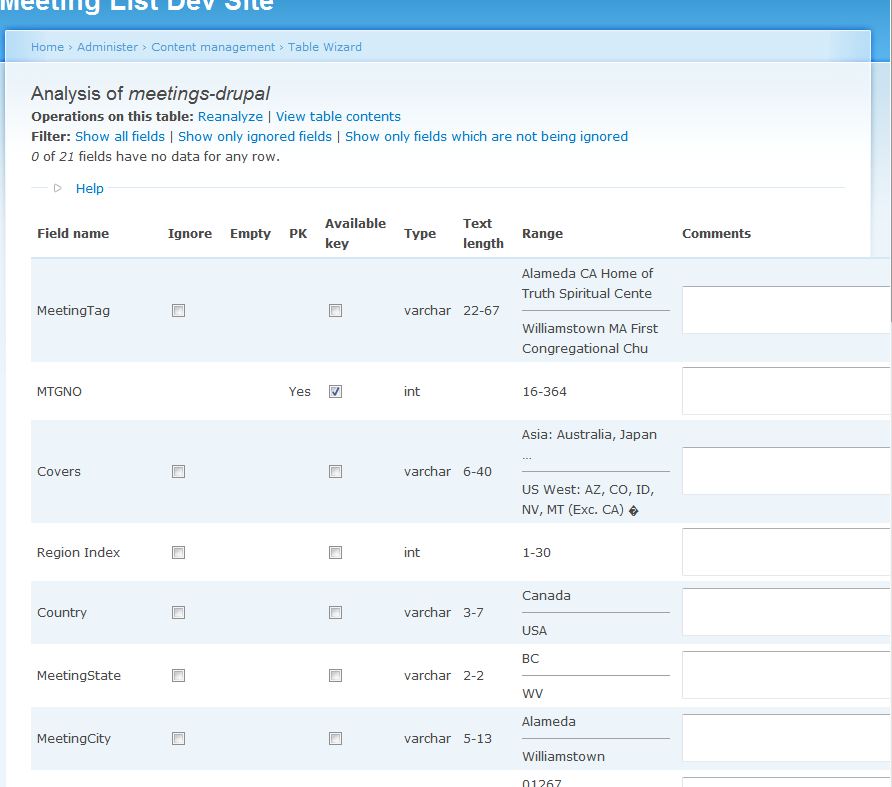
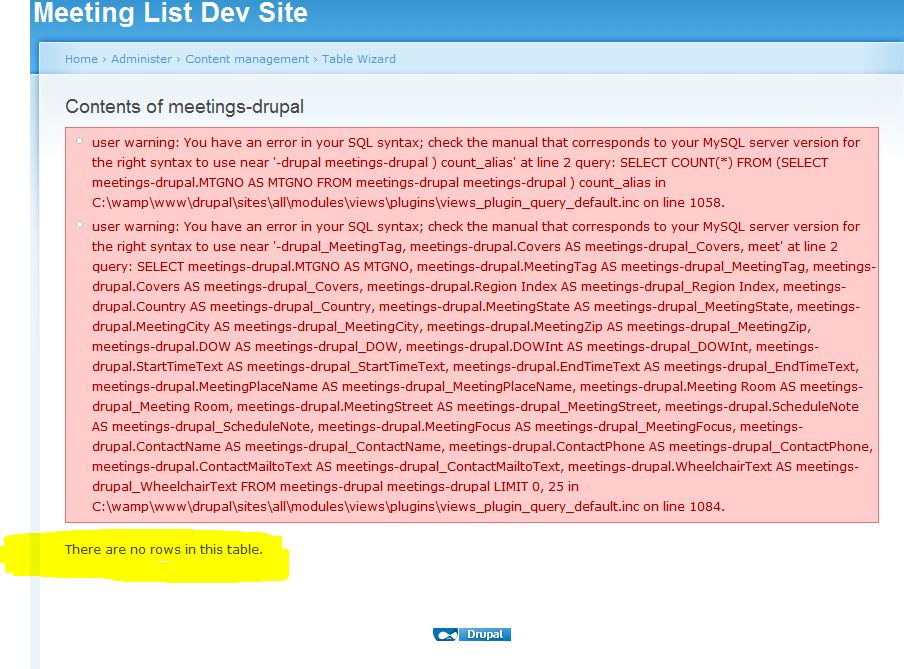
manicolaus commentedAfter reporting this bug, I built a clean setup (uninstalled and deleted TW, Migrate, Views; deleted those module folders from files/all/modules; checked Schema and dropped all 'extra' tables in PHPMyadmin; then re-added and reinstalled Views, TW, and Migrate, ran cron and update.php). I then re-ran the TW operation to "Add existing tables" with the "meetings-drupal" table in the default MySQL db. Same result as before, except that the code line numbers flagged in the pink block are different. I attach three jpgs, one showing the correct row count for the "meetings-drupal" table (115, same as PHPMyadmin reports), the second showing part of the TW Analysis page demonstrating that the data is "in there;" and the third showing the new pink block reporting no rows. Efforts to build a new View based on this table also threw pink blocks and showed no rows.
I hope there is a simple solution to this -- maybe I zigged where I should've zagged -- as I'm scheduled to give a talk on data migration at my local user group meeting on Friday and this doesn't make a happy ending to my presentation, LOL.
Comment #3
mikeryanIn MySQL, table and column names which are not made up of alphanumerics and underscores, such as your "meetings-drupal", need to be quoted with backticks (`), and Views does not add the backticks - see #410452: Support non-standard field/table names.