I have installed this module and copied the fields as is explained in the README file.
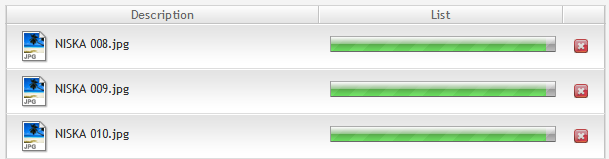
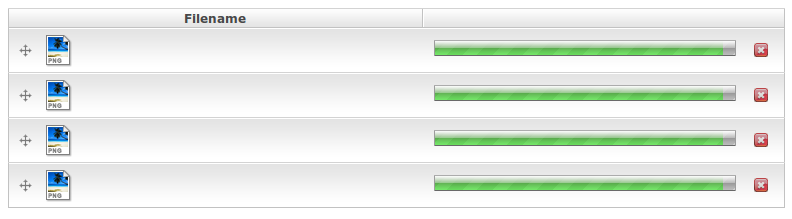
The filefield form is rendered correctly but when I try to upload the files, progress bar stop at 95% approx.
I did some research to found the reason for this problem, and seems to be produced by a bad jSON file that makes all the next js calls crash.
I'm attaching the "data" variable passed to drupal_parse_json(), maybe it can help.
I'm also attaching the filefield widget. As you can see, the names for the file are missing and the progress bar is frozen in that position.
Please let me know if you need more information.



Comments
Comment #1
dagmarSorry this is the correct data taken from data in drupal_to_json.
Comment #2
smalek commentedtry to Increasing memory limit in php.ini to 256 MB or more
Comment #3
semantium commentedI have severe problems with this issue too.
The increased memory limit (#2) did not result in change in my case.
My experience is that a simple reboot and the use of Firefox may help.
Alarming behavior anyway, especially because SWFUpload is a mission-critical function on image-heavy sites imho.
Comment #4
sreynen commentedI'm having this same problem on a 300K file with memory_limit, post_max_size, and upload_max_filesize all set to 1G. As this makes the module complete unusable, I'm changing status to critical.
Comment #5
laVera commentedsame here
Comment #6
Manonline commented+1
Comment #7
skilip commentedCan anyone confirm the error is caused by malformed json data? Or can anyone walk trough this error with me in IRC?
Comment #8
eugenmayer commentedWell there are cases were JSON is malformed, that especially when you use dsm or similar things. It is probably needed not working with "eval" to convert json2object, but rather use the jquery plugin for that (until we dont use jquery 1.4, where it is included)
Comment #9
artscoop commentedI confirm this is a problem with JSON, but only in Firefox.
Other browsers might be more permissive.
Comment #10
artscoop commentedError : missing } after property list
Source : /misc/drupal.js?A
Line : 193, Column : 152
Code Source :
lt_image": { "filename": "noavatar.jpg", "filepath": "files/imagefield_default_images/noavatar.jpg", "filemime": "image/jpeg", "source": "default_ima{ "op": "upload_complete", "file": { "filename": "heart-attack.jpg", "filepath": "files/heart-attack_7.jpg
"default_image" is truncated in my browser and in the example given above, hence the error.
Comment #11
eugenmayer commentedplease try rc1, as http://drupal.org/node/797638 could be the related bug and report back (
Comment #12
artscoop commentedHi,
Thanks, some flaws were fixed with this version.
However, there is a bug with the order of the images:
Have a node content with a SWFUpload field.
Use this node type as Profile Content.
Edit your profile, upload several images.
Save your changes.
Edit your profile again, and change the order of the images.
Save your changes.
The new order of the images was not saved.
However, this works on nodes not attached to a user profile.
Comment #13
sreynen commented@artscoop, that sounds like a different problem from this issue. You should create a new issue about that so the issues can stay focused.
Comment #14
shaneonabike commentedI'm having the same issue in Beta 6... if anyone could help that would be great...
Once it get's uploaded then it seems to die and not actually add the file to the list of files. The file that I am uploading is 7KB so it's pretty tiny.
One thing that looked suspicious to me from the debug dump was the actual path as it has \/ in it...
Full dump is here....
Comment #15
eugenmayer commentedcurrently running low on time, can someone volunteer and help here?
Comment #16
shaneonabike commentedI've tested the latest version and still can't seem to resolve this problem. Is there anyone on IRC that i could have a quick chat with about this issue. It can be reproduced in Chromiom and Mozilla
I noticed generally that I'm either getting a 403 error or simply the following (with the latest code)
Comment #17
shaneonabike commentedAlso I have tried to use the latest release of the Swfupload swf and js files and that didn't seem to make a difference either.
Comment #18
eugenmayer commentedShane you currently confuse me. In the other post you have a 403, here you have a 2038?
Comment #19
shaneonabike commentedI agree it seems as though depending on the file uploaded the error changes from either 403 to 2038. I apologise for this inconsistency man...
If you could give me some direction on what is happening or what I can do to provide more debugging help that would be cool. I suspect that I must not be the only person that would experience this problem.
Comment #20
eugenmayer commentedWell if you google for 2038 you find a long term issu in swfupload, which never got really fixed.
A 403 is def. a problem with regaining the session and could be related to this module. e.g. you got banned by the flood protection out of any reason or your hash is wrong ( cut or whatever ). We are using this plugin on the day by day use and it works.
Iam pretty sure you are not the only one, but its really hard to help when you cant reproduce it. So you have to provide the details.
The 2038 is tittled as I/O. Somehow the flash plugin can communicate with the server anymore. In my case it was the ssl certificate ( not officially sigend ) but maybe there are other reasons ( flash version etc ).
Comment #21
eugenmayer commentedOn try could be trying swfupload on a completly clean installtoin. If you get 2038 again, install image_fupload and try it. As it also uses swfupload, you could verify, if its cause by the swfupload module or hte swfupload library ( plugin )
Comment #22
digi24 commented@EugenMayer:
the reason for the 403 errors the user is experiencing is the mistake in the array keys that has been introduced with the bug fix to the security patch (http://drupalcode.org/viewvc/drupal/contributions/modules/swfupload/swfu...)
I posted the solution there http://drupal.org/node/835922#comment-3399714 , I just cannot make a patch or test it.
What happens:
the first upload works, then the session-id is destroyed and ultimately flood protection kicks in. So after fixing the problem, the flood table has to be flushed.
Comment #23
shaneonabike commentedHey @EugenMayer
So as it turns out I narrowed the issue down to http://drupal.org/node/835922#comment-3418908
Comment #24
eugenmayer commentedGreat we are coming neare to the solution!
Comment #25
Ace Cooper commentedThe issue still persists in SWFUpload 6.x-2.0-beta8.
The upload progress bar freezes near the end for any quantity of files, be it one or a dozen (see the attached image).
I've also tried a previous release of this module with no success.
Comment #26
Ace Cooper commentedThe output of Chrome error console and Mozilla Firebug console are attached.
Please, advise. Any suggestions on those errors are warmly welcome.
Comment #27
Ace Cooper commentedDios mio! I finally got this damn swfupload_widget.js to work. Someone owes me seven hours of my life! =)
The problem was in swfupload_widget.js on line #692:
#692: var server_data = Drupal.parseJson(server_data);This variable server_data receives an array, that contains an extra "?" symbol, which breaks the inner array structure.
So, I stripped off the array by adding the following on line #693:
server_data = eval("("+server_data.data.substring(1)+")");Please, comment on this and let's try to find why the array was broken in the first place - maybe due to some other module?
Below I attach the output of broken array, a working diff, and a testing diff, that displays the troubleshooted array before&after (you have to start the file upload to see the popup).
P.S. During my search I've seen the Devel module mentioned several times as a possible cause for SWFUpload malfunctions.
This needs more research, whereas I need some sleep now.
Comment #28
Jean Gionet commentedI just tried the #27 fix and my uploads are still stalling at around %95...
I tried with Chrome, FF4, Safari and even IE9.. all the same results!
is this project still being worked on?
Comment #29
Ace Cooper commentedPlz, try applying my Test Patch to the "vanilla" module, then run the photo upload as usual.
It should show you a popup with the contents of an uploaded queue array.
When the popup window is active you can press "Ctrl+C" and copy-paste the contents to any text editor.
Post your array here so that we could analyse it and give some suggestions.
Comment #30
anea02 commentedJust wanted to say a muchisimas gracias to Ace Cooper. Your hard-earned fix worked for me!!!! Maybe one day I can do the same for you. :-)
Regards and thanks again
Adam
Comment #31
wanjee commentedHello,
On my version of swfupload (on which it was applied by another developper) the patch #27 breaks my swfupload with the following message : "server_data.data is undefined". It was not possible to upload any file.
In my version the function parameter 'server_data' directly contains the json string (instead of an array) that is properly parsed by line
I think, but I'm not sure as I don't have the whole history, that the patch was applied on 6.x-2.0-beta8. Not sure because several patches were applied by the previous developer...
Hope it will at least help anyone with the same "server_data.data is undefined" issue...
Wanjee
Comment #32
mrWestside commented@ Wanjee did you find a solution for this Problem?
Comment #33
avpadernoI am closing this issue, since Drupal 4.x, 5.x, and 6.x aren't supported anymore.