Hi,
I'm unable to get the block to display using any themes (including default themes). The most I can get to display is the block title.
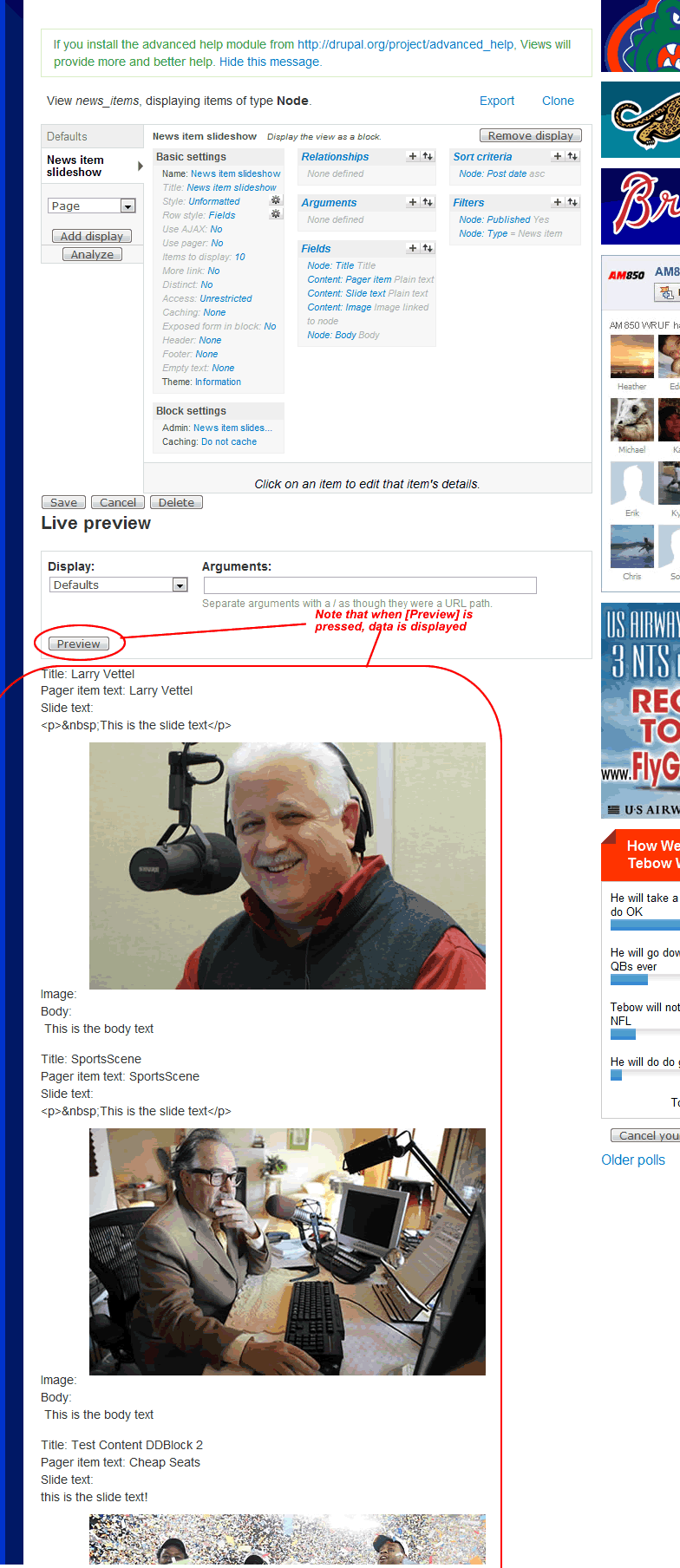
I do have content entered, and when I hit the "preview" button to preview it within the Views UI, the content comes up (see attached views-ui.gif).
I copied the CCK & Views Export straight out of Export_files_V1.6.zip (both exports from my installation are attached), and I've even compared the settings with another development site that I am able to get the default themes working with.
I've checked every conceivable setting I can think of twice, but I cannot seem to get this working.
What do I need to do to get this active? Any help would be appreciated!!




Comments
Comment #1
ppblaauw commentedCan you uncomment the drupal_set_message lines in the preprocess functions for the ddblock slideshow and attach the result of the debug lines.
Do you have a link to the Internet Site?
You can also have a look at the faq question in the troubleshooting part of the FAQ starting here
Comment #2
mherchelHere's the output after uncommenting those lines. For whatever reason, the DDBlock is only showing for logged in users.. even after I set the display options in the Block's configuration... so I'm currently working on getting this to display for anonymous users - so, unless I create an account for you, its not showing right now
Comment #3
mherchelOK. I modified the "View Dynamic Display Block" permission... its working now for anonymous users:
The URL is http://am850.herchel.com/
I'm going to be going through those FAQs again pretty soon. Thanks,
Comment #4
ppblaauw commentedCan you disable CSS and JavaScript optimization at administer > Site Configuration > Performance
After that clear the cache at the same page.
Can you use e.g the upright50p ddblock theme in the configuration.
Comment #5
mherchelThanks for the response!
Done. I disabled all caching (which was disabled), disabled css & javascript aggregation, changed the template to "Upright50" (note did not see an 'upright50p' - see attached screenshot), then I flushed all the caches
Still no luck so far.
Comment #6
awakash commentedI was having the same issue - but now, only the first image appears while the pager changes dynamically (jquery). For the display method, I chose 'cycleblock', then unchecked advanced settings, and for the 'content container' I replaced div.slide with "li" (no quotes). Leave 'overflow hidden' checked. Give that a try and see if it works for you.
For me, it's some css/jquery issue but can't put my hands on why the image isn't rotating.
Awakash
Comment #7
mherchel@awakash- Thanks for the suggestion.. my display method was set to Cycleblock. Unchecking the 'Advanced Settings' checkbox did make the first node appear, but it wasn't formatted, and it didn't do any cycling. Replacing the div.slide with li didn't seem to make any difference.
Comment #8
ppblaauw commented#6, #7
To make use of the ddblock themes you need to have the advanced setting enabled and the content container needs to be div.slide.
#7 the result of the debug lines looks ok.
Replied on your e-mail.
#6 your advice will not help users to make the ddblock module work on their sites.