

Active
Project:
Javascript Tools
Version:
4.7.x-1.x-dev
Component:
Ajaxsubmit
Priority:
Critical
Category:
Bug report
Assigned:
Unassigned
Reporter:
Created:
7 Jul 2006 at 13:15 UTC
Updated:
26 Jul 2006 at 19:25 UTC
Jump to comment: Most recent file

Comments
Comment #1
ardas commentedI would like to add that this happens only in Firefox ... no problems in IE
I didn't try other browsers.
Comment #2
nedjoCan you provide a link and a screenshot? I'm not clear what the issue is.
Comment #3
ardas commentedHi,
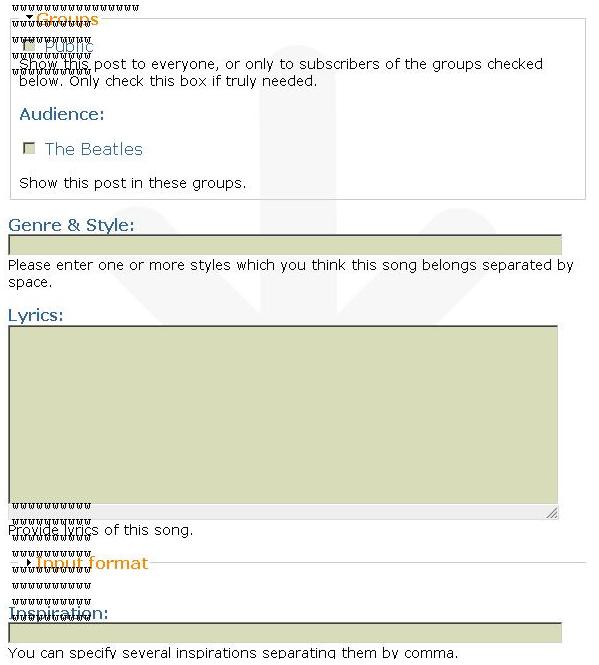
Here is a screen shot of what happens with layout in FireFox after pressing Submit button.
Looks like the problem concerns only text which is in textfields/textareas ...
Thanks.
Comment #4
ardas commentedGreetings,
Did you manage to reproduce the problem ? Can you give me a hint how this issue can be fixed - I'll try to fix it for my site myself.
Thanks.
Comment #5
nedjoI'm wondering if this could be a theme issue. What theme are you using? If it's non-core, please try with bluemarine and report back.
Please contact me via my contact form and provide a link where I can see the issue.
The module should be doing this:
* create a hidden iframe
* submit data into the hidden iframe
* parse response and append messages returned as new elements in the help area.
Comment #6
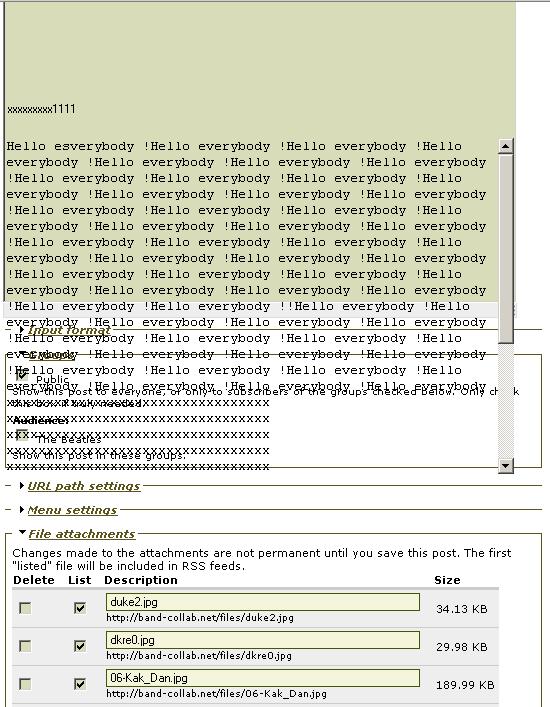
ardas commentedNo problem found in bluemarin ... all text "return" to their textareas.
The same problem exists in pushbutton theme - text don't "return" to textareas (see attached screenshot)
Both bluemarin and pushbutton are core with no changes.
Unfortunatly, this site is not available yet. I will do it in the nearest future. But you can reproduce this with core pushbutton theme.
As I understood, the problem is connected with themes also.