

Active
Project:
Instant messenger
Version:
6.x-1.x-dev
Component:
Code
Priority:
Normal
Category:
Bug report
Assigned:
Unassigned
Reporter:
Created:
3 Mar 2010 at 20:12 UTC
Updated:
26 Nov 2010 at 05:41 UTC
Jump to comment: Most recent file


Comments
Comment #1
baff commentedSolved - if you enable CSS aggregation under admin/settings/performance the error message disapears.
Comment #2
baff commentedI have enabled it, but still there.
Theme: Zen classic
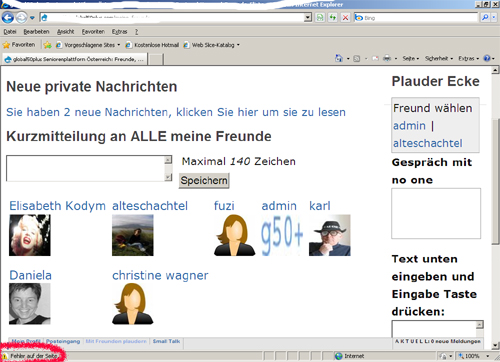
see screenshots attached
Comment #3
pahariwalla commentedI don't have access to a Windows box at the moment so It's hard to recreate the error. I've got a patch for some fixes for IE8 that might solve your problem ( see #770272: Patch to fix errors in IE8 and errors with non-clean URL sites ). I'll post to this issue when I get those fixes in.
p.s I cannot read error on error.jpg because it is tiny and fuzzy.
Comment #4
baff commentedIt is German and just says "Error on page"
Comment #5
jvieille commentedI have an error too with IE8
The Body field with CKEditor does not show up when editing a node if IM is enabled.
The browser error is the following (in French:
Mémoire insuffisante pour cette opération.
ckeditor.js?I, Ligne 12 Caractère 383
Which means something like that:
Insufficient memory for this operation.
ckeditor.js?I, Line 12 Character 383
Chrome and FF do not have any problem.
Hope this helps
Comment #6
jvieille commentedNo clue to solve this issue?
I have configured Optimize CSS Files to "Full optimization" using IE CSS Optimize module which usually solves some IE8 issues
Comment #7
baff commentedAny progress on this?
Comment #8
barrywinwood commentedHi any confirmed solutions for this?
Comment #9
jvieille commentedI have no problems anymore, using CSS optimizer.
On my side, this is "fixed"