

 The 2026 Drupal Business Survey is open. Your response will help shape the future of the Drupal business ecosystem.
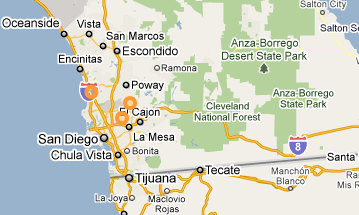
The styles I set for the overlay layers are not being applied, and instead all layers receive the style specified under "default style". The attached screen-shots illustrate the problem.
| Comment | File | Size | Author |
|---|---|---|---|
| resulting map | 32.11 KB | entrigan | |
| preset style settings | 32.39 KB | entrigan |


Comments
Comment #1
tmcw commentedThis is likely another regression from this ticket
http://drupal.org/node/736208
I'm starting to think we should revert that one, it's doing too much bad.
Comment #2
tmcw commentedThis is fixed for me in the fix to that ticket. Please test with the very latest dev version and reopen if that isn't the case for you.
Comment #4
gmclelland commentedSeems I can't get the my styles to change. Here is what I have tried.
1. Create an "Location" content type
2. Add a location field of type OpenlayersWKT display with Openlayers Map
3. Create an Open Layers style called "Green Dots"
4. Add a preset - Set all styles to "Green Dots"
5. Go to Display setting for the Location content type and set the location field use the new map preset.
6. Make sure the actual location field is using the new map preset.
7. Enter test data into node
8. View node - shows the default orange dots.
Am I doing something wrong? I am using openlayers-6.x-2.0-alpha6.
Note: I also created a "Purple Dots" style and applied that to a openlayers view and that displays the purple dots correctly.
Let me know if you need more information. Thanks.
Comment #5
tmcw commentedThat's a different issue; reclosing and moving that to #790008: OpenLayers CCK doesn't support styles
Comment #6
tmcw commented