Closed (fixed)
Project:
Google Maps Tools
Version:
6.x-2.0-beta3
Component:
User interface
Priority:
Normal
Category:
Support request
Assigned:
Reporter:
Created:
2 Apr 2010 at 00:39 UTC
Updated:
4 Jun 2011 at 23:03 UTC


Here's my problem:
I can display a static map just fine, using
Style: GMaps Static Map (and Map preset: View style)
Row Style: Static Map Node Marker
Fields:
Marker Option: Address - Point
Content AnP: Address GMaps Map
Filters: Node: Type = Points of Interest
Points of Interest is a Content Type I created using CCK with an Address and Point input.
The view displays my address as a static map just fine. However, if I try to display it using the:
Style: GMaps Map
Row Style: Map Node Marker
(and the rest the same as above)
Then it returns the query in the live preview, but just says "Loading..." above the query instead of showing a map like it did for the Static Map View. Also, when I go to the page view I created, it just shows a map with nothing on it.
Any help as to why this is happening would be much appreciated as the Static Map doesn't do me much good.
P.S. I attached a screen shot of my current settings which are not working.
-Mike

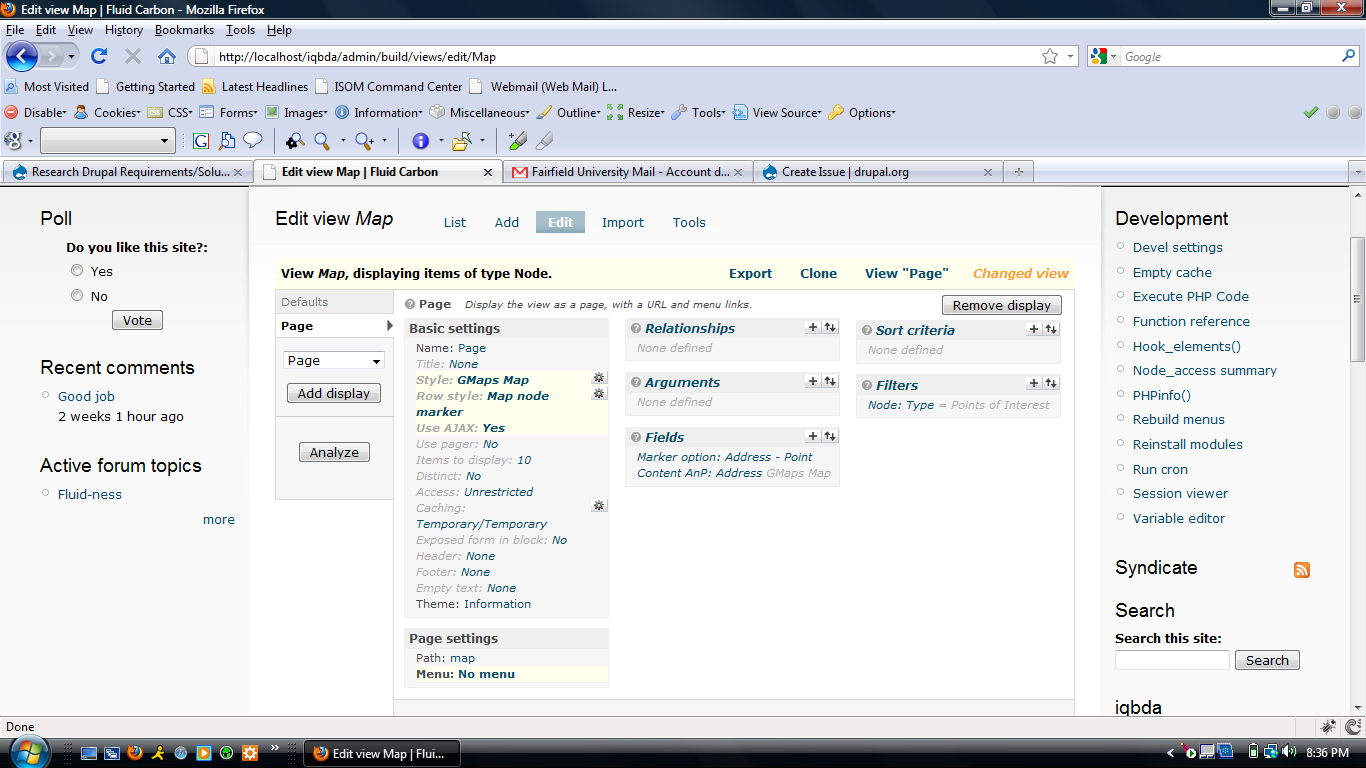
Comments
Comment #1
xmarket commentedInteractive maps don't work in Live preview. You can test them on real pages, only.
Comment #2
conley722 commentedThanks for the prompt reply,
So that explains that. But, did you notice if my settings looked correct? because I cannot seem to get it to display correctly on an actual page either, it just shows up as a blank map (like its looking at water). The only things I did were create a CCK content type with AnP fields, added some demo nodes, and then set up the view like described/shown in my original post. Am I missing other steps? Is there something wrong with my view settings? Do I need to add extra fields to the Content Type to get it to work? I am new to this so I'm assuming there could be a number of things I am missing, any suggestions would be greatly appreciated.
Also, I am currently developing on a localhost if that has anything to do with it (I do have an API Key though).
Comment #3
conley722 commentedComment #4
xmarket commentedMarking as fixed, because the original issue has been fixed.
For the second issue: you should center the map somehow:
Comment #6
karakal commentedSorry for the simple question but I couldn't find any reference anywere else.
How do I get Style:Gmaps static map, In views? So far I have only the Gmap option when I choose style.
Tnx in advance