

 Come together with the global Drupal community in Rotterdam, 28 Sept – 1 Oct 2026. Sessions, contribution, connection, and Early Bird savings until 8 June.
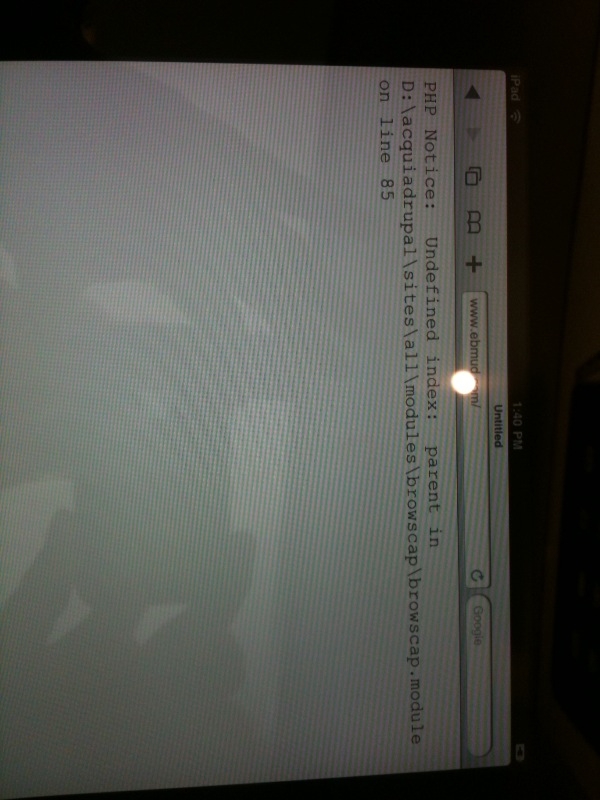
iPad coming to our site (ebmud.com) fails with error:
"PHP Notice: Undefined index: parent in x:\.......browscap.module on line 85"
Acquia Drupal running on win2008 server/IIS7 - it could be our setup....
| Comment | File | Size | Author |
|---|---|---|---|
| ipadFail.JPG | 221.79 KB | muddum |

Comments
Comment #1
gregglesA PHP notice should not cause your server to stop processing the page unless there is some further problem with your setup (or with iPad's processing of HTTP headers, which seems unlikely).
All the same, Drupal's code should be E_ALL compliant and these are usually easy bugs to fix so...if you can provide a patch I'd be happy to review/commit.
Comment #2
muddum commentedFYI - this now is not just for iPad - but for Safari 5.0 on Mac and Windows as well......
Ok, I set the error_reporting = E_ALL in php.ini and then altered the browscap.module so:
That seems to have fixed it but I am a complete newbie to PHP and Drupal so I suspect that this is completely wrong. However - IF this is the correct way to go it is very exciting as it is my first contribution back to the Community!
Comment #3
gregglesThanks for your bug report and for helping make this a better module. Could you provide this as a patch?
Comment #4
gregglesA better title.
Comment #5
brycesenz commentedI am actually getting this same error on my machine as well (Ubuntu Meerkat, Apache, mySQL, PHP5). I am running the latest version of Drupal and the latest -dev version of Browscap. In my case, there are actually three errors that keep coming up in sequence:
These errors don't seem to have any detrimental effect on the rest of the site's functionality, but it's still less than ideal that they keep coming up.
Comment #6
venusrising commentedDid anyone ever find a fix to line 253? This issue is from March which is 4 months old now. The module works great but this printing the error in a live site is bad news.
Comment #7
devin carlson commentedI believe this issue has been fixed by #1012924: Getting pages with CURL, php notice.
To test this, download the latest dev version of Browscap and clear the existing Browscap logs (unfortunately, until #810502: Purge data button is completed this will need to be done manually, such as by uninstalling Browscap).
If anyone is still receiving errors feel free to reopen this issue.