Active
Project:
Node import
Version:
6.x-1.0-rc4
Component:
Code
Priority:
Normal
Category:
Bug report
Assigned:
Unassigned
Reporter:
Created:
13 Apr 2010 at 17:46 UTC
Updated:
9 Aug 2011 at 13:34 UTC


I successfully imported a hierarchical vocabulary with the Taxonomy CSV import module.
Note that there can be duplicate terms in this vocabulary in the sense that I may have a hierarchical terms such as:
Bass Guitars>Bass Amplifiers and effects>Bass Amplifiers>Combo Amps
and also
Guitars>Guitar Amplifiers and Effects>Guitar Amplifiers>Combo Amps
This is shown in the attached taxonomy_import.png
What I need to do next is to use Node_Import to import content into Drupal. This content is in a CSV file with one field being the hierarchical terms separated by the > character. For example one piece of content (i.e. one row in the CSV) would have the following hierarchical terms in the taxonomy column:
Guitars>Guitar Amplifiers and Effects>Guitar Amplifiers>Combo Amps.
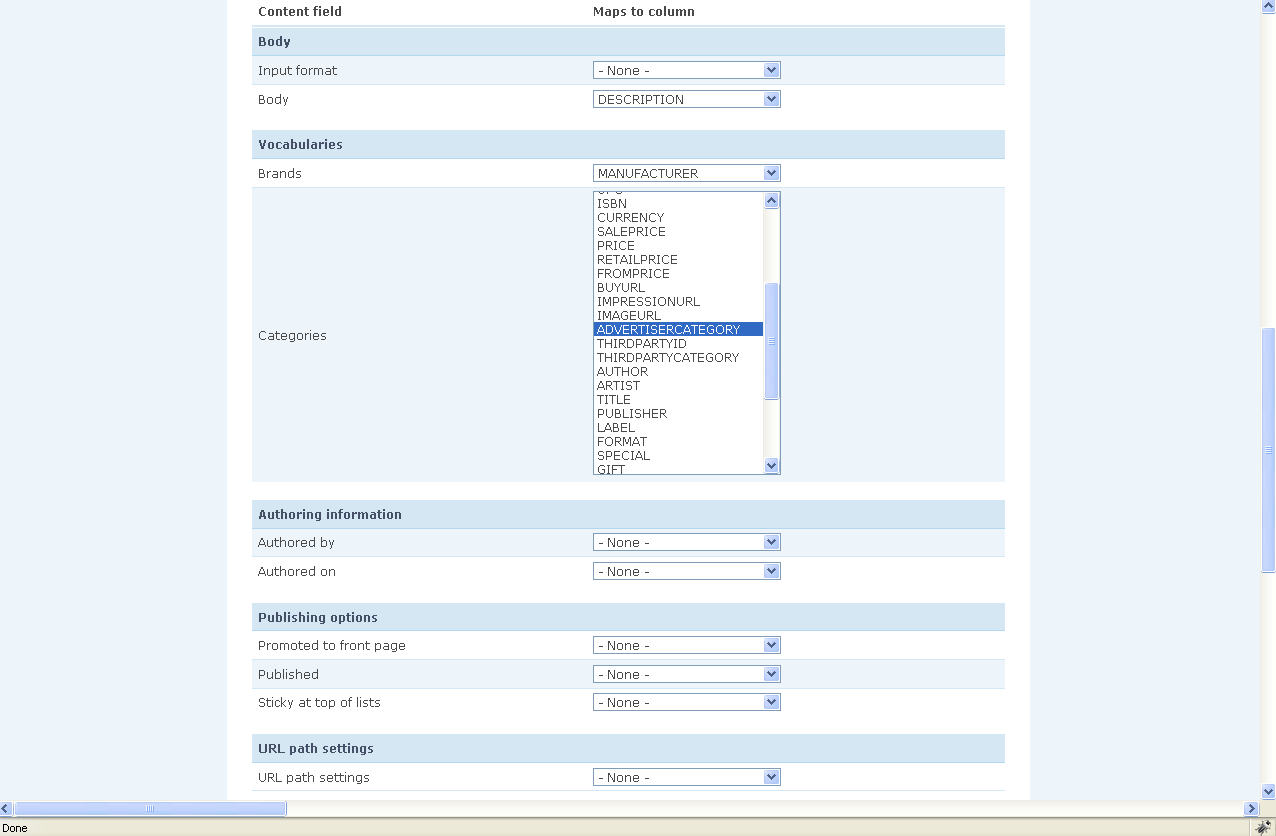
In step #4, I map the categories field with the name of the column if the CSV file (see attached node_import-step_4.png image)
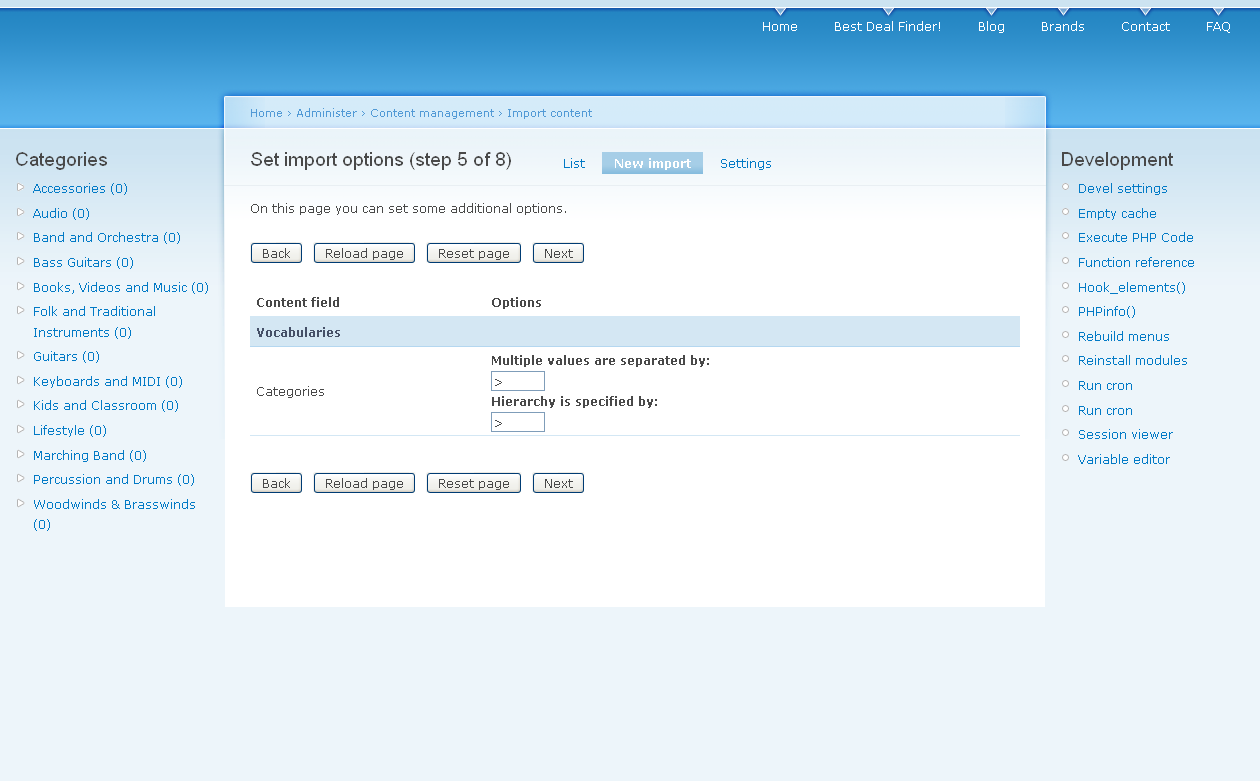
In step #5, I specify both separators to be the > character as is shown in the attached node_import-step_5.png image.
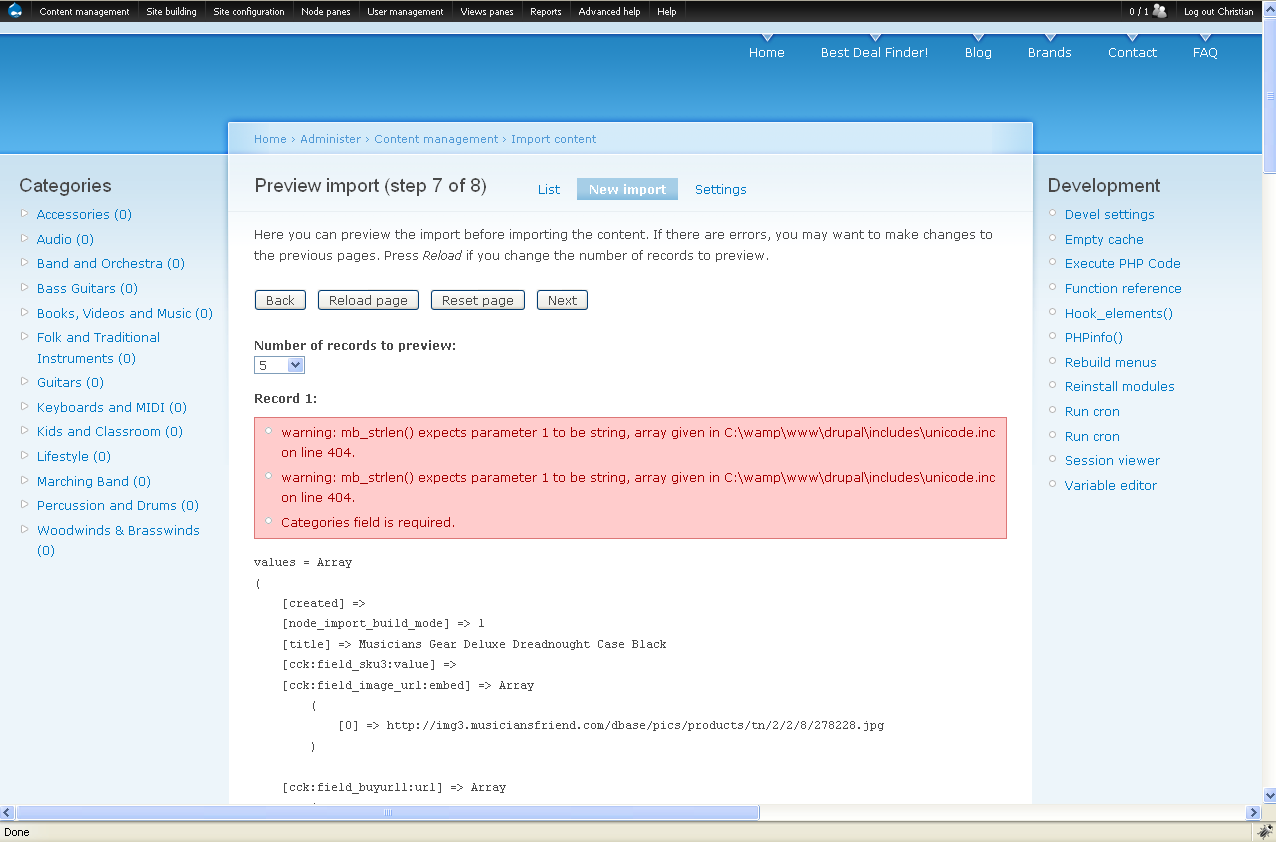
In step #7, I get an error message as is shown in the attached node_import-step_7.png image.
I do not understand what these 2 warnings are (I made sure the CSV file was saved as a UTF-8 compatible file (I am using texteditor) and I don't understand why it is telling me that the categories field is required as I did map the categories field with the corresponding column in step #4.
Then if I go back to step #5, and put the >character only in "Multiple Values are separated by" box, but nothing in the "Hierarchy is specified by" box, then the import successfully completes with no errors.
The problem is that the mapping will be done with terms that are not hierarchically organized.
In my example, that one piece of content (row in the CSV file) had Guitars>Guitar Amplifiers and Effects>Guitar Amplifiers>Combo Amps in the taxonomy column but was actually mapped with Bass Guitars>Bass Amplifiers and effects>Bass Amplifiers>Combo Amps because the term "Combo Amps" is used in 2 separate term hierarchies. So I believe it mapped it with the first one it encountered.
The solution to my issue is to be able to specify the separating character in the "Hierarchy is specified by" box in step #4.
How can I specify this hierarchy in step #4 and why isn't it working?
Thanks you so much for any input/advice.
Christian
| Comment | File | Size | Author |
|---|---|---|---|
| node_import-step_4.png | 60.58 KB | ch_masson | |
| node_import-step_7.png | 88.98 KB | ch_masson | |
| node_import-step_5.png | 67.83 KB | ch_masson | |
| taxonomy_import.png | 82.15 KB | ch_masson |


Comments
Comment #1
neuronomicon commentedCheck the list of terms under /admin/content/taxonomy... I found that changes I had made seemed to result in my vocabulary being registered as a flat vocabulary even though it still retained hierarchical structure. I had to undo the changes and then resave the list to get it back as a single hierarchy vocabulary.
In order to import the hierarchy successfully I then had to use both || to separate multiple terms and >> to indicate hierarchy as follows (I am using a hierarchical tree of Province/District/Constituency/Ward in Zambia)
Zambia||Zambia>>Western||Zambia>>Western>>Senanga||Zambia>>Western>>Senanga>>Senanga Central||Zambia>>Western>>Senanga>>Senanga Central>>Lui
If I didn't, I may find that Lui (for example) is used as a ward name elsewhere, in a another constituency, resulting in a false registration in my taxonomy... so each entry is one of multiple terms and each of the multiple terms shows the full hierarchy to its relevant depth!!!! I've had some fun with spreadsheets, let me tell you :-)
I hope that proves useful somehow!?!
Comment #2
arbel commentedI've had the same problem and I've located the source of the problem I think.
in the HS vocabulary you can define - "save only deepest term" or "save entire lineage" when setting it to deepest term, all terms are added no mater what level - I mean you can have fields in your CSV with a term from any level.
If you choose save entire lineage only the top most level is saved an terms in the CSV from deeper levels are ignored.
Idan
Comment #3
AvalancheOfLlamas commentedI have the same problem -- but I'm not using HS on the vocabulary. Could there be options on Node Import similar to HS, such as "Save only deepest term" vs "Save entire lineage"
Comment #4
Andrew Gorokhovets commentedThe same problem.
And one more.
When I importing docs with only deepest level term the lineage not saved by hs_select.
Saved only binding with the single deepest level term.
Comment #5
Andrew Gorokhovets commentedI have changed the title because it concerns not only "imported with the taxonomy CSV import module" problem.
Comment #6
Andrew Gorokhovets commentedsory
Comment #7
deedeedum commentedHere is what I did to fix my import taxonomy hierarchy issue: http://drupal.org/node/437834#comment-1728792
Comment #8
beumont commentedThis worked for me as well.
Comment #9
ehikr commentedI messed with this for a while and couldn't get anything to work. By accident, i finally figured out something that would work:
I created my vocabulary and established the hierarchy (manually, although taxonomy XML should work as well)
Then i turned my vocabulary into a "tags" vocabulary
I imported the nodes, specifying >> as the separator on the field with terms (that's what my hierarchy was set up for in my csv, but use whatever yours needs)
After import, i turned tags off on the vocab.
Not the way it was supposed to work, but it works for me.
Comment #10
arpieb commentedI ran into this with the same problems as ch_masson. My troubles originated from two angles:
Hopefully these two watchpoints will help someone else out...
Comment #11
grasmash commented@#10
I ran into the same issue.
-Initially imported taxonomy terms (with hierarchy) via Taxonomy CSV.
-Went to Node Import and found that "Hierarchy is specified by:" was not an option.
After reading your comment, I found "In the table that {vocabulary}, the value for the column `hierarchy` was 0."
I changed the value to 1 and everything worked!