
Rearrange the order of fields
Last updated on
7 March 2018
Drupal 7 will no longer be supported after January 5, 2025. Learn more and find resources for Drupal 7 sites
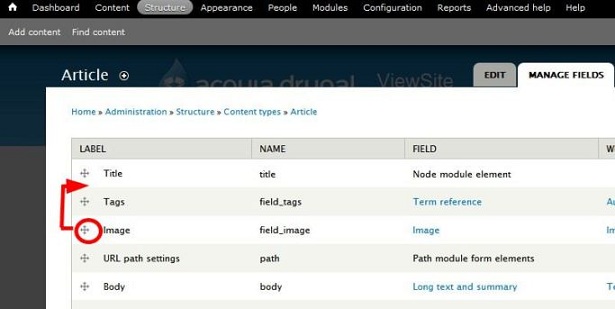
Rearranging fields changes their order as displayed when a user creates or edits content with these fields. The following screenshot shows the Manage Fields page for the Article content type. If you want to change the order of how Drupal 7 renders the fields to HTML, see the next page: Specify how fields are displayed.
- Navigate to the Content types page (Administer > Structure > Content types).
- In the table, locate the row that contains your content type and click the manage fields link.
- Locate the field you want to re-order, and drag the four-headed arrow icon up or down.
- Click Save.
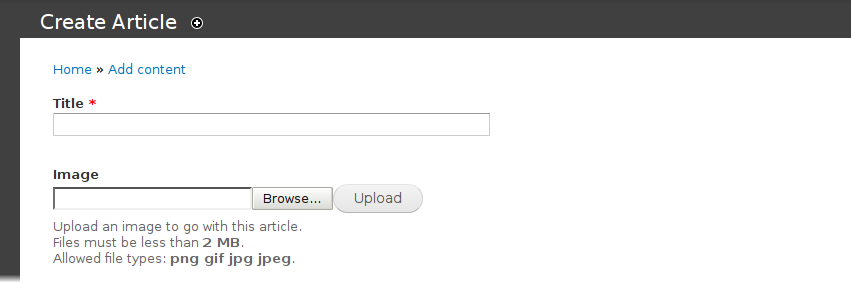
When users create an Article, they will now see the Image field displayed immediately after the Title field:
There is also the option to display row weights in the top right hand side.
Help improve this page
Page status: No known problems
You can:
You can:
- Log in, click Edit, and edit this page
- Log in, click Discuss, update the Page status value, and suggest an improvement
- Log in and create a Documentation issue with your suggestion
