

Closed (won't fix)
Project:
Recipe
Version:
7.x-1.x-dev
Component:
Code
Priority:
Normal
Category:
Feature request
Assigned:
Unassigned
Reporter:
Created:
20 Apr 2010 at 21:37 UTC
Updated:
11 Sep 2017 at 06:39 UTC
Jump to comment: Most recent, Most recent file




Comments
Comment #1
jvandervort commentedYou could try one of these:
Current we don't have a thing like an ingredient sub-section or a way to add duplicate ingredients in the same recipe. There is a check to disallow the same ingredient to be used twice in one recipe.
I haven't used any of the techniques so take them with a grain of salt:)
Comment #2
stepneo commentedcool. i appreciate the info. i'll give those methods a try and post back here with any results. on another note, i've found the Voting and Five Star Module seems to break the formatting in the recipe when applied. it throws the "five star" under the "description" leaving a large space down to the "instructions". i had the "Five Star" at the bottom in the last version of recipe. i'm working on figuring out what's up with it, and, if i find the solution, will post it back here. in the meantime, if anyone has had luck with repositioning the Five Star on the new recipe module, let me know. thanks.
Comment #3
stepneo commentedinteresting things going on with the recipe layout in FF & IE as well. (attached)
Comment #4
jvandervort commentedFor a fivestar fix, grab the dev snapshot dated Apr21 or after. After you install that version, modify
the node-recipe.tpl.php and add this to the bottom:
NOTE: every recipe module upgrade will overwrite the node-recipe.tpl.php file!
Comment #5
jvandervort commentedAlso for the summary box floating issue, you could de-float the summary box and change the node-recipe.tpl.php
file to move it inline somewhere. Or even put the recipe page into a table layout.
Comment #6
stepneo commentedodd. for some reason i'm unable to locate the dev snapshot dated Apr21 or after when searching through the drupal.org site. i did manage to reformat the Summary Box to line up with the Ingredients. looks alot better. i was able, however, to get the "five star" in a location which makes sense on the recipe layout, but, seems duplicated at the top somehow.
still working on the secondary sauce/gravy parts for the recipe. i managed to get duplicate "instructions" but, not sure how i'm going to hook in the second set of ingredients to allow interaction with the summary box.
Comment #7
stepneo commentedscreen capture attached.
Comment #8
jvandervort commentedYeah that double fivestar issue was the reason you need the latest snapshot. drupal.org has updated it, so this link
is the real deal:)
http://ftp.drupal.org/files/projects/recipe-6.x-1.x-dev.tar.gz
After you update, and add your fivestar bit to the template file, make sure the template files does NOT contain:
That was removed in the last version, but may remain if you've been updating your copy and then copying it back in.
Comment #9
stepneo commentedThat worked out well. thanks for the info, and thanks for the work on the recipe module. it's something i've been working with for awhile now. great improvements/fixes.
Comment #10
canadrian commentedSame issue with Five Star. I think what would be ideal is if I could use Five Star, Flag, and the Recipe Summary box as Drupal blocks, and position them wherever (right, left, top, etc.) I like. Having them hard-coded into the content area is a bit unwieldy.
Comment #11
jvandervort commented@canadrian,
Fivestar already supports a node block where you can see stars and vote.
Recipe now has a summary block (in the dev snapshot on/after 5/10). Look under the admin settings for summary location.
This particular issue is about ingredient sections, so it would be cool if you added feature requests in their own thread so that we can see them easier.
Comment #12
izmeez commented@jvandervort, #4, Note re: node-recipe.tpl.php being overwritten
Would the Drupal approach be to copy the node-recipe.tpl.php file to your theme directory and make changes to it there.
And does the recipe module use the file from the theme directory instead of the same name file in the module directory?
Thanks,
Izzy
Comment #13
jvandervort commented@stepneo, I just checked and there is one more detail:
1. Add the sauce as a normal recipe(with a good name, ie NOT "Sauce").
2. Add the main dish with an ingredient which matches the name of the sauce recipe (it shows in the autocomplete feedback).
When you save, the ingredient is automatically linked to the matching sauce and shows as a blue link.
I'm surprised no one has complained about this autolinking before now. If there is a forum post titled "salt" it would
probably be linked as it stands now. Oh well, I'll await the bug report:)
Comment #14
jvandervort commented@izmeez,
I believe you are correct and that the theme directory's copy of the .tpl file should override, but I have not tested it.
If it works, let us know:)
Found this in the help docs(Ref):
Comment #15
canadrian commented@jvandervort,
Apologies for forking the thread. I've created a new issue for discussion of my feature request: http://drupal.org/node/798066
Comment #16
Rollike commentedThanks for sharing:
It worked for me :)
Comment #17
jvandervort commentedThe 2010-Jun-20 dev snapshot changes this again slightly. You may not need to change the template at all to show
cck fields for images or fivestar type modules.
Comment #18
jvandervort commentedThis thread had a lot of stuff going on, but let's consider it a feature request for ingredient sets for multipart recipes.
Comment #19
jvandervort commentedThis request is probably related to:
#880306: allow duplicate ingredients within a recipe
Comment #20
Dr Jay commented+1 on this -- it is honestly the primary reason I cannot switch from rbook -- to many recipes have more than one ingredient set and I can't deal with either hacking them into multiple recipes or disabling the duplication checking. I really, REALLY would like to see this sorted but I've had no luck modifying the code on my own.
Comment #21
jvandervort commentedDuplicate ingredients are now allowed, but not yet ingredient sections.
Do you guys think the sections need to be named, or could we just have a divider on the view screen and a checkbox on the recipe edit page which means "draw a section divider here" kind of thing?
Comment #22
Dr Jay commentedI think it is important to have them named -- for example, an apple pie recipe would have two ingredient lists, one for the crust and one for the filling. They have to be separate because there are crossover ingredients (there is flour and sugar in both). So the error checking for duplicate ingredients would be specific to each set only.
I tried to mimic the code in the cck module for this (using the 'Add more' button function for a new fieldset) but I couldn't figure out how to nest the ingredient lists within the fieldgroup.
Comment #23
mv_alex commentedI would strongly appreciate the possibility of splitting the ingredient list as well (especially for D7), just regarding the cake example.
I could think of two possible solutions.
- To make the whole ingredient section clonable under a unique name (dough, frosting, ... etc.)
- To enable headline fields among the ingredients
Both ways would assume an adjustment of the duplicate checking.
Comment #24
valk commentedAdding a name, or maybe (better?) a number of step can solve it. However, I think it would be 'cleaner' to combine multiple recipes into some meta - recipe. This way one could load the sub-recipes when loading the main (or meta-) recipe, and render them as one. This would also allow to have them as separate recipes.
I'm currently working on such module, it's not in a decent stage (it works, but the meta-recipe is stored in table, and I want to convert it to nodes ), so I'm not putting it online. But if anyone wants it now, please tell me and I'll pour it somewhere.
Comment #25
chertzogadding my two cents...
could we make it so that there is a button (like the "add more ingredients") that will add a "sub recipe" fieldset, in which ingredients, and instructions could be added.
Comment #26
cmurph commentedHas anyone been working on this feature?
I'm wanting this feature as well (except in the 7.x version), and would like the ability to split ingredient lists within a recipe.
I was going to make my own modifications, but thought I'd check and see if anyone else has started this. In any case, I'll keep an eye on this feature request and update it if I make any steps forward with an implementation.
Comment #27
cmurph commentedI've managed to put together a patch (for the 7.x dev version) which allows users to add "sub recipes" to a recipe. These sub recipes are actual recipe nodes, and therefore can be used elsewhere by other recipes.
I'm doing more testing on it, but thought I'd post what I have thus far so others can take a stab at it, give some feedback, and test.
Also included in this patch is a conversion from the "Select" list of cook/prep times to a textbox input of the # of minutes. When displayed, the minutes is converted to hours as necessary. This is per this issue: Issue #1099328.
Comment #28
dcam commentedI tested #27. When the patch was applied, Git complained about whitespace errors. I'm new at patching issues, so I'm not sure if that's a problem. Otherwise it seemed to work.
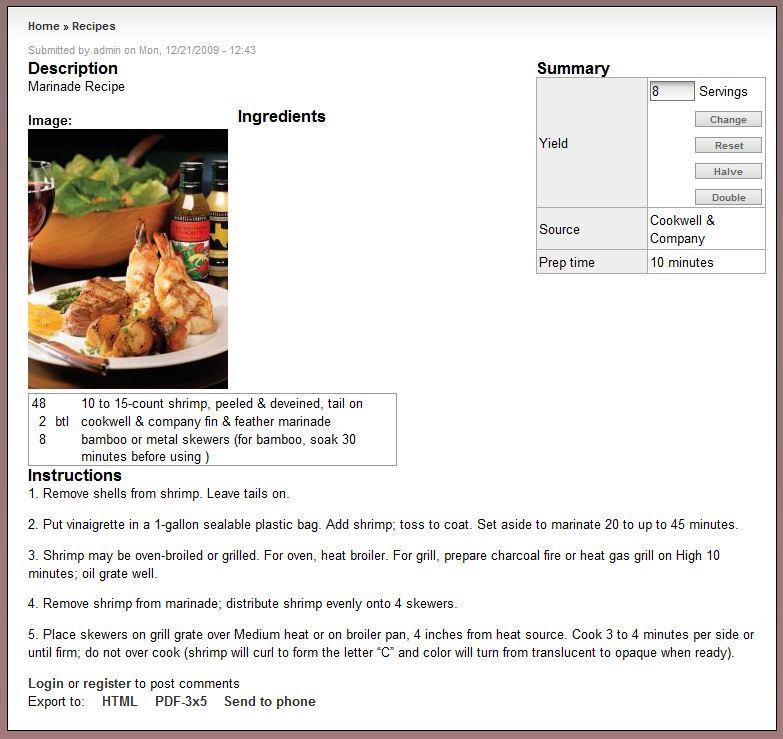
I created 3 recipes. Two were intended to be sub-recipes. When I created the main recipe and added the other two as sub-recipes Drupal started giving me error messages. You can see the errors in the attached image.
I checked out the code. I think it's being caused by the $sub_recipes[$record->nid] object not being initialized before properties are set. I added a statement in recipe_load_sub_recipes() to initialize the object (see the code below) and the error messages went away.
Regarding this issue as a whole:
I think about various ingredient issues a lot: singular/plural, moderating, sets, etc. I like the idea of using node reference to add in other recipe info. I think it's an important feature to have. I'm not convinced it's the best solution for every recipe that has multiple parts. There may be occasions where a separate recipe isn't appropriate or the author doesn't want to create one. I don't have another suggestion for how this could be done yet. Hopefully I'll have an idea ready soon.
Comment #29
jvandervort commented@cmurph, can you provide a reroll with just "sub-recipe"?
And if we go this route, do you feel you'll never need "inline multipart recipes?"
Plural units was committed in a separate issue,
#732654: Ingredient name plurals
and cook/prep time should be their issue.
#1099328: Prep Time should be changed from a selectbox to a textbox
Comment #30
cmurph commentedYes, I also have a few more fixes to add since more thorough testing (as well as changes from @dcam).
I'll try to post a patch by tonight.
I'm not sure what you mean by "inline multipart recipes." If you mean being able to enter sub-ingredients and sub-instructions within 1 recipe (rather than having to create a separate recipe, and then "reference" that), I'll have to think about that one and how to implement it.
Thanks.
Comment #31
jvandervort commentedYes, pretty much that. There have been a lot of requests for some sort of ingredient divider/section (ie Cake / frosting or salad / dressing sections.) Mostly ingredient sections not sub-instructions.
Comment #32
jvandervort commentedSomething like this:
where the ingredients are broken out, but the instructions really aren't.
Either with a title or some kind of dividing line.
This would be different than you recipe ref technique, I was just wondering if we wanted both.
Comment #33
cmurph commentedThat would probably be a common use-case, as you said... I believe we would want both.
I'll try to implement something here soon, as well as post an updated patch.
Comment #34
cmurph commentedOkay, so here is the "sub_recipe" patch (with only the sub_recipe changes). It's against the latest development version.
Note: Currently "Export to" does not work with sub-recipes (meaning, no information about sub-recipes is displayed in the export). I will be adding it once I get the multipart portion put together.
I'm currently looking into the multipart portion, I'm considering adding a button which will add a row which can be moved within the ingredients form area, just as a normal ingredient can (this row, for now I'm going to call a "separator," will only contain input for a "title").
Comment #35
thirdboxcar commented@34 - any chance you can rework this patch to the newest production release? It breaks my whole site when applied to 7x-1.3.
**UPDATE**
I can't get the patch to work with the latest dev release, either, as noted in your post, although it doesn't break the site like the production release does when patched. Can you clarify if a) I'm using the right dev version, released on Apr 23 (same day as your patch), and b) if this patch should work on an install that already has recipes in the system?
Comment #36
jvandervort commentedFYI,
Prod 7.x-1.3, 2012-Apr-26
and
Dev 7.x-1.x-dev, 2012-Apr-24
are identical.
Comment #37
cmurph commented@thirdboxcar,
The patch should work on an install that already has recipes in the system.
What exactly breaks (please provide more details)?
Did you run update.php after you applied the patch? (a new table needs to be created, this is achieved by running update.php)
Comment #38
thirdboxcar commented@cmurph
I think I applied the patch badly the first time, and it turns out I'm a big dummy and missed the collapsed section entirely (it placed it above the title by default, so I was scrolling past it. Apologies!)
Comment #39
trost commentedWhat is the status of committing patch #34 or an equivalent to trunk? While it only covers the case of referencing an existing node, this part works well and goes a long way toward enabling a two-year old feature request. I am however wary of rolling out a site built around an uncommitted patch.
Comment #40
dcam commentedI'm closing this. It may be pre-alpha (still), but you can already do this with 7.x-2.x in a way that doesn't require a patch that's full of even more custom code. In the 2.x branches, ingredient references have been converted to a field. You can add as many instances of an ingredient field to a recipe node as you want. Although, if you want to be able to do something like add a name to the ingredient subset, the way to do it that I've recommended is to create a field collection. Add a text field for the name and an ingredient field to the field collection.
Give the collection multiple cardinality when you attach it to the recipe node. Then whenever you need a new subset you just add a new collection item.