

 The 2026 Drupal Business Survey is open. Your response will help shape the future of the Drupal business ecosystem.
This issue was used to work on the migration of Drupal 6 CCK fields to Drupal 7 fields.
The instructions on how to Migrate/Upgrade Drupal 6 CCK Fields to Drupal 7 Fields are now published, so this issue is closed.
If you have new migration problems, please open a new issue.
Original post:
I have committed some initial code for a module called 'Content Migrate' that is intended to upgrade D6 fields to D7. See a related core issue for more background #366364: [meta] Data migration from D6 contrib CCK fields to D7 Field API.
This is a module that creates a page that groups fields into three lists: those unavailable to upgrade because the D7 modules are not yet available, those available to upgrade, and those that have already been upgraded. You can upgrade those that are available or rollback upgrades that did not work. Their are hooks that modules can use to tweak the upgrade of field settings to do things like adjust for the fact that text and number select lists are now controlled by a new 'List' module.
This will be an issue to track progress and bugs related to this code.
| Comment | File | Size | Author |
|---|---|---|---|
| #132 | 781088-work_with_revisions.patch | 1.81 KB | bfroehle |
| #131 | Screen shot 2011-01-25 at 4.27.56 PM.png | 212.39 KB | tcowin |
| #125 | cck-duplicate_uri-781088-125.patch | 2.21 KB | loganfsmyth |
| #103 | 781088-103_cck_content_migrate.patch | 5.43 KB | Island Usurper |
| #98 | 781088-98_cck_content_migrate.patch | 3.73 KB | Island Usurper |

Comments
Comment #1
rfaysubscribe
Comment #2
matt2000 commentedif (!module_exists('flag')) print 'subscribe';Comment #3
webchickThe code lives here for those wanting to take a peek: http://drupalcode.org/viewvc/drupal/contributions/modules/cck/modules/co...
Comment #4
Cheek commentedAny update on the migrate module?
I tried migrating my cck fields to D7. Most of them seem to be converted correctly and show up in the structure and the fields are there when editing. But none of them have any data in drupal. The data is there in the mysql database, but the fields are empty when editing a node. Any idea?
Comment #5
Cheek commentedOk, great, I actually got all my CCK data from D6 working on D7. Node_references, lists, integers, everything!
Somehow my upgraded data had field_config_entity_type switched. So node was '2' and comment '1'.
Therefor, I had to change every 'etid' in field_data_field_..... (and field_revision_field_....., just to be sure) to '2'. Maybe I could've just switched the two field_config_entity_type's, but I didn't know what effect that would have.
The nodereferences worked after that, but most other fields didn't. A simple fix was going to structure > node type > manage fields and resave every field that didn't work. (this didn't work when the etid's weren't set to '2')
Not sure what the problem was, but probably some data in field_config or field_config_instance.
Thanks for building the migrate module. Except for what I mentioned above, it works great and helped me a lot! :)
Comment #6
moshe weitzman commentedCan anyone confirm that this works with latest D7? Anyone working on the possible bugs reported in #5?
Comment #7
agill commentedsubscribe
Comment #8
rfayI just tried a migration using Amazon module and went down in flames:
Comment #9
rfayTried some others and didn't get the flames. I did get the content types with the fields, but the data from the fields didn't make it over.
Not a very scientific operation. I guess I'll have to try something more rigorous.
This was using content_migrate from CCK HEAD.
Comment #10
karens commentedThis worked originally but there have been changes to core since then. I haven't had time to try to see what might need to be altered in the code to get it working again.
My method is to start with something very simple (like CCK textfields). Once that is working, progress to more complex things.
Comment #11
karens commentedI should say it worked originally for basic CCK fields. I never had time to go beyond that.
Comment #12
Cheek commentedI think this will be a super important module for developers going from D6 to D7. After using this module in May (#5), I tried migrating my data again about a week ago.
The trick is still to resave every CCK field under Structure > Content types > etc, after migrating your data. Else the data won't show up in the nodes (there will only be empty CCK blocks).
The changes to the core did cause some new problems for me though. I have a CCK text field with tags, like "car, motor, vehicle, speed, drive, etc, etc". D7 couldn't migrate them because they didn't fit (I think the strings were too long for the targeted MySQL field).
Another problem I had was with a "List (text)" field, "Select list" widget. I couldn't resave the CCK field because of an error when clicking edit:
Fatal error: Call to undefined function list_field_schema() in C:\xampp\htdocs\modules\cck\cck.module on line 117Not sure if this error is caused by D7 core or broken data..
Comment #13
rfayI just had success with Amazon asin data from 6 to 7 doing with using the process just as it is intended. Didn't have to do anything extra:
1. Run update.php to get to D7
2. Enable asin (the module in Amazon package that provides a CCK field)
3. Run admin/structure/content_migrate
4. Update the content type in question.
I only tried doing the one content type at a time, but when I did it it went swimmingly.
I think the (repeatable) #fail in #8 was doing a content type that had been provided in code by a feature. The feature is not in D7 (because there are no features yet)
Yay for success!
Comment #14
Cheek commentednm
Comment #15
rfayTo everybody: If you find a specific, repeatable failure, I think it's important to open an issue against that issue. This is a crucially important module and is key to the upgrade path. (IMO these should be core issues, but it's not happening).
Comment #16
Cheek commentedThese are my results with the latest D7 release:
1.
Fatal error: Call to undefined function list_field_schema() in C:\xampp\htdocs\modules\cck\cck.module on line 1172.
Comment #17
rfay@cheek, please provide more explicit details.
How about a feature that contains the CCK type(s) you're updating (http://drupal.org/project/features)?
How about a link to data that can be loaded into it?
Can you recreate this #fail with a simple bit of data (like one node)? Or do specific nodes fail?
Thanks for your work on this.
-Randy
Comment #18
Cheek commentedI found there's actually a patch for 1. (although not 100%, but it fixes the big crash) at http://drupal.org/node/906358
I'm not using Features. I have several node types. Only one node type has problems. It's a node that contains meta data for videos. One field, containing tags for the video, causes the error. In my mysql D6 database it's a 'longtext'.
An example value is: "reporter, kevin newspaper, macdonald, Russell Crowe, Ben Affleck, Rachel McAdams, Helen Mirren, Robin Wright, Jason Bateman, Jeff Daniels, Michael Berresse, Harry Lennix"
Comment #19
rfay@Cheek, I suggested features because it's the easiest way to package up a cck type. But an export of the content type into a text file, attached to the issue, would help people to actually try this out.
Can you recreate the fail with *one* node that has a set of values?
Please provide a CCK type export, and a set of values that causes the failure. (Attached as files to the issue, not pasted in)
Thanks!
Comment #20
Cheek commentedSorry, I don't know which video is causing the problem, I have about 1500 videos.
The problem is pretty straightforward though. The text field is set to 'longtext' in the D6 database. The migration module is trying to copy the data into 'varchar(255)' field and it doesn't fit because it's smaller.
Probably line 319:
$field_value['settings']['max_length'] = 255;I'll run a php script to substr() my fields to 255 and run the upgrade again to test when I have the time..
Comment #21
sheilaj commentedI upgraded a simple CCK test site and only one of three text fields migrated successfully. Here are the details:
I created a site with Drupal 6.19 and CCK as the only contributed module (except devel to generate content). I created a content type with three text fields (all required), one using a textfield, one using a select list and one using checkboxes. I used devel to generate 50 nodes of that content type.
I upgrade to Drupal 7: disabled cck and devel, removed all Drupal 6 files and dropped in Drupal 7 HEAD files, except for sites/default directory. Added CCK 7.x-2.x-dev and ran update.php. Enabled CCK and Fields and ran update.php again.
Then I tried to migrate the three fields (Admin->Structure->Migrate fields). Only the first field (using checkboxes) showed up in the nodes. I rolled back all three fields and tried again one at a time. Still only the first field showed up in the nodes, but in the create/edit form the second field (using select list) showed up also (with select list populated). The third field with the simple textfield doesn't show up anywhere. This message comes up on the creat/edit form:
* Notice: Undefined index: description in field_multiple_value_form() (line 146 of C:\wamp\www\guinness3\modules\field\field.form.inc).
* Notice: Undefined index: required in field_multiple_value_form() (line 164 of C:\wamp\www\guinness3\modules\field\field.form.inc).
* Notice: Undefined index: required in field_multiple_value_form() (line 191 of C:\wamp\www\guinness3\modules\field\field.form.inc).
Possibly relevant?: the field that did not migrate at all has a Drupal 7 'Field type' of 'text', while the other two have a Drupal 7 'Field type' of 'list_text'.
Comment #22
ahwebd commentedSame error after "clean d6" > "d7" upgrade, added issue to drupal core http://drupal.org/node/931512
Comment #23
cnolle commentedI've just attempted to migrate some fields with no luck. The field itself migrates across ok, but without any data:
When migrating an integer field:
An AJAX HTTP error occurred. HTTP Result Code: 200 Debugging information follows. Path: /batch?id=8115&op=do StatusText: OK ResponseText: Fatal error: Unsupported operand types in /var/aegir/drupal7b/modules/field/field.crud.inc on line 793
When migrating a text field:
Data could not be migrated for field field_name_first in bundle associatecorporate.
exception 'PDOException' with message 'SQLSTATE[42S22]: Column not found: 1054 Unknown column 'old.delta' in 'field list'' in /var/aegir/drupal7b/includes/database/database.inc:1967 Stack trace: #0 /var/aegir/drupal7b/includes/database/database.inc(1967): PDOStatement->execute(Array) #1 /var/aegir/drupal7b/includes/database/database.inc(562): DatabaseStatementBase->execute(Array, Array) #2 /var/aegir/drupal7b/includes/database/mysql/query.inc(37): DatabaseConnection->query('INSERT INTO {fi...', Array, Array) #3 /var/aegir/drupal7b/sites/cope7f.kcud.net/modules/cck/modules/content_migrate/content_migrate.admin.inc(281): InsertQuery_mysql->execute() #4 [internal function]: _content_migrate_batch_process_migrate_data('field_name_firs...', Array) #5 /var/aegir/drupal7b/includes/batch.inc(286): call_user_func_array('_content_migrat...', Array) #6 /var/aegir/drupal7b/includes/batch.inc(163): _batch_process() #7 /var/aegir/drupal7b/includes/batch.inc(81): _batch_do() #8 /var/aegir/drupal7b/modules/system/system.admin.inc(2303): _batch_page() #9 [internal function]: system_batch_page() #10 /var/aegir/drupal7b/includes/menu.inc(480): call_user_func_array('system_batch_pa...', Array) #11 /var/aegir/drupal7b/index.php(22): menu_execute_active_handler() #12 {main}
Migrating long text:
Data could not be migrated for field field_follow_up in bundle case.
exception 'PDOException' with message 'SQLSTATE[23000]: Integrity constraint violation: 1062 Duplicate entry '1-798-0-0-und' for key 'PRIMARY'' in /var/aegir/drupal7b/includes/database/database.inc:1967 Stack trace: #0 /var/aegir/drupal7b/includes/database/database.inc(1967): PDOStatement->execute(Array) #1 /var/aegir/drupal7b/includes/database/database.inc(562): DatabaseStatementBase->execute(Array, Array) #2 /var/aegir/drupal7b/includes/database/mysql/query.inc(37): DatabaseConnection->query('INSERT INTO {fi...', Array, Array) #3 /var/aegir/drupal7b/sites/cope7f.kcud.net/modules/cck/modules/content_migrate/content_migrate.admin.inc(281): InsertQuery_mysql->execute() #4 [internal function]: _content_migrate_batch_process_migrate_data('field_follow_up', Array) #5 /var/aegir/drupal7b/includes/batch.inc(286): call_user_func_array('_content_migrat...', Array) #6 /var/aegir/drupal7b/includes/batch.inc(163): _batch_process() #7 /var/aegir/drupal7b/includes/batch.inc(81): _batch_do() #8 /var/aegir/drupal7b/modules/system/system.admin.inc(2303): _batch_page() #9 [internal function]: system_batch_page() #10 /var/aegir/drupal7b/includes/menu.inc(480): call_user_func_array('system_batch_pa...', Array) #11 /var/aegir/drupal7b/index.php(22): menu_execute_active_handler() #12 {main}
Boolean:
Data could not be migrated for field field_invoice_paid in bundle associatecorporate.
exception 'PDOException' with message 'SQLSTATE[42S22]: Column not found: 1054 Unknown column 'old.delta' in 'field list'' in /var/aegir/drupal7b/includes/database/database.inc:1967 Stack trace: #0 /var/aegir/drupal7b/includes/database/database.inc(1967): PDOStatement->execute(Array) #1 /var/aegir/drupal7b/includes/database/database.inc(562): DatabaseStatementBase->execute(Array, Array) #2 /var/aegir/drupal7b/includes/database/mysql/query.inc(37): DatabaseConnection->query('INSERT INTO {fi...', Array, Array) #3 /var/aegir/drupal7b/sites/cope7f.kcud.net/modules/cck/modules/content_migrate/content_migrate.admin.inc(281): InsertQuery_mysql->execute() #4 [internal function]: _content_migrate_batch_process_migrate_data('field_invoice_p...', Array) #5 /var/aegir/drupal7b/includes/batch.inc(286): call_user_func_array('_content_migrat...', Array) #6 /var/aegir/drupal7b/includes/batch.inc(163): _batch_process() #7 /var/aegir/drupal7b/includes/batch.inc(81): _batch_do() #8 /var/aegir/drupal7b/modules/system/system.admin.inc(2303): _batch_page() #9 [internal function]: system_batch_page() #10 /var/aegir/drupal7b/includes/menu.inc(480): call_user_func_array('system_batch_pa...', Array) #11 /var/aegir/drupal7b/index.php(22): menu_execute_active_handler() #12 {main}
Data could not be migrated for field field_invoice_paid in bundle associatemember.
list_text
Data could not be migrated for field field_resolution_0 in bundle case.
exception 'PDOException' with message 'SQLSTATE[23000]: Integrity constraint violation: 1062 Duplicate entry '1-798-0-0-und' for key 'PRIMARY'' in /var/aegir/drupal7b/includes/database/database.inc:1967 Stack trace: #0 /var/aegir/drupal7b/includes/database/database.inc(1967): PDOStatement->execute(Array) #1 /var/aegir/drupal7b/includes/database/database.inc(562): DatabaseStatementBase->execute(Array, Array) #2 /var/aegir/drupal7b/includes/database/mysql/query.inc(37): DatabaseConnection->query('INSERT INTO {fi...', Array, Array) #3 /var/aegir/drupal7b/sites/cope7f.kcud.net/modules/cck/modules/content_migrate/content_migrate.admin.inc(281): InsertQuery_mysql->execute() #4 [internal function]: _content_migrate_batch_process_migrate_data('field_resolutio...', Array) #5 /var/aegir/drupal7b/includes/batch.inc(286): call_user_func_array('_content_migrat...', Array) #6 /var/aegir/drupal7b/includes/batch.inc(163): _batch_process() #7 /var/aegir/drupal7b/includes/batch.inc(81): _batch_do() #8 /var/aegir/drupal7b/modules/system/system.admin.inc(2303): _batch_page() #9 [internal function]: system_batch_page() #10 /var/aegir/drupal7b/includes/menu.inc(480): call_user_func_array('system_batch_pa...', Array) #11 /var/aegir/drupal7b/index.php(22): menu_execute_active_handler() #12 {main}
Comment #24
rfay@cnolle, please see #12. It's a bug that you have to do this, but visit and re-save the content type and see if your migrated data appears.
Comment #25
cnolle commentedHey,
I've have just tried the procedure described in #12:
1. Migrate field
2. Go to content type and re-save (field does not appear)
3. Edit field individually and re-save (field appears but without data)
Using D7 head and latest CCK.
Comment #26
davegan commentedHaving same "Integrity constraint violation" error when migrating fields. Fields are created OK, but no data is moved over. Saving content type and field (as suggest in #12) does not correct this.
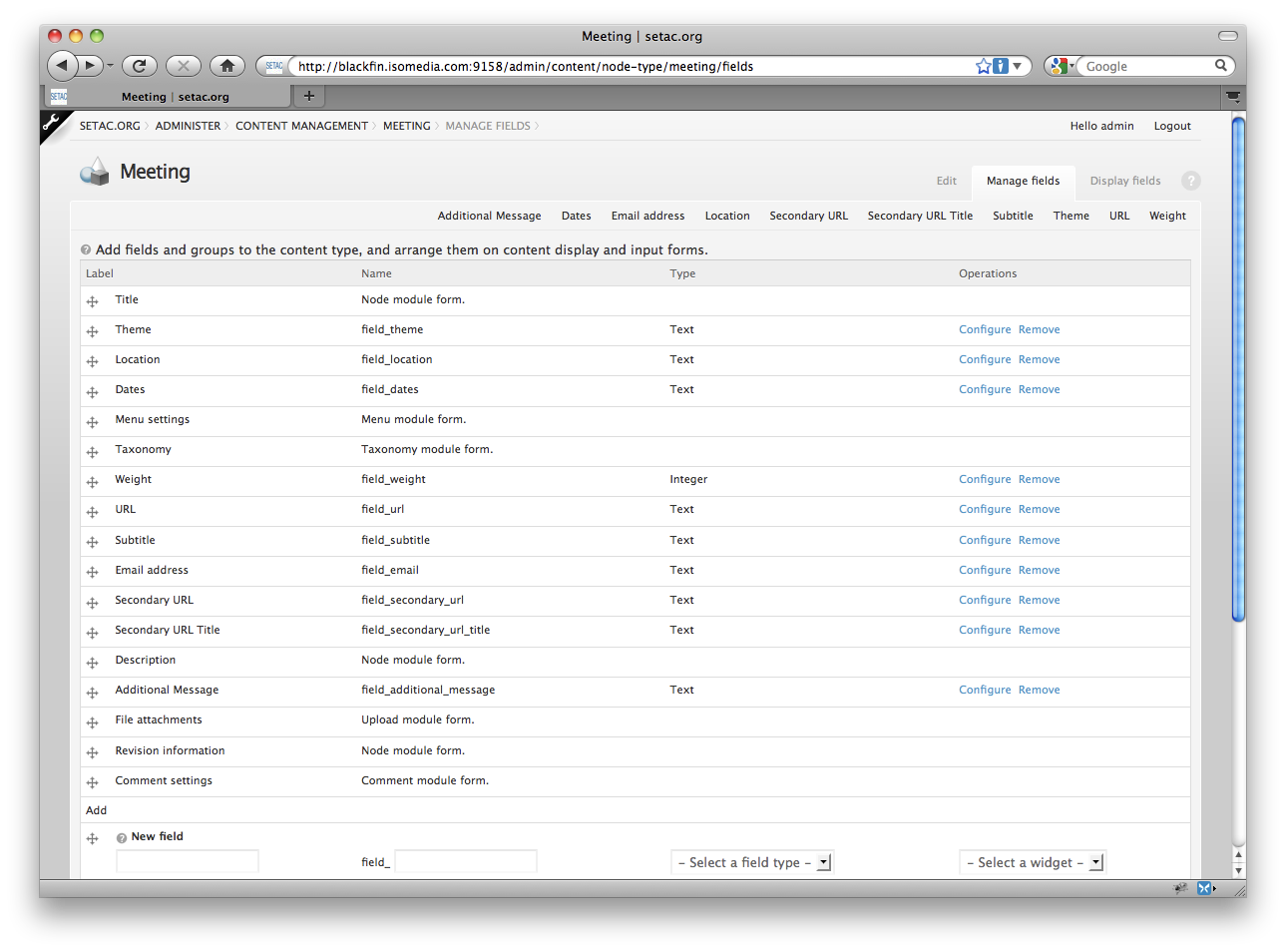
Comment #27
mradcliffeSo if I'm looking at this correctly if you have a custom widget type you'll need to invoke hook_content_migrate_field_alter() to properly set the field type from say text to list_text if it needs changing? But you wouldn't need to invoke hook_content_migrate_instance_alter() because the widget module isn't changing?
Comment #28
jcarlson34 commentedHere's my first testing experience migrating data using Content Migrate:
I created a test site, imported all of my nodes (17k +) and cck data in to mimic my live site. Followed the instructions in Drupal 7's update.txt. Ran the update.php. The site upgraded without a problem.
Deleted my disabled Drupal 6 modules. Uploaded cck 7.x-2.x-dev. Enabled Content Migrate. Also uploaded and enabled contributed modules Link 7.x-1.0-alpha2 and Email 7.x-1.x-dev.
My cck field types from Drupal 6 included text, list_text, list_numeric, list_boolean, number_integer, email, link, content_taxonomy.
Content Migrate transferred all of the above except for link (throwing an error)* and content_taxonomy (no Drupal 7 version of the module exists yet).
As Cheek mentioned in #3, I did not have any data in my fields either. They were in the database but not in the fields when editing my nodes. As #12 mentioned, I then saved each data field again. Then I ran a cron. My data now shows up in the fields and in the edit screen.
Another issue is the 'Number of values' setting has changed from "1" to "Unlimited" in all of my fields. I think this was due to a core change of switching the numeric values of 1 and Unlimited but I can't seem to find that post now.
Thanks to all that are contributing to this.
*Update on Link throwing an error:
In the database: content_node_field and content_node_field_instance tables left over from Drupal 6 have the type and widget type called "link" respectively. In Drupal 7, this is now called "link_field". Once I changed this in the content_node_field and content_node_field_instance tables, I ran Content Migrate again. No more error and all the data made it over. So this is not a Content Migrate issue. Will post to the Link issues about this.
Comment #29
jcfiala commentedHi Folks.
I'm the link field maintainer, looking in. As jcarlson34 noted in #28, there's a problem with link because the old field was 'link' and the new field is 'link_field'. This is a needed change, as Drupal core now has a widget named 'link' of it's own, and thus Link module must change. Is there a way to tell content_migrate that the data has moved?
And is there a project page for this? I'm not seeing one, but it seems like something people would need.
Comment #30
alanburke commentedsubscribe
Comment #31
Cheek commentedAnybody having any luck with migrating data to the latest D7 RC3?
I think the cck upgrade path is 100% broken now. Probably some recent changes to the database structure.. :(
Comment #32
arianek commentedjust fyi - upgrade docs for 6 > 7 #536854: Review and test the upgrade guide for Drupal 7 are needing to be finished asap, so if there is any info that might be relevant, would be awesome if someone can drop a note over there (especially if you can help write the udgrade docs for cck > field!) i'll keep an eye here as well.
Comment #33
naheemsays commented@ comment 29 - the module will need a few such translations for modules that have gone into core. I created an issue for imagefield/filefield a few days ago: #1001410: How to handle fields with custom widgets. (but that is more complicated now that in drupal 7 the image style is a field of its own and not just a widget for filefield).
@ comment 31 - I previously could get a textfield to migrate after commenting out a line in cck Migrate. Now the migration there is also faulty, but that may be due to other tests I have been doing on my test site.
Comment #34
mradcliffeOkay, now that I'm able to update Drupal 7 I can look at this. I ran into several issues, and I was able to get around them to test out content_migrate.
Before I could get content migrate to work:
'node' as entity_typeAfter:
The good news: data integrity for what I tested. text + textfield and list + custom widget. The comment I made in #27 was correct, and I was able to update my widget from D6 to D7 simply changing field_value['type'] and field_value['module']. ;-)
I've attached a patch that should be useful for developers to get things rolling and testing. It completely disables the try/catch statements, which is bad, but we can actually test things out.
Happy New Year!
Comment #35
karens commentedI'm trying to get this working again. I couldn't get the patch to apply, so did it manually, but I still have run into errors that make it non-functional (Fatal error: Cannot unset string offsets in /Users/karen/www/drupal7up/sites/all/modules/cck/modules/content_migrate/content_migrate.module on line 163, for instance).
I also tried to create a Feature that creates all my content types and fields, to make it something other people can try out. Unfortunately, when I move that database to my D7 instance, the content types are no longer available (they were provided by Features). When I enable Features on D7, they still won't show up until I add the feature back, and the feature defines the fields in the old, D6, style. So I don't think this is going to work as a system for testing this upgrade. And it raises some questions about how sites using Features in D6 to define content types are going to upgrade them.
I am going to have to switch back to other things soon, but I'll try to plug away a while longer....
Comment #36
karens commentedAnd I want to re-iterate that it actually *did* work at one time, but core kept changing and one thing after another broke until it was totally borked. Just pointing that out for all the people who keep saying things like 'if it ever worked at all'.
Comment #37
karens commentedComment #38
karens commentedFor anyone interested, I started a thread on the Features queue about the problems of upgrading Features from D6 to D7 at #1014522: Upgrade existing features to D7.
Comment #39
mradcliffeI don't think throwing an exception is good in batch operations. It might be better to test each field's existence using the Field API, and just use the drupal_set_message() and/or watchdog() for "error" reporting (as it is now, but without a PHP exception).
I think I'm going to work on some automated tests for the entire process next. Maybe textfield, list, number individual migration test + multiple field migration test.
Comment #40
karens commentedI made some additional changes and committed it as it is so far. I can at least now get to the field update page without errors, ran out of time to keep going for now.
Comment #41
mradcliffeHere's the test case / framework I've been working on. I tried to make it as flexible as possible so others could extend the base test case with what they need for filefield, nodereference, etc... Many of the methods would need to be overridden and call parent for those cases.
The basic process as follows. Hopefully it makes sense and is helpful.
Note: It's not complete or working fully at the moment, but I thought I'd upload it. createFieldData() isn't written at all, and createField() doesn't work. The drupal_write_record() statement to insert into content_node_field isn't working, and I'm having trouble finding out why. I'll probably figure it out or do it differently after I post this :P. The tearDown function I tried to write doesn't work so created tables aren't being cleaned up properly after a test.
Edit: I should also note I haven't written any tests for the actual migration of fields yet!
Comment #42
mradcliffeOh, duh, I can't use drupal_write_record() because I don't have a schema. :)
Comment #43
mradcliffeThis file has a working setUp() for text field with a textfield widget. I'll create a basic test to run through the upgrade on it next.
Comment #44
mradcliffeHere's one with a basic, "working" text field migration test. Also, fixed a bug I had where I forgot how cck values were stored in content_type_TYPE.
In this test we can see that the field was migrated, showing up in field ui admin page, but does not show up on the node. It also has some exceptions being raised in field_ui from the migration ;-)
Edit: don't forget to put a mention of this test in content_migrate.info when you're testing.
Comment #45
karens commentedSo you're creating tests that will create tables with the old field settings and field values with raw sql queries, populate them with logical data for the type of field being created, and then migrate them?
Wow, that's going to be really difficult to do. Everything will be different for every kind of field. Just the work to create valid source tables and data in our test is really challenging. As you note in your comments, a simple single value text field doesn't really even scratch the surface of what will be needed to get all of this working.
Maybe that's what makes sense, I just fear that we'll end up with nearly as much code in the tests as there is in D6 version of CCK :(
While you work in that direction I'm going to continue to try to fix the migration code by migrating actual data. I found a work around for my features problem. I can create a feature that defines lots of variations of fields, use devel generate to populate them, run a query to replace the module name in the node_types table with 'node' (so Features no longer owns them and won't delete them), and then move that database to D7.
Comment #46
mradcliffeYikes, that's quite a work around (happened to be back at this computer and checked the issue).
Yeah, it would probably be a lot of work to create every single edge case migration. However, I think some initial tests would help get content_migrate working again.
The big issue after what you fixed today is that the settings aren't being migrated quite right anymore - display settings and possibly the required and description are undefined in some cases.
Comment #47
karens commentedI made some fixes and now a simple text field *and its data* migrate correctly for me.
Lots more work to be done, but it's a start.
Comment #48
mradcliffe7 fails down to 1 with your latest commit!
The last fail compares the "multiple" setting to what it should be. Somehow it's not getting set correctly.
This also tests multiple values and going through multiple nodes for one field.
Comment #49
karens commentedJust made some commits to get allowed values arrays stored correctly (they are now stored as arrays instead of text). I have sample data that includes textfields, textareas, select lists, and checkboxes, and all the fields and data migrate correctly.
And that's it for tonight :)
Comment #50
mradcliffeConfirming the allowed values fix as well. Also, I got my widget to go through perfectly with the alter hook per comment #27.
Nice job, Karen!
Test file contains basic select list testing.
Comment #51
karens commentedOK, the next issue is kind of a core issue, but I guess it might be one that CCK needs to fix. The body, if it exists, is not getting migrated with the right weight. In my case it ends up as '-4', but that probably will be different depending on what else you have installed. The core weight should really be '0', to match what it was in D6, but it is really CCK that knows what the body weight should be, based on the value set in the Manage Fields screen. So I have to see if that information is still available so we can reset the weight. Otherwise the order of the new fields is screwed up because the body is in the wrong place.
This might be a straight update hook rather than doing it in the Migrate Content code, since it only needs to be done once, when the db is first updated. I'll probably try to put it into the Migrate Content .install file, since anyone who has added fields (and re-arranged them) will hopefully be running this code.
Comment #52
karens commentedI added an install hook to this module to transfer the values in content_extra_weights to the new field_bundle_settings, and also make sure the body weight gets reset to 0 if not set to something else. There might be other core fields that need some tweaking (did any others get new names in the new setup? 'body_field' became 'body', so I adjusted for that one).
Other modules that implement hook_content_extra_weights() in D6 will get their values updated too. If any of them changed the name of the field between D6 and D7, they will have to fix that themselves, otherwise this should take care of it.
Comment #53
karens commentedI also committed your last version of the test file, so further changes can be patches.
Thanks!
Comment #54
karens commentedI'm getting some strict warnings on the testing page:
Comment #55
karens commentedActually, make that (now the earlier notices have disappeared):
Comment #56
cnolle commentedWith the latest dev version I am now managing to migrate fields some text fields without any error messages.
When it doesn't work (on text fields) I get one of the following errors:
Duplicate error
or
Column not found error
I am only migrating text fields. I hope this is useful.
Comment #57
karens commentedCan you provide some information about exactly how the fields that are throwing errors are configured? An export from the D6 Content Copy module would work perfectly.
Comment #58
karens commentedAlso, are any of these fields shared, or do they exist on only one content type?
Comment #59
cnolle commentedThese fields are in use across multiple content type. I haven't been able to migrate any fields across that appear in multiple.
Comment #60
cnolle commentedHere's an export from the field_post_code which failed migrating (used on 5 content types).
Comment #61
karens commentedOK, I did some work around the way that shared fields are migrated. It now works for me, please try that out.
Comment #62
mradcliffeSorry, that's my fault. I thought I could change the function definition in a sub-class. I'll have to rework things.
Another good thing: I've been testing with both mysql and postgresql and there aren't any problems in the latter so far. ;-)
Comment #63
BogenDorpher commentedsubscribe
Comment #64
cnolle commentedIt works soft of half way, data is migrated for 2 out of 5 content types.
Comment #65
karens commentedI need to know what kind of data worked and what didn't. What kind of fields/widgets did you have? Were they shared or not? Were they multiple or single?
Comment #66
cnolle commentedThe above field (field_post_code) is shared among four content types. The field migrated fine into the first two content types but failed in the third one. It's using the Text Field widget in all four. The field is configured in the same across all content types.
---
With other fields (even non-shared ones I am still getting errors messages like this one. This field is also using text field widget (D6).
I have had success with other field (non shared ones) - but I can't quite work why some work and other don't. These are all text fields.
I am attaching the content copy of a field where migration worked and one where it didn't. I hope this is helpful. Let me know if you want any further info.
Comment #67
plachsubscribing
Comment #68
karens commented@cnolle, the difference I see is that the one that failed is in a fieldgroup. I have made no attempt yet to migrate fieldgroups.
Can you confirm that everything that failed was in a fieldgroup? If so, that's not a failure of what I thought was working, it's something that has not yet been addressed.
Comment #69
karens commentedThe whole question of how to migrate fieldgroups is up in the air. We probably need to integrate with the new fieldgroup module somehow, I'm not really sure how to handle it yet.
Comment #70
karens commentedAlso, what other contrib modules do you have installed in D7? Are you using the D7 fieldgroup module (or perhaps something else that is trying to alter field values)?
Comment #71
Anonymous (not verified) commentedIs this issue also affecting imagefields shared in multiple content types? I've tried to update a copy of a live D6.20 site, but I can't seem to get the imagefields correct.
Comment #72
mradcliffeI don't think there's any code to update anything other than standard cck fields (minuse node & user reference).
Speaking of node/user reference. Is the upgrade path going to be dependent on 'references' module? I modified the test stuff to make it easier to write something for node reference, but I can't run through it because "nodereference" changed to "node_reference". I need to backtrack some changes out so I just have a patch to fix the bug above and a patch for all this new stuff. Hopefully, that's what I'll be doing at my Sunday Afternoon of Drupal meetup.
Should there be a content_migrate_update_N to make changes that these new contrib modules have done? Or is that up to the new contrib modules in their own hook_update_N?
Comment #73
cnolle commentedI've now tried to migrate the same fields after removing all fieldsgroups (I removed these in D6, then ran the upgrade again) but I still get the same error with the same fields as above. Not sure what the issue is here - some of these fields are rather large (i.e. appear in a few thousands nodes across multiple content types). I've haven't got any contrib modules installed (except CCK migrate).
Comment #74
karens commentedThe migration code is designed so that other modules can hook in and make changes. The field types and widget types changed for some core modules (optionwidgets became options, for instance) and the code handles that. Any module that has made changes like that can use the alter hooks to adjust the values as necessary. We have code to do that for the core modules. Images are core now, so we need to get them working here. There is code for image updates but I haven't tested that yet to see what changes are needed.
My thought with this code is that the old data tables are pristine -- nothing in the update alters those tables at all so they exist as reliable sources for whatever changes are needed. We create an array of pseudo 'fields' and 'instances' from the data in those tables and alter the arrays, not the source data, to create the new fields. When we migrate data we select from those tables into the new tables, again without altering the source data.
Comment #75
karens commentedActually, this issue should be re-named.
Comment #76
karens commentedOr maybe this
Comment #77
karens commentedCross-linking to #1018550: Upgrade path for fieldgroup data for D6 > D7 upgrade -- I started an issue on the field_group project about what an upgrade path for fieldgroups might look like.
Cross-linking to #1018580: Upgrade path for nodereference and userreference for D6 > D7 upgrade -- I started an issue on the references project about how an upgrade for node and user references could integrate into this code.
Comment #78
karens commentedSpent some time trying to get imagefield migration working. It has every possible complication, so once this is working I feel like almost every possibility will be handled. The field and widget module names changed, the field type and widget type changed, some widget settings are now field settings and vice versa, some field and widget settings no longer exist, and the column names in the database table have changed, and to migrate the data we need to grab serialized values from the old field, unserialize them, and save them to columns that didn't exist in the old table.
I have gotten far enough to create the new field, i.e., handled everything except the data migration problem. I think we need to provide a hook where a complex field like this can just handle its own data migration. And then we have to write the data migration script for that nasty field.
Filefields will be similar to imagefields, but I haven't tackled that yet.
I'm thinking instead of automatically using the _content_migrate_batch_process_data_operation that handles more normal cases, we should create a hook where some other batch name can be substituted altogether for the data migration.
Comment #79
steinmb commented@KarenS: Thanx for your hard work with the migration issues. Yeah when the imagefield migration is working I'll guess that we allmost get the filefield migration for "free". I'm afraid that I'm out of my depth helping out with the migration code but let me know when you need some help testing it, I'll guess there a lot of people following this thread that are more then happy to do just that :)
Comment #80
cnolle commented@KarenS As @steinmb has pointed out above, thank you for your ongoing work with the migration issues. I imagine a lot people will be using it once its all up and working.
I was wondering if it could something to do with data integrity that some fields fail to migrate from 6 to 7? I am scratching my head trying to work out why this is happening. Is there something that should/could be done with the data in D6 before one attempts at migrating it it in 7?
Comment #81
karens commentedI don't think it's data integrity -- just a lot of differences between the way things need to be set up in D6 vs D7. I am deliberately avoiding making *any* changes to the D6 data. I want it to be a pristine copy of the original data that one or more modules can go to as many times as necessary until the data has been successfully migrated.
I think I need to re-work the data migration batch process. It is now selecting and inserting the data in a single query. If I break that up into multiple steps -- for each node, select the current data, format a data record for the insert, stop and introduce a drupal_alter() so things like the image columns can be reworked as necessary, then insert it -- we could make it easier to get the data safely from the D6 table to the D7 tables.
So we need a new/different batch process for the data migration. I always have to go back to the docs to do things like this. I have to figure out the right way to implement it.
Comment #82
moshe weitzman commentedThe batch APi is sufficiently awful that I just use drush scripts which are not subject to timeout. If you have trouble with batch, I suggest you just go for a drush upgrade path. I know that some people can't use that on their current hosting, but we have zero upgrade path today so solving the problem for 80% is pretty valuable. Some folks on shitty web hosts without ssh could do the upgrade on own machines or elsewhere. There is also drush terminal project.
Comment #83
karens commentedI agree it is awful but I think we have to have a basic migration method that doesn't rely on drush. I think it would be great to create some drush scripts as well (maybe they can use some of the same functions we already have her). Then large sites where timeout might be a significant problem, or anyone who uses drush, can do the updates that way. I'm no expert at writing drush scripts, so that project is up for grabs if someone wants to take it on.
I re-wrote the batch processing to process the data one record at a time, with a drupal_alter before the insert into the new table, to allow modules to alter the data.
I haven't tried to implement the imagefield changes yet, and there is more work needed to insert revisions correctly, but it's a start.
Comment #84
cnolle commentedSome updates based on the latest code.
With this new code I am now able to import a few more fields. In this instance the field is created in all content types - but the data fails to migrate.
Before this latest update the field was only created in 2 out of 5 content types.
Here's another error message for a similar field, all of these are text fields.
I hope these are useful. Let me know if I can be of any other help.
Comment #85
steinmb commentedDid some quick tests:
PHP Version 5.2.10
Drupal 7.0
CCK-7 dev
On loading "admin/structure/content_migrate" do I get:
If I try a field migration it self goes up in flame with the progress bar at 1%:
Edit:
Had a seeking suspicion that going to manage fields and press save could fixe some of the obow problems and it did. Now it tried to convert the fields and failed with:
Edit II:
And I confirm that the field_* was created but non of the data was.
Comment #86
steinmb commentedUpgraded D6.20 installation
PHP Version 5.2.10
Drupal 7.0
CCK-7 dev
Date & Calendar 7.x dev.
Migrated the date fields (field_date, datetime) and content with the cck migration tool with no errors, but node creation using the converted field give me WSOD though view and edit of existing node is ok. Created a separate bug on this in the Date issue q. #1024140: Migrated fields: WSOD "Cannot use string offset as an array"
Comment #87
mattbatt commentedAfter much suffering, I'm able to migrate my image fields from D6 to D7. Here's what I did:
On my D6 site:
- migrated my image nodes to filefield by following this page: http://drupal.org/node/432860
(the new content type I created was ImagePage, I named the filefield field_imagefield)
- disabled and uninstalled every module related to images
- renamed my database to "drupal7"
On my D7 site:
- run update.php
- enabled the Image module
- downloaded CCK and enabled the content_migrate module
- browsed to /admin/structure/content_migrate and migrated field_imagefield
This last step appears to migrate everything except for the file info in table "files". Here's a quick script I used to migrate the info from "files" to "file_managed" and "file_usage":
I put this in a file named convert.php and run it. Then, poof, images appear in D7 as they did in D6. Hopefully someone can incorporate the gist of this into content_migrate.
Comment #88
asb commentedsub
Comment #89
eojthebraveReading through the imagefield upgrade code and saw this comment.
// What is the difference between alt and custom_alt on the old field?In D6.
'custom_alt' Is the flag that determines wether or not the user should be shown an alt text field when adding a new image to an imagefield.
'alt' is the optional default value to be used when there is no user entered alt text.
Comment #90
endrus commentedLooks promising. I am going to test upgrade a rather large site with thousands of imagefields. Will see how it goes.
Comment #91
betarobot commentedI've tried it, but from what I see the filefield migration is not ready yet. So what happens now: imagefield migrated just fine, but there are no images (i.e. files which were handled by filefield).
#87 solution did't work for me unfortunately.
Comment #92
loganfsmyth commentedThat script was a great start. I fixed a few issues that I had with it. I also converted for use after drupal bootstrap to make life easier for everyone.
Put this in a file called 'fix_images.php' in the drupal folder, change the $field_name variable to the right value, then run
drush php-script fix_images.phpI'm going to see if I can come up with a patch for content_migration, but for now just wanted to post this.
Comment #93
eigentor commentedGreat to see things moving here. Badly disguised subsribe post....
Comment #94
betarobot commented@loganfsmyth great! #92 is almost there in my case. The script worked fine except for (I'm not sure if it is just me or more general issue): in my D6 db file path is stored as files:filepath "files/blog/some.jpg".
So at the end in D7 we would have "public://files/blog/some.jpg" which is rendered img src="files/files/blog/some.jpg". And it's not right of course.
From what I noticed D7 upgrade itself would store it as "public://blog/some.jpg" i.e. without files/ prefix.
I'm still using the old school ./files instead of /sites/default/files due to many reasons.
Any ideas?
Comment #95
loganfsmyth commentedHere is a patch to cck that uses hook_content_migrate_data_record_alter.
This patch also makes it possible to set the $record to NULL, so that it will not be saved. Right now migration creates field_data rows even if the fid is NULL. Not the end of the world, but upon viewing a node with a NULL fid, I was getting some errors. Now I've made it just not save rows with NULL fids.
@betarobot, I think this should fix your issue too. This does a better job of checking previous directory settings.
Comment #96
loganfsmyth commentedComment #97
Island Usurper commentedThe images get moved over correctly (hooray!) but the alt and title texts get messed up. I think this is due to a mismatch of field columns. In D6, imagefields have fid, list, and data, where data is a serialized array containing the alt and title for that image. D7 image fields have fid, alt, and title columns.
It looks like the columns are copied straight over, so now the Alt text is usually "1", and the Title text is a serialized array. I'll see if I can fix that in content_migrate_content_migrate_data_record_alter().
Comment #98
Island Usurper commentedI'm not sure if the data column always has serialized content with different widget settings, so I tried to account for that. If that array has more in it than 'alt' and 'title', it'll be lost because there really isn't anywhere for it to go. Personally, I think that's a wild edge case and not worth worrying about, but it could be an issue.
Comment #99
betarobot commentedJust a report on patch at #95: successfully updated a couple of very different sites (one d5 via d6 basic upgrade). All worked very well! Great job!
Though can't say anything for #97 as I din't have any alt tags submitted.
Comment #100
eigentor commented@betarobot:
Great to hear upgrades work. But as filefields dont yet get upgraded and imagefield depends on filefield for the data storage in later D6 CCK versions, isn't that missing to really get imagefields upgraded?
Comment #101
betarobot commented@eigentor not quite so: since some point in this thread you can perfectly upgrade D6 imagefield. The point at #87 was that imagefield is migrated just fine but filefield is not (kudos for @mattbatt for the way trough). So you'd have your CCK fields but no actual images(files) connected.
Current situations is: all CCK images are properly migrated with #92 (worked for me, or maybe #98) patch with imagefield and filefield properties. So Thomas, give it a try :)
The only thing I can't say/test yet is (custom?) alt attribute for imagefield as stated #97. Just don't have any.
Comment #102
Island Usurper commented@eigentor, content_migrate_content_migrate_field_alter() changes the field type to 'image' when the *widget* type's module is imagefield, so all of the subsequent alters look for 'image' in $field['type']. It shouldn't be too hard to do parallel alters to turn 'filefields' into 'file' fields since the storage is basically the same. I guess I'll have to mock up some filefields to test it out.
Comment #103
Island Usurper commentedHere are imagefields and filefields getting migrated as properly as I can see.
Comment #104
karens commentedThe patch in #103 is looking good, it is certainly headed in the right direction and an improvement to what we have so far, so I committed it. Let's build on that to see what else needs to be done.
Comment #105
karens commentedI re-organized the files and moved the code to migrate each type of content into its own file (with a single file for both filefield and imagefield, since they share lots of steps). This makes the code more efficient -- we don't need to parse all this code except when we're performing a migration -- but also hopefully will make it easier for other modules to see how to implement the hooks for other CCK fields that need their data migrated.
Comment #106
karens commentedOne other thing that needs to get in is a way to roll back files as well as fields. The current code lets you roll back a migration that didn't work by deleting the fields and tables that were created. This might be tough to do. We can delete the field tables because the only thing in them is the data for that field, but the file table might contain files that should not be deleted.
I have no good ideas on how to handle that. It may be that file migrations are migrations that cannot be rolled back. I'm open for suggestions.
Comment #107
karens commentedAnother issue, the current rollback does field_purge_instance() and field_purge_field(), which marks the field and instance for deletion. The deleted data is handled by renaming the data tables. But as far as I can see, nothing ever cleans up those old data tables. When I run and rollback fields over and over, I collect more and more of these 'deleted' tables. We may need a garbage cleanup process for that.
Comment #108
mradcliffeYeah, those tables are a bit annoying, but I usually delete and recreate the db to run.
I'm sorry I haven't looked at the tests recently. I've been meaning to for 2 weeks, but I haven't had a chance to look over things.
Comment #109
karens commentedI found a bug in the way that multiple value fields were being handled, which was the source of the Duplicate entry errors.
I can now migrate basic fields, image fields, including alt text info, date fields, and multiple value fields. This is coming along nicely.
Now we need to start getting various other fields set up to migrate correctly by figuring out exactly how they need to implement our hooks and posting issues to get that code added.
Comment #110
karens commentedThat is to say, all the fields that are not in core need to add code to implement the data migration hooks. We can help them out by figuring out what is needed and posting patches to those projects.
Comment #111
cnolle commentedGreat progress on this, I can now successfully migrate some imagefields. Unfortunately I am still getting the same error message on the same text fields that I've always had a problem with, see below. This is running the field migration with the latest dev version of CCK. What could cause this?
I should add that this particular CCK field is used across 5 content types.
Comment #112
karens commentedAre you sure you had my commits from this morning? They should eliminate that error. If your code was missing them it won't work.
Comment #113
loganfsmyth commentedI had some issues with the References implementation of the instance_alter. I posted an issue over there: #1032808: Undefined index: module in node_reference_content_migrate_instance_alter
Comment #114
bfroehle commented~
Comment #115
endrus commentedIn my case, textfields converted fine. During imagefield conversion the following error occured:
Comment #116
karens commentedLooks like the code to handle the inserts into the files table needs to be updated to work correctly for multiple value file/image fields. I didn't write that part of the code. Hopefully someone can figure out what needs to be fixed. For multiple value fields, the query that retrieved nodes had to be limited with distinct() to keep duplicate values out of the array of node values that need to have their data updated. Files may need something similar.
Comment #117
loganfsmyth commented@endrus For that to happen, I think you'd need to have multiple files in your D6 'files' table with the same 'filepath' field. The D7 files_managed table requires uniqueness in 'uri', but D6's equivalent 'filepath' does not. If that is the case, that would cause the issue you are seeing.
Could you confirm if this is the case by running this query and seeing if there are any rows that come up?
SELECT filepath, COUNT(filepath) as count FROM files GROUP BY filepath HAVING count > 1Comment #118
endrus commented@loganfsmyth. Ran the query. Here's what I am getting:
Comment #119
cnolle commentedNot to be a pest, but I am still getting the same error message. I've checked the version of CCK I was running is indeed the very latest and it is (Timestmap 2011/01/22 14:00:47)
NOW, this might have something to do with the fact that the CCK fields have travelled from D5 -> D6 and finally to D7. Everything works fine in D6 after the first upgrade.
Here's another one
Comment #120
karens commented@cnolle, I think there must be something unusual in your data. I can migrate shared and multiple fields with no problems and no duplicate entry errors.
We're probably down to the point where I would have to try to use the same data to be able to figure out what is going on, but it sounds like you have a huge dataset and I really don't have time to try to do anything with it right now anyway.
I'm out of ideas of what else to try :(
Comment #121
loganfsmyth commented@endrus That's definitely the source of the problem. I'm not sure what would have caused you to end up with duplicates in the files table. That's not an issue with the migration so much as a problem with your original D6 files.
@cnolle It looks like you have revisions, but if I understand correctly I don't think revisions are supported yet. I might get a chance to fix that, but it'll depend on if I have the time.
Comment #122
endrus commented@loganfsmyth Maybe there was a problem when we ported from D5 to D6. Would appreciate if you could give me a hint how I could fix duplicates in the Files table.
Comment #123
cnolle commented@loganfsmyth I think that's it, revisions. I just deleted all the revisions for a content type in D6, ran the D7 upgrade on the database, tried migrating some fields that were failing before and voila, they now migrate beautifully. I am now going to go through and delete all revisions across the whole site.
@karens Thank you again for all your work on this.
Comment #124
endrus commented@loganfsmyth I deleted all duplicates in Files table. However, when I rolled back imagefield and attempted to convert it again, the following error occurred:
Comment #125
loganfsmyth commented@endrus Unfortunately just deleting the duplicates won't help because one of the duplicates is associated with one field, and the other one is associated with another.
Here is a patch that I think should fix your issue. It reassigns the field's associated file to use whichever file_managed entry already exists, instead of always trying to insert it's own based only on fid. I'm not sure if this is worth committing or not.
Give it a shot and let me know.
Comment #126
endrus commentedI tried the following: refreshed the conversion page until it was finished despite some mistakes along the way. Images converted fine with few exceptions. The conversion process stopped every time one of the following errors came up: image title is too long, uid is null, imagepath contains a duplicate (for example, 1.JPG and 1.jpg).
Comment #127
jcarlson34 commentedGlad to see all the progress here!
@KarenS I see in #35 you had "unset string offsets" problems a while back. I'm not sure if this is still an issue but if it is, a patch in this thread helped me solve that problem: #870444: PHP Fatal error: Cannot unset string offsets in content_migrate.module on line 163.
Comment #128
droplet commentedsub
Comment #129
tcowin commentedI've upgraded (6.20 => 7.0) a decent size site, and then recently (within the last three days) installed the latest CCK(7.x-2.x-dev) and attempted to migrate my D6 custom content types and associated fields. It did error out on one shared field, but I was able to re-add that manually, and it appeared to be working fine. Then I noticed that my old content in the original table
content_type_meetingdid not make it into the new field-specific tables - for instance, one of the fields incontent_type_meetingis field_theme_value - while the themes for the old meeting nodes are all still there, none of them made it into the new field table:field_data_field_theme. If I edit one of the old meetings, and then save it, it will populate the entries into the new field-specific tables, but the edit node screen won't populate from the old fields. I'm assuming that if this process had completed correctly, then it would have migrated the custom field content to the new field-specific tables.(?) Is there a way to manually kickstart a subprocess to do this step? Content Migrate says(smugly) it has imported all of these fields successfully and that there is nothing left to do...Comment #130
loganfsmyth commented@tcowin What type of field is field_theme? Each type of field potentially needs it's own custom handling added via hooks. The basic field types should be supported, but there are still a lot left unhandled.
Comment #131
tcowin commented@loganfsmyth - thanks for the response. This was just a text field. All of this was relatively basic CCK setup - mostly text fields with an integer here and there. It should have all been handled correctly, right? Is there a way to manually (re)run part of it?
Comment #132
bfroehle commentedPardon my naivety, but perhaps something as simple as the attached patch is enough to properly handle revisions when updating cck fields? I think it worked for me.
Comment #133
tcowin commentedMy upgrade actually died on a field of type 'list_number', and I got the error:
Going back and individually rolling back and then re-migrating the fields one by one seems to be effective, FWIW...
Comment #134
bfroehle commentedI split some of the errors reported here into their own issues:
#1044122: Cannot migrate 'list_number' field
#1043956: Content Migrate fails for nodes with revisions
Comment #135
cnolle commentedHey,
Now that the upgrade path is more or less working I've got a couple of question regarding left over database fields:
At the moment I got a ton of fields. Can I get rid of the following fields without any issues (once I've migrated successfully of course)
- content_field_
- content_type_
Then I also have quite a few fields like these:
field_deleted_data_
field_deleted_revision_
Comment #136
Encarte commentedsubscribing
Comment #137
damienmckennaSubscribe.
Comment #138
zeezhao commented@KarenS - thanks for this module. I assume the plan is to include userreference at some stage (in reference to #77)? On a preliminary D6 to D7 conversion test I ran, user_reference fields show up under "Unavailable fields".
I also have a few more under "Unavailable fields" like content_taxonomy, formatted_decimal, etc which I imagine should be dealt with via drupal 7 versions of the modules, (and of course multigroup fields - discussed elsewhere).
Comment #139
miklSubscribing.
Comment #140
varkenshand commentedMy five cents from the sandbox: you're doing a great job, keep up.
Custom text fields run OK.
Date field also remains intact. Unclear whether one still has to include the adodb library in the Date module.
Nodereference does not work, References installed.
Images are lost, because Imagecache presets are not recognized.
Comment #141
miklSubscribing.
Comment #142
AlanAtLarge commentedSubscribe
Comment #143
markwittens commentedSubscribe
Comment #144
strellman commentedNot able to update from D6 to D7 a simple text field used in one content type using latest dev.
An AJAX HTTP error occurred. HTTP Result Code: 200 Debugging information follows. Path: /batch?id=600&op=do StatusText: OK ResponseText: {"status":true,"percentage":"63","message":"Processed 1 out of 2.\u003cbr \/\u003eProcessing \u003cem class=\"placeholder\"\u003e97\u003c\/em\u003e : \u003cem class=\"placeholder\"\textsample\u003c\/em\u003e"}PDOException: SQLSTATE[22003]: Numeric value out of range: 1264 Out of range value for column 'changed' at row 1: INSERT INTO {tracker_node} (nid, published, changed) VALUES (:db_insert_placeholder_0, :db_insert_placeholder_1, :db_insert_placeholder_2); Array ( [:db_insert_placeholder_0] => 158 [:db_insert_placeholder_1] => 1 [:db_insert_placeholder_2] => -2147483648 ) in tracker_cron() (line 103 of /public_html/modules/tracker/tracker.module).
Once I get it to D7 I really want to convert that text field to a media asset anyway since it references local mp3 files, so maybe someone knows a shortcut to that. I was planning to use VBO and maybe rules to convert, but have to have access to the old text field.
------
OK, I guess it was just a warning. The text field came over anyway.
Now to figure out how to work with the new media file reference.
Comment #145
karens commentedre #140, the Date module has not used the adodb library in a long time, it is no longer used.
re #144, it looks like you have a negative value in the 'updated' column of your node, which is not allowed, so it appears you may have corrupt data.
Comment #146
karens commentedThe basic code for upgrading field data is working. Lets close this issue and start opening separate issues for anything that still needs to be fixed. It's too confusing to try to figure anything out from this thread any more.
Comment #148
Stol commentedlike #20 I cannot update my fields because 'longtext' columns are converted to varchar(255)
Comment #149
bfroehle commented@Stol in #148: I made you a new issue -- see #1078804: 'longtext' columns converted to varchar(255) on migration.
Comment #150
off commentedTrying to update a simple text field at shorter length. The fields are updated properly, but data is lost.
Comment #151
bfroehle commented@OFF:
So file a new issue, okay?
Comment #152
bryancasler commentedUsing the current dev. I've tried both with and without patch #125, this error is still being thrown on two separate occasions. Should I wait for this to be resolved or can it be ignored?
Comment #153
bryancasler commentedIn another thread I was told by solotandem
they suggested I use the following SQL to search for these duplicates
Unfortunantly I've already migrated to D7, so I ran this against my D7 DB. I checked both the filepath and fid for duplicates. Their were none to be found. Thoughts?
UPDATE: This discussion is being continued here #1176186: D6 -> D7 upgrade: Duplicate files cause Integrity constraint violation: 1062 Duplicate entry 'xx' for key 'PRIMARY'
Comment #154
karens commentedPlease don't keep adding things to this issue. This issue is closed.
Comment #155
captaingeek commentedwhats the fix? it'd be really nice if the fix or reason for closing was posted at the top of this page. searching through 150 comments of what may or may not fix the issues is not good.
Comment #156
rfay@captaingeek, the answers and upgrade process are at http://drupal.org/node/1144136, which was extremely difficult for me to find, even though I already knew it existed.
Edit: I updated the issue summary (node body). @captaingeek, at the time this issue was closed, that option was not available to us.
@KarenS, or other maintainers, could you update the project page to point to http://drupal.org/node/1144136 instead of this issue?
Comment #157
karens commentedI made the change on the project page. I forgot we were still pointing to a closed issue. Thanks for finding a better alternative.
Comment #158
polI would like to provide a patch for content_migrate.filefiled.inc and it seems that the 7.x branch is not available on Git. How do I do ?
My patch is a single line in the
switch...case:if ($file->uid == NULL) break;it really helped me to switch 2 D6 site with 1500+ images. It took hours, but it worked pretty good.Thanks
Comment #158.0
polAdd a link to the documentation page.