Closed (fixed)
Project:
Wysiwyg
Version:
6.x-2.1
Component:
Editor - TinyMCE
Priority:
Normal
Category:
Bug report
Assigned:
Unassigned
Reporter:
Created:
2 May 2010 at 16:16 UTC
Updated:
28 May 2010 at 15:30 UTC


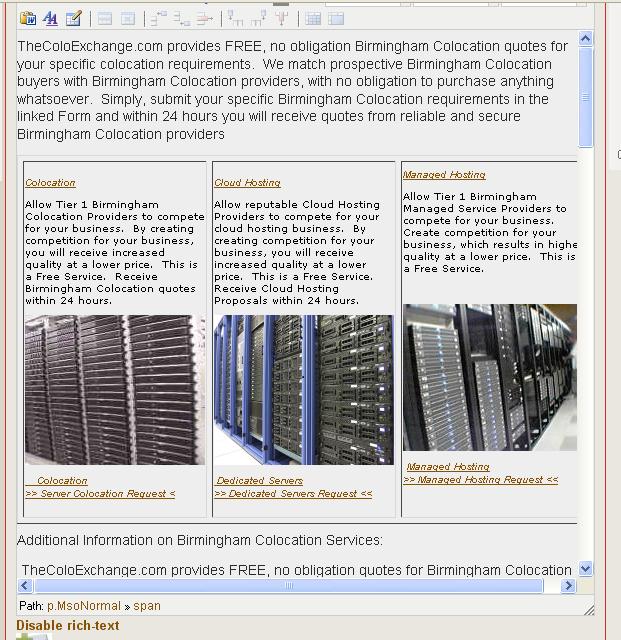
I have WYSIWYG editor installed, with TinyMICE 6.x-2.0. This was working fine until yesterday. I realized that all pages I have formatted have lost the formatting. Table, images and other HTML elements stopped displaying. When I click "edit" I see that the format is intact but again upon saving the node the layout is lost again. You may check the attached images. Because of the issue I upgraded to version 2.1 and still it persists. I also tried FCKeditor but with the same results.
I don't know exactly what I did but but as far as I know, I noticed this problem when I enabled the "Replace" button on the admin/settings/wysiwyg/profile/2/edit page.
I am not very sure whether this is a bug but I have tried many ways to get around the situation with no success. These include db updates, cron run, uninstalling and reinstalling the module, etc.
Regards,
Tamasco.
| Comment | File | Size | Author |
|---|---|---|---|
| ugly_format_after_saving.JPG | 94.49 KB | tamasco | |
| Format correctly_Node_Edit.JPG | 108.91 KB | tamasco |


Comments
Comment #1
twodThe "Replace" button should not make a difference.
This looks like a problem with your input format configuration. If the formatting works in the editor, but not when viewing a node, it means the contents were correctly saved in the database but was filtered out by input filters during rendering. You can confirm this by clicking "Disable rich text" below the editor and see if all the tags are correct. The editor is disabled just before the form is submitted and its contents are synced back to the original textarea, just as if it had been typed there in the first place. If what's in there doesn't match what's in the source of the viewed node, check the filter settings.
Make sure you didn't enable the "HTML Filter" for where you don't need it. "HTML Filter" is a bit limited and won't ever allow the "styles" attribute in any tag. Try using the WYSIWYG Filter instead. It allows for much mor flexibility but is a bit harder to configure properly. Make sure whichever filter you use allows the tags your editor lets the users create.
Comment #2
tamasco commentedThank you very much TwoD for the great help. The problem really was the "HTML Filter". After disabling it everything came back nicely.
Many thanks,
Tamasco.
Comment #3
davidneedhamThank you TwoD! This fixed my problem as well.