

 Come together with the global Drupal community in Rotterdam, 28 Sept – 1 Oct 2026. Sessions, contribution, connection, and Early Bird savings until 8 June.
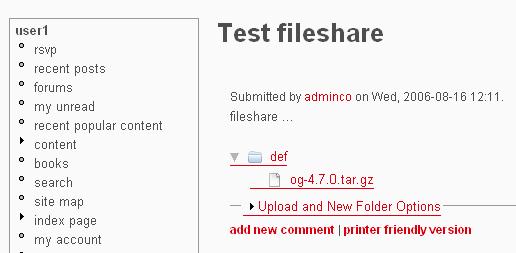
The icon does not appear, but you can still delete files or folders when you click in the empty zone where the icon should appear. Instead, if I view the node with Firefox, the icon is present.
| Comment | File | Size | Author |
|---|---|---|---|
| InternetExplorerFileshareNode.jpg | 19.39 KB | ysanchez |

Comments
Comment #1
JamieR commentedHmm... don't know why it wouldn't show up. It's being displayed through the css file in the same manner as the other graphics. Here's the code if you feel like troubleshooting...
Thanks - Jamie.
Comment #2
kweisblatt commentedI am having the same problem amoung other issues :(
Comment #3
kweisblatt commentedI found that if I hover over where the image is supposed to be there is the link to delete, but the image dosen't show. Hmmm... I will try and play around with it to see if I can get it to work.
Comment #4
JamieR commentedI would appreciate the help. I'm on a Mac based, so it's hard to troubleshoot this one. Here is where the image is being placed - in the fileshare.css file:
div#fs a.fs_delete {
background: url(delete.gif) no-repeat right center;
padding: 0 20px 0 0;
}
I don't know why it isn't working though, as it's applied in the same manner as the other images... perhaps the fs_delete class isn't being applied to the a tag?
Comment #5
Caleb G2 commentedThis is an issue for me too. Very annoying. But not nearly as annoying as internet exploder is in general...
Comment #6
Caleb G2 commentedThis gets the dekete arrow to show up, but it isn't lined up correctly. I tried several different things to get it right but no luck. Any css wizards that want to try...
Comment #7
Caleb G2 commentedGreat...that gets it to show up in IE, but it disappears in firefox. Grrr.
Comment #8
kweisblatt commentedThanks for the tip to get it to show! Now, to move them closer or line up them better, you can play around with the absolute position. It depend on what theme you are using, but mine looks like this:
div#fs a.fs_delete {
background: url(delete.gif) no-repeat right center;
padding: 0 20px 0 0;
float: right;
position: absolute;
right: 800px;
}
If anyone has anything better, maybe to line them up like they are supposed to be (next to the text).
Comment #9
Caleb G2 commentedHi kweisblatt,
The code you gave wouldn't show up in Firefox. I spent some time and have come up with something that is displaying in both (IE and Firefox) and lines them up faily well, too. (they do seem to want to count pixels slightly differently though)
Comment #10
jonathan_hunt commentedFYI, this is the code I used to fix this problem on IE6. I'm not totally certain, but I suspect IE isn't displaying the icon because there is no element content, only a background image.
First, in fileshare.module, in function function '_fileshare_handler($node)', I amended the markup for the delete button to introduce a non-breaking space ' '
Then, in the CSS, I added another CSS statement under the selector 'div#fs a.fs_delete'
Comment #11
ysanchez commentedGaleb code is the better for my site templates. Here is my version adapted to my templates (works on IE and Firefox):
Comment #12
JamieR commentedThis should be fixed in the updated module. I've just taken your code and applied it - haven't tested.
Comment #13
(not verified) commented