

Closed (won't fix)
Project:
Chaos Tool Suite (ctools)
Version:
7.x-1.0
Component:
Miscellaneous
Priority:
Normal
Category:
Task
Assigned:
Unassigned
Reporter:
Created:
24 May 2010 at 13:55 UTC
Updated:
18 Dec 2014 at 18:12 UTC
Jump to comment: Most recent, Most recent file



Comments
Comment #1
merlinofchaos commentedCurrently there is not.
The user/login and user/password pages are probably not difficult, as they are simple embedded forms.
The user/register and user/%/edit ones are difficult because Drupal does strange things with that form and Panelizing it properly is not easy.
Comment #2
merlinofchaos commentedChanging to a task -- this is something we definitely want at some time.
Comment #3
g.k commentedsubscribing
Comment #4
dillonm commentedSubscribe
Comment #5
Juan C commentedtracking
Comment #6
steel-track commentedI have found a decent work-around for this, at least as far as login, register and password pages are concerned.
First, get all of your panels set up the way you would like. There is a nice guide on this here: http://proofgroup.com/blog/2008/sep/drupal_combining_login_registration_...
Now while that works fine, what about when Drupal creates login links? These will all be to the standard user/login link. To redirect these within Drupal in a nice, reliable way, I created a template hierarchy page for each link.
So go ahead and create:
page-user-login.tpl.php
page-user-register.tpl.php
page-user-password.tpl.php
Now inside of each of these use the Drupal goto function and redirect to your newly created panels pages. For example,
drupal_goto('test/register')Now, whenever the regular links are used such as user/login they will load the template file then redirect to your panel page.
Comment #7
rickvug commentedComment #8
manarth commentedI've started developing these as new page-manager tasks (for D6).
If we override user/login, it'd be nice to have a login-form appear on that page, however the core user-login block won't appear, because of a quirk in the block's implementation:
Would it be better to:
1. Add a second ctools content-type plugin for the user-login form, which does the same thing.
2. Add a new ctools content-type plugin for the user-login form, and hide the core user-login block from page-manager/panels (so administrators aren't confused about which user-login block to add to their panel).
I'm leaning towards the second option, because choosing from 2 identical user-login widgets would seem confusing, but I'm also wary about breaking backward compatibility for users who already have the current (core) user-login block on a panel.
Comment #9
rickvug commentedI agree that the later is cleaner and makes sense. Do you see an implementation path that would allow for backwards compatibility or an automatic migration path?
Comment #10
merlinofchaos commentedIf it's not already possible we need to make it possible to remove the UI for old content types. That way they can still exist but not show up to be added as new content. That would make this more or less possible.
Comment #11
merlinofchaos commentedAnother possibility is that there's a pretty significant ability to alter core blocks. We may be able to just alter the existing content type to use a different render and settings stuff. I use this to good effect with the Views exposed filter blocks.
Comment #12
manarth commented(moving from panels to ctools because the features described are implemented/patched within ctools).
Here's a patch to handle:
This adds 3 page-manager tasks, 2 new ctools content-types (for the user-registration form and the reset-password form), and adds a custom render function for the core user-login block so it will render on the /user and /user/login URLs.
User-edit
A patch for user/nnn/edit will take a little longer (and in any case, it'll probably be easier to review that if it's a separate patch). One of the issues for providing panels for user/nnn/edit is that the user module also provides the url user/nnn/edit/xxx for each category provided by other modules via hook_user($op == 'categories').
One possible solution might be to:
Comment #13
merlinofchaos commentedThe possibility I like: Add it as an optional context -- that the task can have this as a string context from the URL and easily pass it to the page.
Comment #14
chrisschaub commentedWe've been using this patch and it seems to work well. Just wanted to vote for a commit.
Comment #15
bryancasler commentedsubscribe
Comment #16
mja commentedmanarth's patch works great for me. Voting for a commit
Comment #17
tacituseu commentedFaced this problem while trying to override local tasks (user/%user/edit, node/%node/track) with page manager page. Here's my initial (and quite a bit hackish) stab at creating general solution for solving
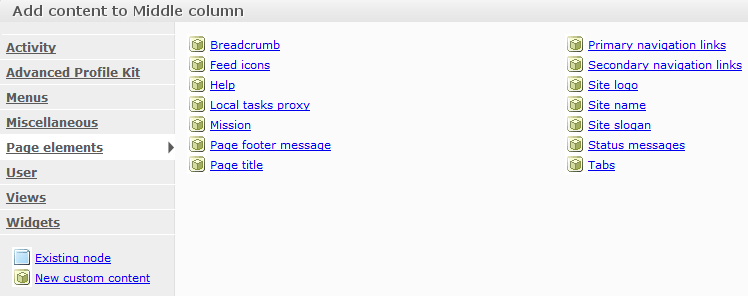
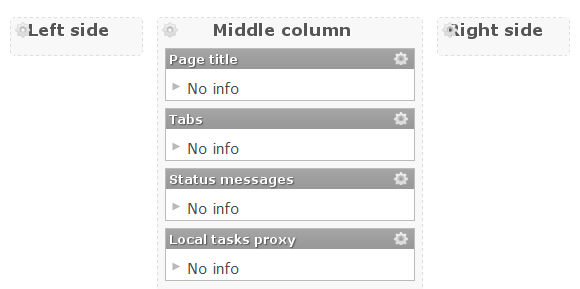
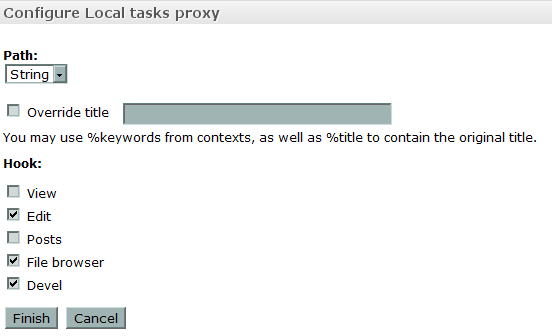
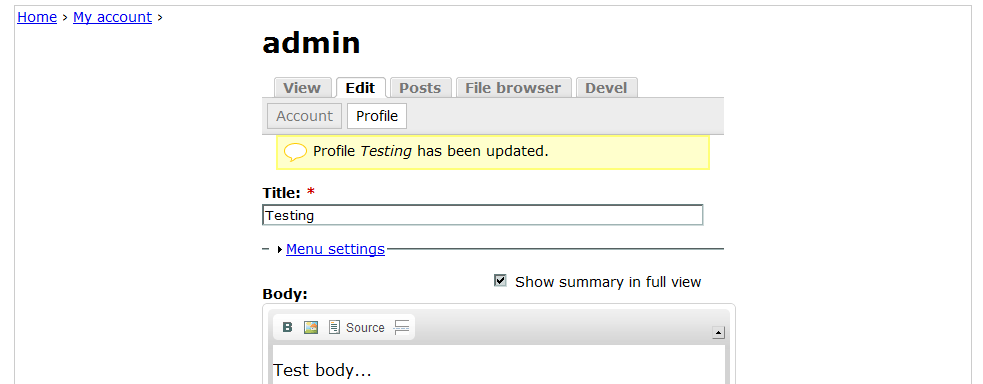
MENU_LOCAL_TASKproblem, it allows you to assign rendering of local tasks to a custom panel through a pane (see pictures). From what i can see it could be made into a task plugin as they have ability to act uponhook_menu_alter(), but due to time constaints it's done as a standalone module for now. It also supports secondary tasks.Comment #18
tacituseu commentedSome cleanup and bugfix. To register panel for /user/register use path /user/tasks/%register.
Comment #19
tacituseu commentedBugfix.
Comment #20
joeebel commentedOh boy!! I so wanted this to work (panel_tasks_proxy-3.zip)! I imported the page into Panels 3, Saved, but the content for the 'Local tasks proxy' pane always shows up 'Deleted/missing content'. And, there is no 'Local tasks proxy' selection in the 'Page elements' window.
Perhaps I'm doing something wrong? I installed the module in my sites/all/custom/panel_tasks_proxy folder and commented out the project = panel_tasks_proxy line to keep the Update report from showing Panels at version 6.x-0.1.
Thanks for posting this, even though I couldn't get it working.
Comment #21
tacituseu commentedI have it at sites/all/modules/panel_tasks_proxy with Panels 6.x-3.9 and Ctools 6.x-1.8 (PHP 5.3.5). Try clearing the cache, if that doesn't work try creating the panel page according to guidlines in README.txt. Pane not showing might suggest some problem with arguments configuration as the pane requires String context to exist (even though it's no longer used by the pane - it's left as a safety measure). Attached screenshot of the important part of panel page configuration.
Comment #22
tacituseu commentedThe problem with current approach is that when you overwrite path registered by some other module, you need to create custom page manager task executing the same code that original handler did, so you can either expect each module author to do this (unlikely) or make ctools handle it for them (unfeasible for anything more than core). The other part of the problem is that some 'page callback' functions are able to live only at their original paths by relying on arg() in callback code, so you cannot simply register panel with other path and call it back.
How proposed solution works:
1. 'Local tasks proxy' pane tries to figure out path of the panel it was placed on by examining
$form_state['display']->didin itspanel_tasks_proxy_tasks_proxy_content_type_edit_form()callback (that's the reason panel has to be saved before this pane is placed on it). It chops off last two arguments ('/tasks/%tasks') and queries 'menu_router' table for all tasks living there. The important thing is that 'tasks' (not %tasks) should be at the same depth as the task you are trying to overwrite.2. On submit it calls
menu_rebuild().3.
panel_tasks_proxy_menu_alter()gets called, it enumerates all page manager panels containing 'Local tasks proxy' pane, when found it extracts from its configuration which tasks/paths should be overriden. For each of those it substitutes original 'page callback' withpanel_tasks_proxy_callback_proxy()and prepends to 'page arguments' original and panel's menu item info for use in proxy function. This way it assures original 'page arguments' get resolved properly (eg. node_load called). Because it also needs panel's menu item information it has to be called after page_manager.module, that's why module adjusts its weight in system table on install to 100 (page_manager.module has 99).4. When user visits one of the overriden menu items
panel_tasks_proxy_callback_proxy()gets called and it substitutes in place of '%tasks' arguments from current call (including task name so 'user/1/devel/render' becomes 'user/1/tasks/devel/render') next it usesmenu_get_item()on that path so panels arguments get properly mapped into ctools_contexts and executes panel's 'page callback'5. 'Local tasks proxy' pane's render function gets called and it in turn calls
menu_execute_active_handler()to get original page content.6.
panel_tasks_proxy_callback_proxy()gets called again and this time it executes original 'page callback' passing resolved arguments to it, content rendered is returned to pane.7. You should get page content inside of the pane with all other benefits of Panels.
Currently it doesn't allow you to overwrite MENU_DEFAULT_LOCAL_TASK, but that can be fixed by removing dependency on %tasks from the code (it was used in initial version as an argument to
menu_execute_active_handler()but it turned out it would get it from$_GET['q']when called without parameters). Also pane's config callback can be made more liberal and also handle items with MENU_CALLBACK so for example you could overwrite (admin/content/taxonomy/edit/term/%tid).Fixed .info file and added some safety checks.
Comment #23
finex commentedsubscribe
Comment #24
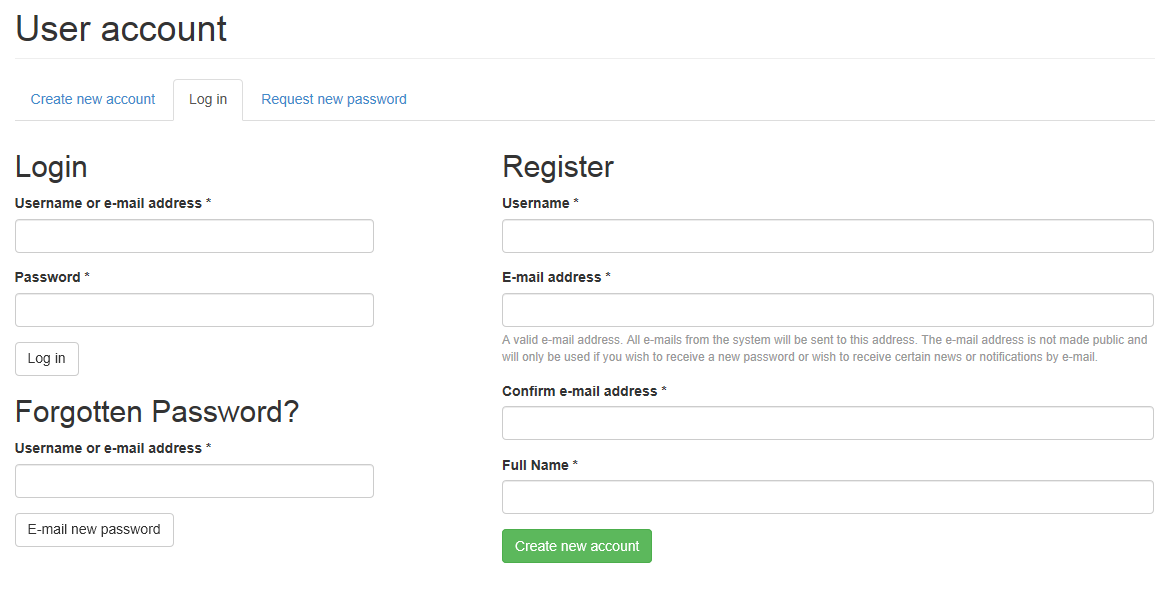
blueblade commentedsubscribe
Comment #25
franzkewd commentedsubsribe
Comment #26
joseschmidt commentedabout the edit part.
well i actually could not use your solution, mean while you guys get to a user friendly solution i suggest less experienced users to see this
http://drupal.org/node/368048
adding this
to a custom node will do the trick of bringing the edit form, hope to help someone
Comment #27
tacituseu commentedFor those having problems with previous versions, menu needs to be rebuilt after import or changing pane's settings, so do one of those:
- enter 'Local tasks proxy' pane's configuration again and press 'Finish'
- disable and enable panel
- rebuild menu with devel module
New version fixes that, also:
- allows to overwrite MENU_DEFAULT_LOCAL_TASK, MENU_CALLBACK (eg. 'user/%user/delete')
- adds new argument/context type 'Tasks split' which acts as a delimiter, it will behave almost exactly as a 'String' context and receive the name of hooked task as a string so you can use it in visibility/access rules, this also allows you to configure any other contexts after it (eg. !node for comments)
- passes page title back to pane
- exports for /comment and /user/login, /user/password, /user/register
Comment #28
halchoi commentedI found "panel_tasks_proxy" really works in drupal 6,really good but I need to build website using drupal 7......
Do you have for drupal 7 ?? I really need !!
Comment #29
tacituseu commentedI don't plan on using Drupal 7 in near future (at least 6 months) so simple answer would be no.
If it will be assesed that this approach is sound and there will be indication from the maintainer that a patch incorporating this functionality into ctools would be accepted I'd be willing to work on it, if the 6.x branch will no longer accept new features or they would need to be submitted to 7.x first and then backported I'll consider doing D7 version.
Comment #30
broncomania commentedI only get this error here
Warning: call_user_func_array() expects parameter 1 to be a valid callback, function 'user_page' not found or invalid function name in panel_tasks_proxy_callback_proxy() (line 119 of /.../sites/all/modules/panel_tasks_proxy/panel_tasks_proxy.module).and the url is /user/login?destination=comment%2Freply%2F155%23comment-form
Is this a bug or a configuration problem of me?
the other thing is that I see on this page /users/admin as an anonymous user the login page followed by a part of a diffrent page with the hint access denied.Take a look at the screenshot.
Comment #31
tacituseu commentedIt's a bug, latest version attached. Attached screenshot is broken.
Comment #32
Mr.vantri commentedThanks you very much! only use drupal_goto is ok!
Comment #33
bryancasler commentedWill this be ported to D7?
Comment #34
dvega commentedIn Drupal 7 you can also use templates like
page--user--edit.tpl.phpComment #36
rogical commented+1
Comment #37
wjaspers commentedsubscribe
Comment #38
haopei commented+ (we really need a subscribe/unsubscribe feature in these forums)
Comment #39
tayzlor commented@Manarths Patch in #12 worked for me.
Does additional code posted as zip in #31 build on the initial patch or is it another feature (e.g. would it be best as a separate issue and allow patch in #12 to get in while work continues)?
Comment #40
tacituseu commented#31 is independent of the #12 and it was meant more as a proof of concept for solving some of the problems raised in #12. It's much more generic solution allowing to force pretty much any page/path/task into a panel, at the cost of flexibility (e.g. you can't pick which fields will show on edit page), it also needs an update to handle exported panels/features. It turned out to be a bit of a de-railer for which I'm sorry. Should definitively be in separate issue, and not as a standalone module but converted to a patch.
Comment #41
Michsk commenteduser/%user/edit is not supported yet, right?
Comment #42
BenK commentedSubscribing
Comment #43
mrfelton commentedsubscribing
Comment #44
andypostI think that D7 has saner ability to embed forms
Comment #45
Michsk commentedThe user/$uid/edit pages work allready. Im just wondering how to get the categories in a panel. For example user/$uid/notifications
Comment #46
bryancasler commentedThe following is a display suite solution, that integrates with panels. I believe theming these forms could be accomplished using this module http://drupal.org/project/rel
Comment #47
Michsk commentedanimelion: could you suppy us with more info?
Comment #48
bryancasler commentedI haven't used the module I linked to, but I'm planning on it. Checkout this screencast and you'll know everything I do. http://bit.ly/pk04uC
Comment #49
Michsk commentedGreat module, can't really see the link with this issue tough.
Comment #50
bryancasler commentedI made the assumption that the Renderable Elements module offered all the same functionality as Display Suite, but that doesn't look to be the case just yet. In Display Suite you can substitute a panels interface for fields UI. Sorry for the confusion.
Comment #51
OnkelTem commentedSubscribing and votig for D7
Comment #52
lunazoid commentedI'm doing the trick from #6, and it's working well. However, I did have to unset the destination in order for it to work properly. My code in the template files is:
Comment #53
jacobson commentedIf you follow the guide on ProofGroup cited in #6 above, please note the change in syntax for D7 with respect to displaying a form in a block. The proper D7 syntax is:
Please also note that the format for template suggestions has changed in D7 so that the proper file names would use double dashes, not single dashes (e.g., page--user--login.tpl.php instead of page-user-login.tpl.php).
Comment #54
riverrat commentedsubscribe
Comment #56
derPaolo commentedand in D7 it's $_GET['destination'] instead of $_REQUEST['destination']. anyway, if we have to unset the destination, this is a major showstopper for using this workaround at all
Comment #57
drebroff commentedIt means right now Page manager can not override or edit pages like /user/login or /user/register?
Comment #58
rogical commentedhttp://drupal.org/project/pm_existing_pages already can do this.
Comment #59
drebroff commentedConfirm, pm_existing_pages works well. Thanks rogical.
Comment #60
pelicani commentedWe are using drupal 6 on this project.
The module in #31 did the trick for our user/register page.
Thanks for the work, tacituseu.
peace,
michael
Comment #61
abhishek.kumar commentedUpdating patch for user/login, user/password, user/register and user pages.
Comment #62
abhishek.kumar commentedAdded Patch file.
Comment #63
abhishek.kumar commentedComment #64
abhishek.kumar commentedFixed user/login enable issue with the above patch.
Comment #65
blackandcode commented#64: ctools--page-manager-user-tasks-807754-3792682.patch queued for re-testing.
Comment #66
blackandcode commentedIs this patch for D7?
Comment #67
abhishek.kumar commentedYes. This is for D7.
Comment #68
pjmcghee commentedHi all, this patch will be great once i get my head on straight and am able to install it properly.
i uploaded it to the /var/www/html/sites/all/modules/ctools
then i executed:
patch -pl ctools--page-manager-user-tasks-807754-3792682.patch
i received an error - patch: **** strip count l is not a number
i'm sure that i am doing something completely stupid. can anyone assist a newbie?
thanks!
Comment #69
manarth commented@pjmcghee the syntax is
patch -p1 < ctools--page-manager-user-tasks-807754-3792682.patch- the command you're providing in your message is missing the<arrow, and appears to be using the letter L-plinstead of the number one-p1.The
-p1parameter tells patch to remove the first part of the path from the filenames in the path (so references toa/foo.phptell the patch program thatfoo.phpis the filename). The<arrow is the file redirector, it takes the contents of the patch file and sends it to the patch program.Comment #70
pjmcghee commentedhaha! i knew that i was simply doing something dunderheaded...
thanks so much manarth, for the explanation as well. I hope that you have a great day!
Comment #71
cnzll commented#62: ctools--page-manager-user-tasks-807754-3792682.patch queued for re-testing.
Comment #72
abhishek.kumar commented#64: ctools--page-manager-user-tasks-807754-3792682.patch queued for re-testing.
Comment #73
mglamanPatch in #64 worked like a charm. Have a freemium content site, was able to easily drop in recurring license product display node alongside login form.
Comment #74
held69 commentedI applied #64.
I can now override the user/register page however there is no ' create new account block' to add in the page. (that is username, emailadress, create account button)
Comment #75
abhishek.kumar commentedGo to category "Form" while adding content to page, you will find there "User Register Page".
Comment #76
held69 commentedtnx for your swift reply.
'Form' however is not available...
Available are:
-Activity
-Menus
-Minipanel
-Miscellanious
-View panes
-Views
-Widgits
Comment #77
held69 commentedAll good now.
I forgot to add the user_register_form.inc
Comment #78
alphawebgroup64: ctools--page-manager-user-tasks-807754-3792682.patch queued for re-testing.
Comment #79
abhishek.kumar commentedLet's close this if patch is working fine ?
Comment #80
lmeurs commentedI only tried the new user login task for page manager and the user login form that goes with it, and it works great so far.
Small remarks: all new ctools content type forms set
$block->contenttwice in a row, ie.:My guess is that the first should set the blocks title:
And the titles do not match the titles used by the user module, this way they are not automatically translated since the source strings are unknown to Drupal.
(sorry I can't make patches!)
Comment #81
lmeurs commentedComment #82
abhishek.kumar commented@Imeurs: Good catch. I have updated the patch.
Comment #83
lmeurs commented@abhishek.kumar: Great! But the titles still do not match the titles used by the user module which I strongly recommend for uniformity. When using the same titles, they are automatically being translated on non-English sites.
Comment #84
abhishek.kumar commented@Imeurs: No need for that. It can be overridden by user while adding this plugin to page.
Comment #85
mstrelan commentedIf you add the user login form to a page and access that as an authenticated user you get redirected to /user/UID. Obviously you can add a visibility rule to the pane but ideally it should just not display, I think...
Comment #86
tim corkerton commentedI've applied the patch successfully and update panels and ctools to the latest versions, also cleared the cache but i don't see the new templates appearing in the page manager. Do i need to do anything else to make them available to be overiden?
Thanks
Comment #87
mstrelan commentedDid you update to the latest version before or after applying the patch? If you patched before updating then the patch would have been overwritten.
Comment #88
tim corkerton commentedYes I did. I re-applied it after performing the update.
Comment #89
tim corkerton commentedOk, i reapplied it again but did it within netbeans on the root of the ctools module rather than on the page_manager folder. The pages have appeared. Thanks
Comment #90
paean99 commentedThanks! Work for me.
(ctools 7.x-1.4)
Comment #91
mrmikedewolf commented@abhishek.kumar Thanks a bunch. The patch works perfectly. +1 for a commit. Also, I had to heed to advice in #89. It is a little confusing because the patch will apply successfully in the page_manager directory.
Comment #92
magicmyth commentedI've been successfully running the patch from #82 as well for a couple of months now. Also on a live site and nothing has gone boom so far. I've glanced through the patch as well and it looks good from my limited look. As it does not seem to touch any existing code paths of ctools I think its fairly safe to commit imho.
Comment #93
abhishek.kumar commentedI have converted this patch in a module (https://www.drupal.org/project/user_pages). Please test it and report your bugs.
Comment #94
mglamanPutting back to RTBC. It's technically not fixed because a maintainer has not weighed in on this.
Comment #95
lmeurs commentedStill I highly recommend applying the same titles as used by the User module for:
Titles used by the patch and User modules are:
See comment at #807754-83: Panel for /user/login,/user/password,/user/register,/user/123/edit.
Comment #96
darvanen+1 for commit
Comment #97
friera commented+1 for commit
Comment #98
bverc commentedI would like to show all three forms in a single panel. I've done this on the user/login page as per the image below.
Is there a way I can remove the menu from displaying here?
I've also tried using the original 'user' page with a selection rule of anonymous user, but that doesn't show. I assume because user/login overrides it.
+1 for commit
Comment #99
darvanenLooks good, nice idea.
The menu is probably showing because it is in your page or layout template. If you need further help with that, try the Drupal community forums or Drupal Answers (Stack Exchange), the issue queue for this module is not the place to ask for help about menus.
Yes, /user/login overrides /user for anonymous users.
Comment #100
japerryPer #93 I think this really belongs in that module, and not ctools. If you're interested in using user pages, please use and submit issues to that module:
https://www.drupal.org/project/user_pages