

 The 2026 Drupal Business Survey is open. Your response will help shape the future of the Drupal business ecosystem.
this is in reference to http://californiabarexam.info
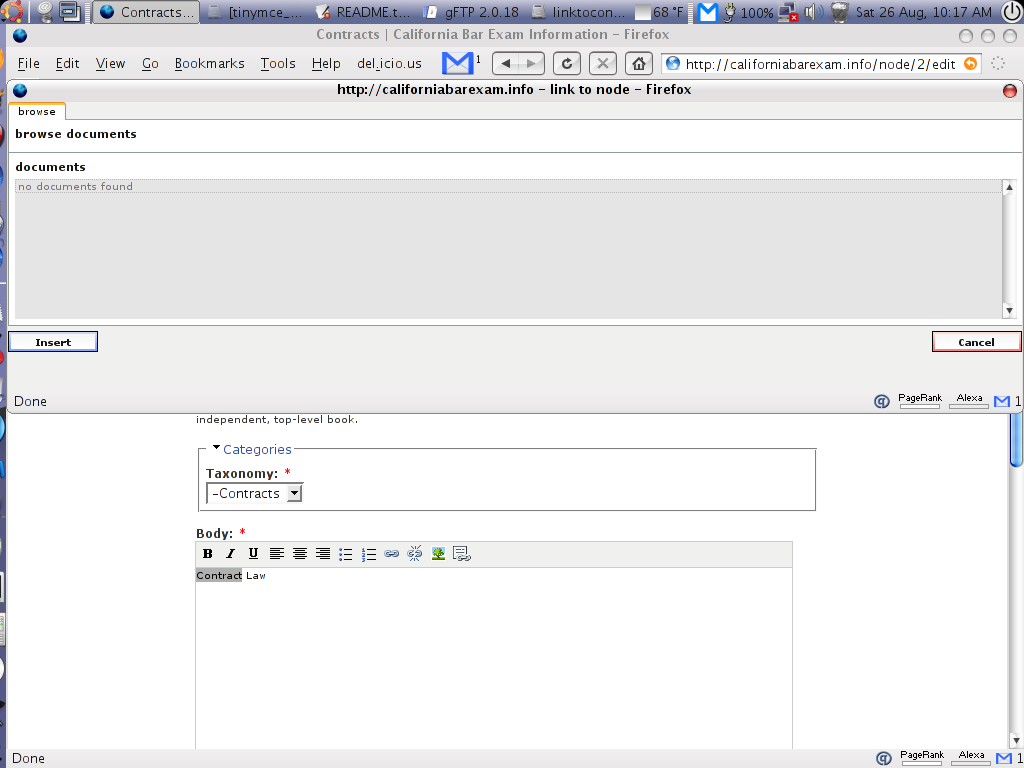
whenever I try to link to node, the browser window tells me that no documents are found. why is this?
| Comment | File | Size | Author |
|---|---|---|---|
| #20 | linktocontent.PNG | 7.76 KB | cooperaj |
| #16 | linktonode2.png | 5.36 KB | stborchert |
| #9 | functions.js.txt | 10.14 KB | stborchert |
| #5 | Screenshot_10.png | 83.33 KB | bpedigo |
| #1 | Screenshot_9.png | 72.13 KB | bpedigo |



Comments
Comment #1
bpedigo commentedI attached a screenshot of what's happening
Comment #2
stborchertThe category select-box isn't shown. Are there any javascript or php errors? Which drupal version do you use and are the modules located under /modules?
I need more information on your environment.
Comment #3
bpedigo commentedI see no jscript or php errors. I'm using the latest version of Drupal (4.7). All my modules are in the /modules directory. I am not sure what "category select" drop down you're talking about. When I go to administer->modules, I have enabled linktocontent.
Comment #4
stborchertThis one. If its not visible you can't browse through the taxonomy/category structure.
Sounds ok. Could please post the results of "http://your_path_to_drupal/ltc/linktonode".
There you should see something like this:
Comment #5
bpedigo commentedThanks for trying to help me. I apologize for being such a n00b.
I can't seem to find the file/directory you're talking about. I will attach a screenshot of my directory structure as seen from gFTP.
(attached)
Comment #6
stborchertSorry, I did not clearly said what I meant: type the location in the addressbar of your browser.
If you have to call 'http://example.com/' to your drupal site, please enter 'http://example.com/ltc/linktonode'.
This is the address, the tiny-mce plugin calls in a XMLHTTPRequest (does your browser support this?) and I want to see, if the module works correct.
By the way: I wonder why the plugin window is such wide. It should be 400px wide and not resizable.
Comment #7
bpedigo commentedOh, interesting. I never knew you could type a url location that doesn't literally exist.
Anyway, it worked! It returned:
{ "category": [ { "vid": "1", "tid": "1", "title": "Forums" } ], "node": { } }I dunno why it is so wide either.
Comment #8
stborchertOk, looks good. The module works after all.
I will create a debug version of the tinymce-plugin (escpecially functions.js) which will generate alerts on errors so you can see whether the results are caught by the plugin.
Comment #9
stborchertWell, let's go.
The attached file displays several alerts on opening the plugin window. They should be like the following:
If its all ok a drop down is inserted in the plugin window which contains your top level categories (vocabularies).
If not: please write down which alert aren't shown.
Comment #10
stborchertUpdate
Please try the updated functions.js. The plugin doesn't take care of not set "clean urls".
Comment #11
stborchertUpdate #2
change line 174 from
url = url + '?=ltc/linktonode';to
url = url + '?q=ltc/linktonode';The "q" was missing.
Comment #12
stborchertCould you please try the newest version. The errors now should be fixed.
Comment #13
cooperaj commentedI'm getting this error.
Running 4.7.3 on winxp Apache 2 , mysql 5, php 5.
Not seeing the category dropdown though http://site.url/ltc/linktocontent does return the structured array.
Downloaded on the 4th Sep (so includes fix committed 3rd)
Thanks
Adam
Comment #14
cooperaj commentedI've narrowed it down to this call on line 164 of functions.js
results = parseJson(req.responseText);
it does not ever return, leaving 'loading...' till it times out and hence not ever showing the select box which isn't created till line 167.
Might be a PHP 5 issue. Not sure though. I remember there being PHP 5 issues with the parseJson function.
This is as far as I can go.
Thanks
Adam
Comment #15
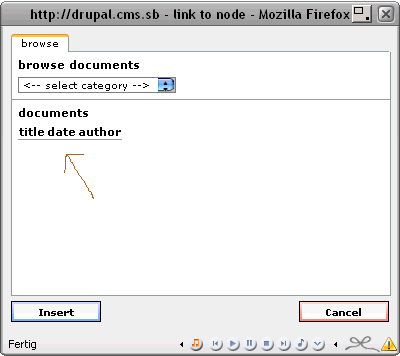
stborchertThe newest version does not display the message "no documents found".
Do you see something like the attached screenschot (ignore the dropdown)? Or is the list a select with more than one items displayed (size="10")?
Any javascript-errors?
Comment #16
stborchertThe newest version does not display the message "no documents found".
Do you see something like the attached screenschot (ignore the dropdown)? Or is the list a select with more than one items displayed (size="10")?
Any javascript-errors?
Comment #17
stborchert@#14
Ah, this could be a hint. I could not test it with PHP5, yet.
Thanks.
Comment #18
stborchertHm, parseJson has nothing to do with php. Its pure JavaScript.
Comment #19
stborchertMaybe drupal.js is not linked correct?
Comment #20
cooperaj commentedYes everything seems to be linked to fine. It just occured that it may be a jQuery issue (am using jQuery) but it isn't since disabling it did nothing.
When opening the linktocontent box all I see is the screenshot.
Just for reference here is the Json array retrieved from the url.
{ "category": [ { "vid": "58", "tid": "58", "title": "Business Intelligence Content Classification" }, { "vid": "54", "tid": "54", "title": "Business Warehouse Content Classification" }, { "vid": "55", "tid": "55", "title": "Compliance Content Classification" }, { "vid": "52", "tid": "52", "title": "E-Systems Content Classification" }, { "vid": "74", "tid": "74", "title": "E-Systems KB Classification" }, { "vid": "65", "tid": "65", "title": "Europa House Content Classification" }, { "vid": "56", "tid": "56", "title": "Human Resources Content Classification" }, { "vid": "62", "tid": "62", "title": "Ilfracombe Content Classification" }, { "vid": "57", "tid": "57", "title": "Information Systems Content Classification" }, { "vid": "63", "tid": "63", "title": "Newquay Content Classification" }, { "vid": "59", "tid": "59", "title": "Operations Content Classification" }, { "vid": "60", "tid": "60", "title": "PC Support Content Classification" }, { "vid": "64", "tid": "64", "title": "Portsmouth Content Classification" }, { "vid": "61", "tid": "61", "title": "Programming Content Classification" }, { "vid": "67", "tid": "67", "title": "Redruth Content Classification" }, { "vid": "51", "tid": "51", "title": "Social Club Content Classification" }, { "vid": "68", "tid": "68", "title": "Stroud Content Classification" }, { "vid": "66", "tid": "66", "title": "Walton Road Content Classification" }, { "vid": "75", "tid": "75", "title": "Walton Road KB Classification" }, { "vid": "49", "tid": "49", "title": "Coach Company" }, { "vid": "70", "tid": "70", "title": "Committee Member" }, { "vid": "38", "tid": "38", "title": "Country" }, { "vid": "39", "tid": "39", "title": "Division" }, { "vid": "48", "tid": "48", "title": "Event Category" }, { "vid": "2", "tid": "2", "title": "Forums" }, { "vid": "71", "tid": "71", "title": "IS Area" }, { "vid": "69", "tid": "69", "title": "Job Type" }, { "vid": "24", "tid": "24", "title": "Location" }, { "vid": "41", "tid": "41", "title": "Meeting Type" }, { "vid": "53", "tid": "53", "title": "Menu Type" }, { "vid": "40", "tid": "40", "title": "Type" } ], "node": { } }Comment #21
cooperaj commentedOh, and an 'alert(req.responseText);' placed on line 163 shows a dialog with the above text in it, so it is definately a hang in parseJson().
Thanks
Adam
Comment #22
cooperaj commentedI've pulled apart parseJson and as a result done this:
//results = parseJson(req.responseText);
results = eval('(' + req.responseText + ');');
and low and behold it works! The question now begs, whats wrong with parseJson.
Comment #23
stborchertHm, grml. I know, I'm annoying but do you really have the newest functions.js (
v 1.6 2006/09/03 13:39:06)?You have inserted your alert here:
What happens if you insert an alert after
results = parseJson(req.responseText);?I can't get the error and its making me mad :-\.
If its really
parseJson()I don't why it sould be.Too long text? I tested it with a result of more than hundred terms and it worked fine.
Special characters? I don't see any in your result and it worked for me with a lot of special chars.
...
Comment #24
stborchertRe: #22
What the hell is going on there? ;-)
Ok, I'll check and test this tonight.
Comment #25
stborchertnew version of functions.js
Does it work?
Comment #26
stborchertparseJson isn't used anymore
Comment #27
stborchert