
 Come together with the global Drupal community in Rotterdam, 28 Sept – 1 Oct 2026. Sessions, contribution, connection, and Early Bird savings until 8 June.
Section 5 - Posting content to your group
We are going to create a page to let the group know about some Soccer Group communication.
D7:
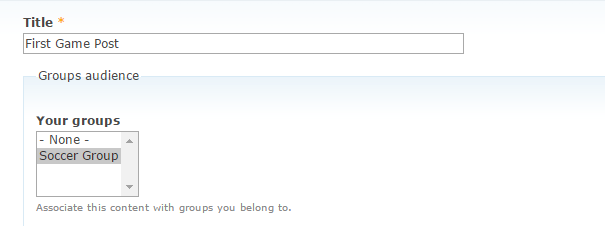
❑ Go to Content >> Add Content >> Game Posts (Game Posts is a content type added as a group content)
❑ In Your Groups, select Sports Group. Fill the rest of the fields, and click save.
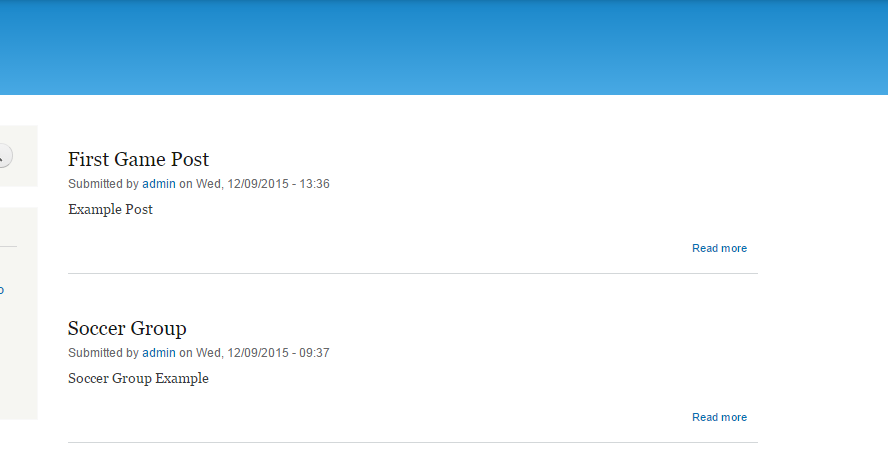
❑ Now you can see your post on the site front page. Click the title First Game Post to see the page of your post.
❑ On the page of your post, you will see the link pointing to Scoccer Group that the post belongs to.
D6:
* Go to Create content >>page and complete the content detail.
* In the Groups area, select Soccer Group and save the changes.
The page content will not be displayed on the site front page. To see this page click the Soccer Group link under the New Groups block. Your page is displayed in the Soccer Group's home page and that there will be a number of group blocks displayed.
Help improve this page
You can:
- Log in, click Edit, and edit this page
- Log in, click Discuss, update the Page status value, and suggest an improvement
- Log in and create a Documentation issue with your suggestion
