Hi
Firstly an apology if what I'm asking has an obvious answer.....I have search the logs but can't follow most of the issues here.
I've been trying to set up "Create an image gallery using CCK and Views" as per http://drupal.org/node/144725
Whilst this was initially for a x.5 it has had some updates for x.6. In particular I wanted to set up the "create multiple galleries with taxonomy" as per the steps provided at the bottom of the post:
a. If you want just one gallery page, with a drop down choice to pick what gallery to view, you will edit your View. Go to the 'Filters' section of the your View and add 'Taxonomy: Terms for Image Gallery'. Then make that filter 'exposed'. This will expose a drop down choice in the page of the View so people can choose a gallery.
Following the modules they'd used it seems that the Views Bonus provided this functionality but only in x.5. Followed the issue "Upgrade Lineage Nested to D6" http://drupal.org/node/346324, to the related issue here "Add lineage nested list style plugin" http://drupal.org/node/612908. Seems this patch has already been committed so tried to follow xjm instructions @#7
Suggested use:
1. Add a Taxonomy: Hierarchy field.
2. Add your hierarchy field as a sort criterion.
3. Filter your view by Taxonomy: Vocabulary as your hierarchical vocabulary.
4. Change the view style to Lineage nested list and set the Nesting field to your hierarchy field.
Managed all steps except step 4 (see attached) as I couldn't find the style Lineage nested list.
In any case I believe this will be displaying the Taxonomy hierarchy which is not really what I want. right?
So what I'm looking for is the 'Filters' section of the View to show me a field 'Taxonomy: Terms for Album' as mentioned above, is this possible? Then I'd expect to be able to expose in a drop down list the 'Album1', 'Album2', 'Album3'. Using the example:
Album
--Album1
--Album2
--Album3
Any help would be greatly appreciated.
Tan






Comments
Comment #1
xjmThe lineage nested plugin only exists in the -dev branch (because it's still a bit imperfect). However, it's a display plugin--it would sort your albums into a nested list, with headers for each term, in the rendering of the view itself.
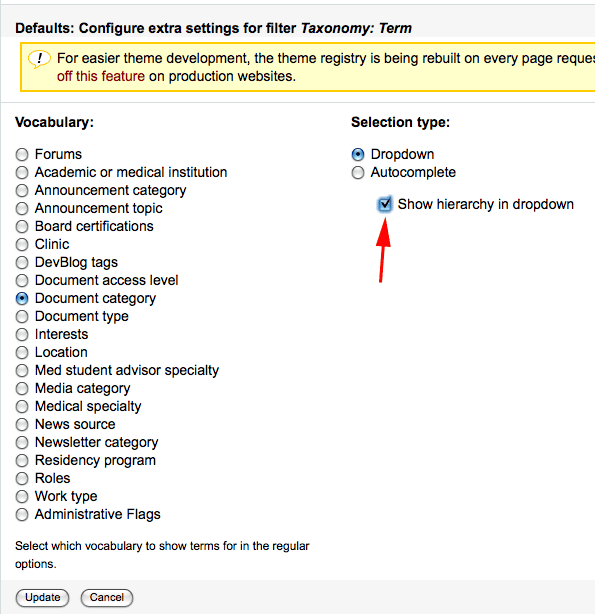
A simple "Taxonomy: Term" filter should give your dropdown the format you want for your exposed filter, with the "Show hierarchy in dropdown" option checked.
Comment #2
tanma commentedHi xjm
Thanks for the explanation and a solution for my prob.
Though I can't seem to find the "show hierarchy in drop down" option when I expose the "Taxonomy: Term" filter? See attached.
Am I missing something?
Tan
Relevant modules I have:
Drupal core 6.17
Content Construction Kit (CCK) 6.x-2.7
FileField 6.x-3.7
Image FUpload 6.x-3.0-rc2
ImageAPI 6.x-1.8
ImageCache 6.x-2.0-beta10
ImageField 6.x-3.7
Taxonomy Lineage 6.x-1.0
Views 6.x-2.11
Views Bonus Pack 6.x-1.1
Comment #3
xjmHi Tanma,
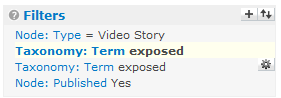
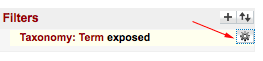
You need to configure this in the filter extra settings (the little "gear" icon next to the filter). See attached screenshots.
Comment #4
tanma commentedHi xjm
That was v.helpful to see because I don't have the little "gear" icon?! I've searched the forums and browsed the help files but couldn't find much useful to me (feel like I'm searching for a needle in a haystack).
Do you happen to know why I might not be ale to see the gear icon? Something I haven't enabled or something?
This is what I have:
Comment #5
xjmUh... hmmm. I disabled every single module except Views, Views Exporter, Views UI, and Taxonomy, and I still have the icon.
Try disabling js on your view and going to the path:
admin/build/views/nojs/config-item-extra/view_machine_name/display_name/filter/field_name...where
view_machine_nameis the machine name of your view,display_nameis the display name, e.g., default, andfield_nameis the views internal name for the field, e.g. tid. Or, just click on the filter link with js disabled, and then replaceconfig-itemwithconfig-item-extrain the URL.If you can get to that path, then something is goofed up with your views interface. If you can't, I'm at a loss, since I'm using the same versions of Views and core that you are.
Moving to the Views queue since this is really a Views support question.
Comment #6
tanma commentedThanks for your help xjm.
I did try your suggestion (think I did it right) and I couldn't get to the path (page just processing).
But its definately something with the install as I have a few other sub domains just with a basic installs and one it works and another it doesn't. So trying to see why one shows the "gear" icon and the other doesn't.
In anycase, I blew away the site (that trying to work on) and tried a completely fresh install but then I STILL had no "gear" icon. I have no idea what the problem is.
Anyone else with this problem?
Tan
Comment #7
tanma commentedAs this issue has moved queues and I'm clearer on where the problem is (please disregard the initial issue description), this is the problem:
I have a completely new install with:
Drupal core 6.17
Views 6.x-2.11
1. I have enabled the modules views, views exporter and views UI.
2. Went to admin/build/views and enabled the "archive" view
3. edited "archive" view to add a filter "Taxonomy:Term"
4. click "Add" button and then the section "Configure filter Taxonomy: Term" is displayed
at this point I should be getting the section "Configure extra settings for filter Taxonomy: Term" which has the dropdown and autocomplete options, but it doesn't appear at all??
neither do I get the "gear" icon against the filter after having clicked the "update", which should allow me to go back and modify these settings??
Does anyone know why these extra settings for filter are missing ?
Comment #8
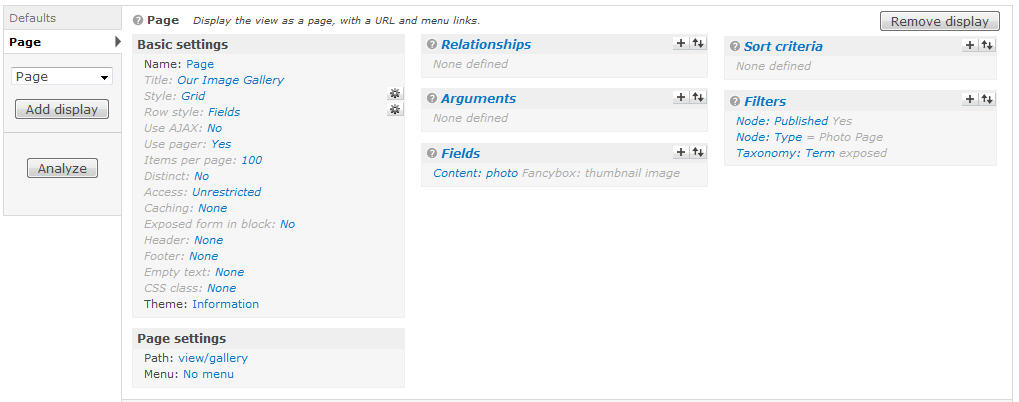
blisteringherb commentedDid you happen to find a solution to this issue? I'm having the same problem. I've tried it on three different installations, so I'm thinking maybe there's an additional setting I'm missing to make the additional settings available. I've attached a screenshot of the view I'm trying to make the change on.
Comment #9
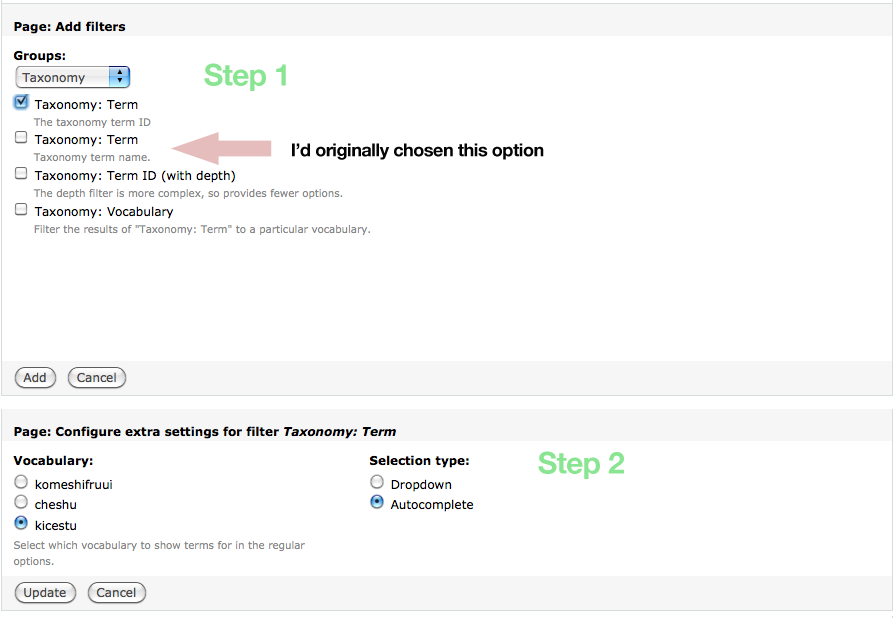
blisteringherb commentedIt appears that the "cog" only shows up when filtering by Taxonomy: Term ID, rather than trying to filter using Taxonomy: Term. That should solve the problem. I attached a screenshot that demonstrates the choice that works.
Comment #10
xjm#9: I have the cog when using Taxonomy: Term, so there's still some weirdness at work for those who don't, I think. That could be a useful workaround, though.
Comment #11
tanma commentedfyi, i haven't investigated any more as I found that one of the 3 installations I had installed prior and been playing around with DID have the cog for the Taxonomy: Term, so I copied that install for the site I needed.
It seems very strange behaviour and I can't think of any difference between how I installed them.
Comment #12
iamjon commentedi'm marking this as closed please feel free to reopen if it is still active.
If so, please provide more info as per the submission guidelines:
http://drupal.org/node/571990
Comment #13
JimNastic commentedHi,
I have this problem too.
My install:
* Drupal 6.16
* Views 6x 2.11
Other modules which might interact:
* Node Auto Term - next gen (NAT-NG)
The attached screenshot shows that I have the "cog" for term id, but it is missing for taxonomy term.
Comment #14
JimNastic commentedHi,
More info...
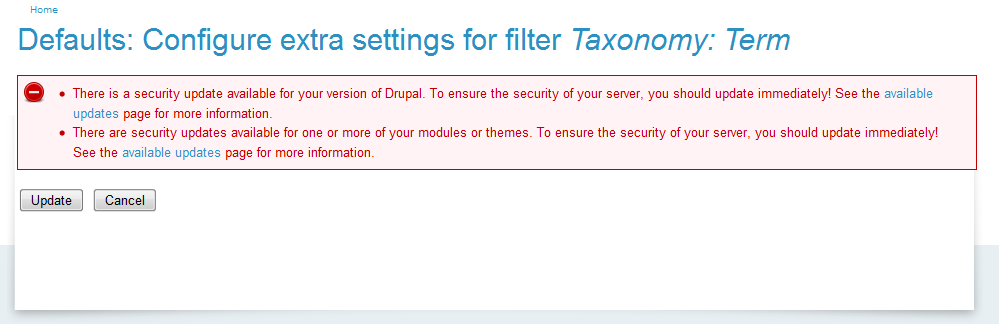
I followed instructions in step 5 to go to the URL for the extra fields with js disabled in my browser. The url loaded but didnt have any fields. Screenshot attached.
Cheers,
Jim
Comment #15
iamjon commentedJimNastic,
I spoke with dereine about this on irc. Could you please provide an export of you view.
Comment #16
esmerel commentedI can replicate for Taxonomy Term: Name (though, I'm not sure this is actually a problem - the configure screens never ask you for a vocab in the first place, which is what term:id asks for.)
Comment #17
esmerel commentedComment #18
doomed commentedAs blisteringherb said before, the solution for this is to add a Filter based on:
Taxonomy: Term
The taxonomy term ID (enables extra settings - aka "the cog icon")
Not to confuse with:
Taxonomy: Term
The taxonomy term name (does not enable extra settings)
And even though you will be picking "term ID", the full list of "terms names" CAN be exposed.
I just tried this on drupal 6.20 and it works well.
Comment #19
mkmaroon commentedI'm having the same problem
Comment #20
kars-t commentedHi
I am closing this issue to clean up the issue queue. Feel free to reopen the issue if there is new information and the problem still resides. If not please make sure you close your issues that you don't need any more.
Maybe you can get support from the local user group. Please take a look at this list at groups.drupal.org.