

Closed (fixed)
Project:
ImageCache Actions
Version:
6.x-1.7
Component:
Documentation
Priority:
Normal
Category:
Support request
Assigned:
Unassigned
Reporter:
Created:
3 Aug 2010 at 05:39 UTC
Updated:
19 Nov 2012 at 07:59 UTC
Jump to comment: Most recent, Most recent file


Comments
Comment #1
dman commentedAlmost all the actions, especially the slighty complex ones, are covered with several paragraphs of explanatory text, and descriptions of all the options. Often with a few example values also.
They are documented with several times more detail than the core imagecache actions.
If there is a feature or option you find unclear, the instructions for that can maybe be improved.
The user help for "add overlay" is 8 sentences. Perhaps it could have another one or two added. Which part do you find hard to understand?
Comment #2
Bubb1egum commentedThank you for the reply. I still haven't tried it but will soon. The main thing I didn't understand was where to start (the process or steps).
Example:
1. Create blank canvas
2. Scale source image
3. Place product image on canvas
4. Overlay watermark
5. Merge to a single image
6. Scale to final size
Do you think the Ubercart tutorial in my link above is still valid? I will work from there and see what happens. Keep in mind that for people who speaks English as a second language, even the words "Canvas" or "Overlay" means nothing until you research what they mean. Anyway thanks for making this module. All the best...
Comment #3
dman commentedThat tutorial is very old. It uses terms that have been removed, describes an early first version of the pre release code, and is actually three times more complicated than it needs to be.
To add a watermark overlay is just one action. Resizing is another.
Watermark is specific, unintuitive terminology until you learn it. Overlay is more accurate as it puts one image on top of another - for any reason.
The hard part is getting all the imagecache modules turned on and working. After that , adding one more image effect is straightforward when you look at the config screen
I think
Comment #4
Bubb1egum commentedCool thank you. I think I've got it now and only needed to clear my own head before trying first. Guess some pot is stronger than others. watermarks all the way!!
Comment #5
Bubb1egum commentedComment #7
Bubb1egum commentedCan you please explain the steps (1,2,3) for adding a watermark? please
For Example:
1. Create blank canvas
2. Scale source image
3. Place product image on canvas
4. Overlay watermark
5. Merge to a single image
6. Scale to final size
Or are there only one step??? - "Add Overlay (watermark)"
I add "Scale and Crop" - everything works fine.
I add action "Add Overlay (watermark)" - nothing works.
I delete action "Add Overlay (watermark)" - everything works fine.
No actions work appart from the standard scale, crop etc. actions. All I see is the small red cross.
Can I use .png file for watermark image?
Do I need to disable/enable GD2 and ImageMagick? - I have both enabled.
Does this not work on Xampp?
Is there a simpler module that handles watermarking?
Comment #8
Bubb1egum commentedComment #9
dman commentedIf "nothing works" I'd need to know more about the error, because I'm not seeing it.
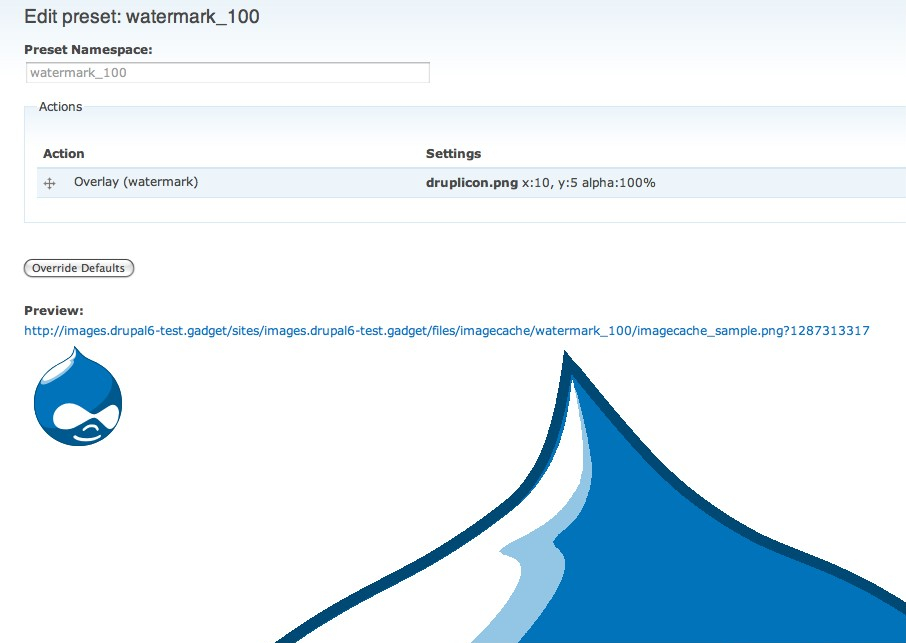
Clicking on the preview image in the imagecache UI should take you right to the attempted image URL. You can sometimes see the error message there if you have error logging on.
Comment #10
Bubb1egum commentedImageCache 6.x-2.0-beta10
ImageCache Actions 6.x-1.7
Well for some reason all actions give a broken image and broken preview. ImageCache still works fine without any special actions.
In your picture above; what about now applying Scale and Crop?? You will see that ImageCache Actions will break the image and preview.
I do exactly what you do but get red X for image.
------------------------------
Parameter 2 to imageapi_gd_image_overlay() expected to be a reference, value given in C:\xampplite\htdocs\mysite\dev\sites\all\modules\imageapi\imageapi.module on line 166.
-------------------------------
Parameter 1 to theme_imagecacheactions_rgb_form() expected to be a reference, value given in C:\xampplite\htdocs\mysite\dev\includes\theme.inc on line 656.
Comment #11
dman commentedI've been working against imagecache -dev and tried it on DRUPAL-6--2-0-BETA10

Same results
There are no special steps to applying scale & crop. Just add the action. Though you'd normally do that BEFORE adding a watermark I think
Comment #12
dman commentedThe error you mention - though I've never seen it - would appear to indicate that the layer (the image resource to be used as a watermark) may have been invalid
imageapi_gd_image_overlay(&$image, &$layer,..Comment #13
Bubb1egum commentedHi dman,
Thank you very much for all the help. I gave up in the end and just put my live site into maintenance mode, installed the module and what do you know. It is actually very simple to use and works just fine on live site. Just didn't want to work on my localhost. It seems the issue is with xampplite, perhaps it's missing something.
Comment #14
mandreato commentedHi,
I was trying this very useful module and encountered the same error of #10.
Fixed it by editing ...\imagecache_actions\utility-color.inc in the following manner: at row 31, removed the "&" before "$form".
FROM:
TO:
I'm not an expert of PHP, but it seems to be due to changes in 5.3 version (which comes with last XAMPP release).
HTH
Comment #15
mandreato commentedAnother similar error pops up when trying to update a canvasactions preset:
warning: Parameter 2 to imageapi_gd_image_overlay() expected to be a reference, value given in ...\sites\all\modules\imageapi\imageapi.module on line 166.
I fixed this too by editing ...\sites\all\modules\imagecache_actions\imageapi_image_overlay.inc at row number 84:
FROM
TO
But the problem is coming up in other places...
Comment #16
trueheehoo commentedDitto #7. I'm experiencing the same issues with PHP 5.3.
Comment #17
neorg commentedI had this error
warning: Parameter 1 to theme_imagecacheactions_rgb_form() expected to be a reference, value given in /var/www/DOMEIN/html/includes/theme.inc on line 668.
And fixed it by changing /imagecache_actions/utility.inc
to
BTW I had error on version:
- imagecache_actions-6.x-1.8
and
- imagecache_actions-6.x-2.0
This fix is for imagecache_actions-6.x-2.0 on PHP 5.3.2
Comment #18
chinita7 commentedI had the same issue as #17 with imagecache_actions-6.x-1.9 PHP5.3.3
It fixed the problem. Thanks.