I have created a simple test node of type Page with a long content in the body field, and use Paging module to paginate it. Now, if I add the the path to that page which is the following:
content/test-setting-titles-pages-created-paging-module
to the Clean Pagination module settings, nothing happens. However, if I add the node equivalent path which is:
node/597/edit
to the Clean Pagination module settings, then as long as I access the node using this path, it works. But if I access using the earlier path, then clean pagination doesn't work. Does anyone know why, or the solution to this?
Thanks,
James



Comments
Comment #1
j_ten_man commentedI would love to hear people's thoughts on this but I'm pretty sure that it is not possible without some type of core hack.
The issue:
- drupal_bootstrap is called on page load
- One of the steps (DRUPAL_BOOTSTRAP_PATH) makes a call to drupal_init_path().
- During the last step, hook_init is called, after the above.
The problem is with the order of how things are being called. drupal_init_path takes the query parameter ('q') and looks up the source. You then have $_GET['q'] set to the source with $_REQUEST['q'] being the original path passed in. If you take the alias 'content/test-setting-titles-pages-created-paging-module' and add make it 'content/test-setting-titles-pages-created-paging-module/2' then drupal_init_path() does not find the page and thus you get a page not found. If there's a way to edit the parameter before drupal_init_path, then this would be possible.
Comments or thoughts?
Looking into this for D7 now.
Comment #2
j_ten_man commentedComment #3
barteque commentedAt the moment I'm testing modified version of the module.
I changed cleanpager_init() to cleanpager_boot() added require_once('includes/path.inc'); and in 'system' table switched module to be run in bootstrap. It works, by now.
Comment #4
j_ten_man commentedThanks @barteque. I've refactored how several of the functions work to work with your suggestion and aliased paths are now working. Please pull the latest dev version and test. I've only updated the D7 version. If someone wants to backport, then great, but I have no plans to.
Comment #5
j_ten_man commentedComment #6
j_ten_man commentedComment #7
Anonymous (not verified) commentedHello,
My issue is similiar but it deals with EVA (Entity Views Attachment) module.
I have clean pagination 7.x-1.0.
I have view on my node added by EVA.
Clean pagination doesn't work on my pages.
But it works when I use node equivalent like node/17.
Normal page view works perfect.
Could you provide integration with EVA module?
Comment #8
j_ten_man commentedThis is in the latest dev release - or will be. I'll attach a patch below.
Comment #9
j_ten_man commentedPlease test.
Comment #10
octapopa commentedThe patch don't work for me. @barteque Please tell me how I can switched module to be run in bootstramp? Note: I am new in drupal.
Comment #11
j_ten_man commentedAre you using the latest dev version of the module?
What url value do you have in the settings page? If you are not using the latest dev version, you will need to make sure to have the aliased path.
Comment #12
octapopa commentedYes, i used the last dev version of the module, and the path in the setings is node/*. It works, before run autopath. I forgot to call using Drupal 6.
Comment #13
j_ten_man commentedThis is a D7 fix only. If someone wants to rework the D6 version, they can but otherwise it will not work in D6, only D7.
Comment #14
playfulwolf commentedTryed patch: it works only with "Use page/page_number " option selected
Comment #15
playfulwolf commentedby the way, I've tried with 7.x-1.0 version, NOT the dev, as dev seems to have this patch applied (the problem still persists)
Comment #16
j_ten_man commentedPlease test the latest dev version and report back. I am unable to reproduce with the latest dev.
Comment #17
playfulwolf commentedthis patch is done for 7.x-1.0 version - I can easily see that by seeing the code.
live example: http://naurio.lt , now it is with "Use page/page_number" unchecked, you can see results by browsing on the top menu.
when it is checked everything works as expected: with latest dev and on stable+patch (the same result)
Comment #18
j_ten_man commentedWhat do you have entered in to your settings for which pages to use the pager on?
Comment #19
j_ten_man commentedI was able to reproduce the error if I don't put
<front>in the settings. Otherwise I can't reproduce so not sure (note that if I don't enter front, the page/page_number version doesn't work either so I'm not sure if this is why it's not working for you). Anyways, I'll be interested to see what your settings are.Comment #20
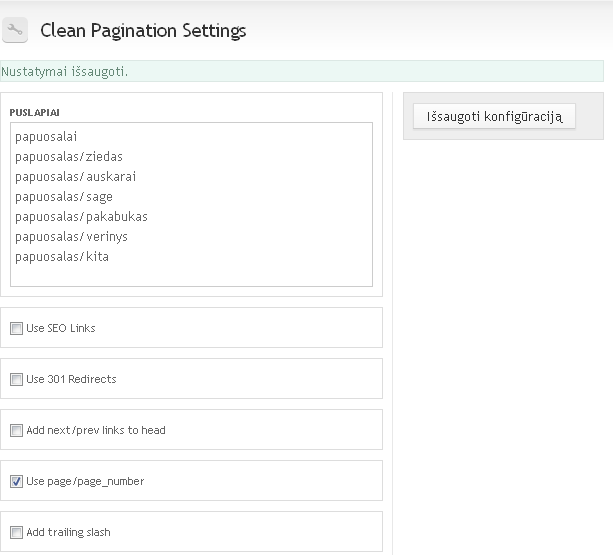
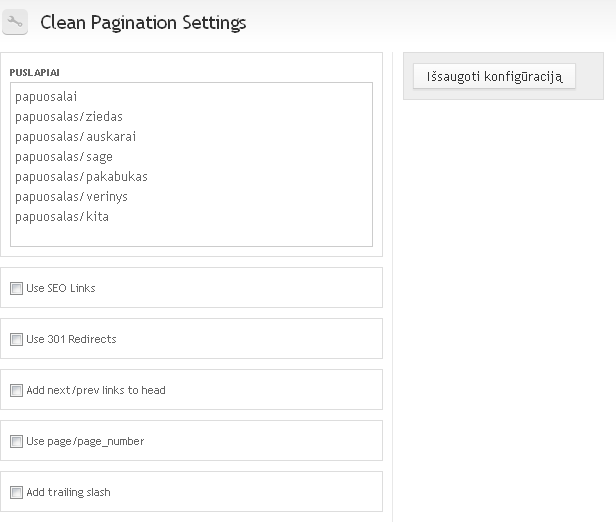
playfulwolf commentedPrintscreen of current settings. First is the front page view. I can repeat, that with those settings everything works fine just for the front page, but not on other ones:
http://naurio.lt/2 - for the front page
http://naurio.lt/papuosalas/ziedas?page=2 - for the others
Comment #21
playfulwolf commentedHere are the settings that work, I will leave them like this, you can see live site.
It is 7.x-dev version without any patches
Comment #22
playfulwolf commentedouch, there is another problem - with the last settings with "Use page/page_number" checked front page view paging is not working at all, showing "page not found errors" on all exept front page
btw, I am using BOA 2.0.3 stable install on Nginx server
I am turning clean pagination module off, as this is major bug
Comment #23
j_ten_man commentedPut
<front>in your settings box. This is required for the front page to work. It says it on the description of that settings box (not sure but you're admin settings don't show the description) and it's what I stated above. Let me know if that works.Comment #24
playfulwolf commentedok, I've put
<front>and now everything works on the other pages only when "Use page/page_number" is checkedComment #25
mthiner commentedDid someone rework this patch in D6? When I add the D7 patch above I get the pagination to appear right in the URL but none of my content shows up. Thanks.
Comment #26
j_ten_man commentedNo D6 rework that I know of.
I am unable to reproduce. I'm not sure if it's clashing with your theme or what, but content is showing up fine for me.
Comment #27
mthiner commentedAlright, so here is my situation. The clean pagination doesn't work on some pages (those that have url alias) and so I add the D7 patch (even though I'm using D6). When I add the patch, the pagination works on the pages I select in the settings, but my content disappears. Either way it doesn't matter since any site that has pagination gives me a white screen when I go in to edit it. I have this function: function body_extra_class() {
$output = "";
// Grab the segment name from the URL. This method ensures that
// child pages also carry the class.
$args = explode('/', request_uri());
if ($args[1] == 'shows' && (!empty($args[2]))) {
$output = $args[2];
}
return $output;
}
Would that cause problems for pagination?
Thanks.
Comment #28
j_ten_man commentedI don't think that would cause it...but I can't say for sure. That's just adding a class to the body.
Comment #29
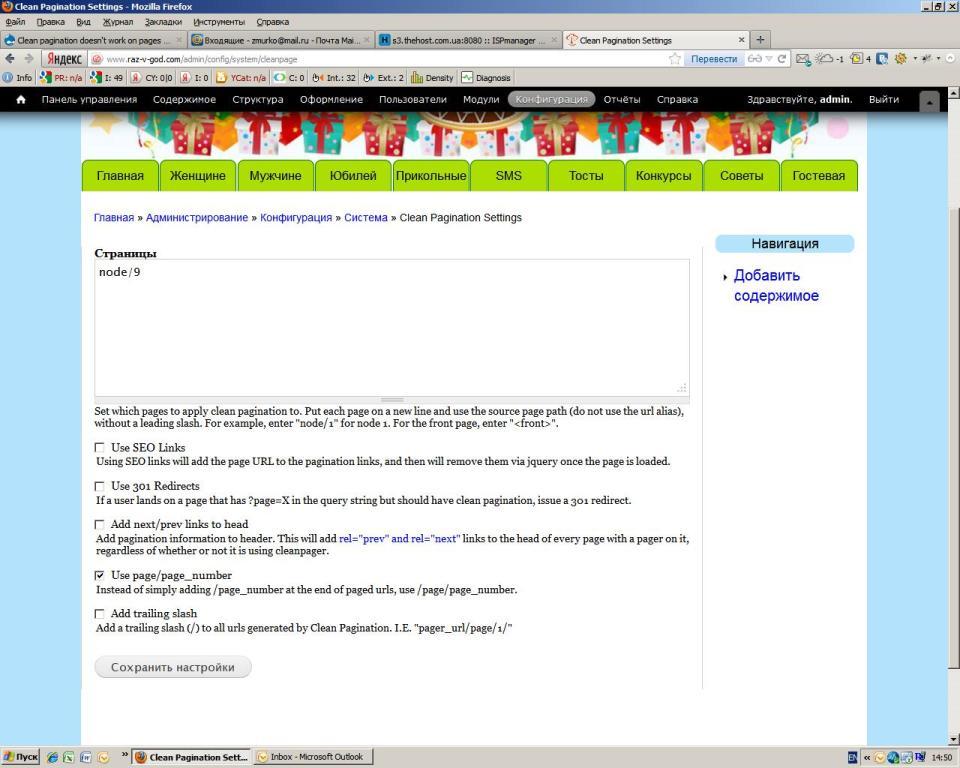
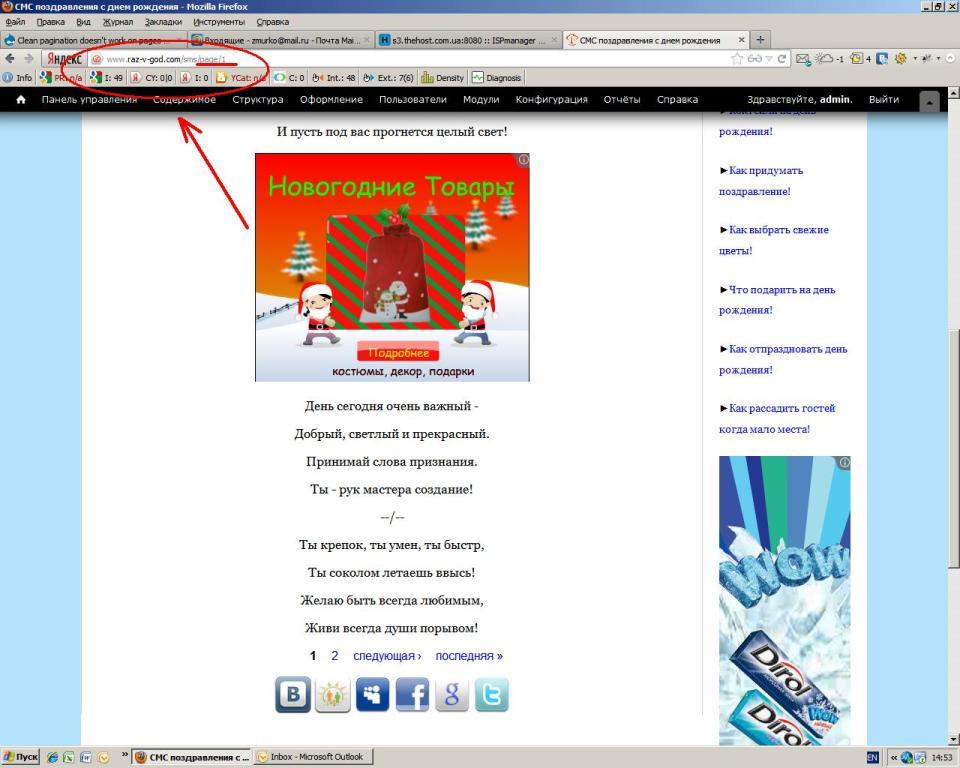
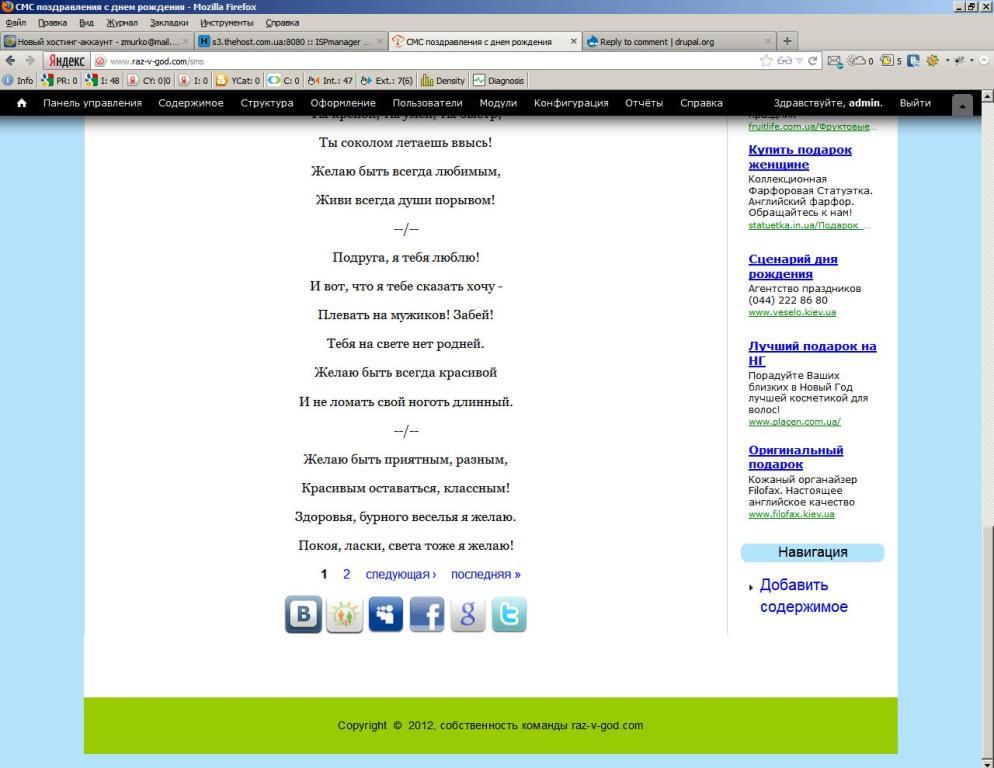
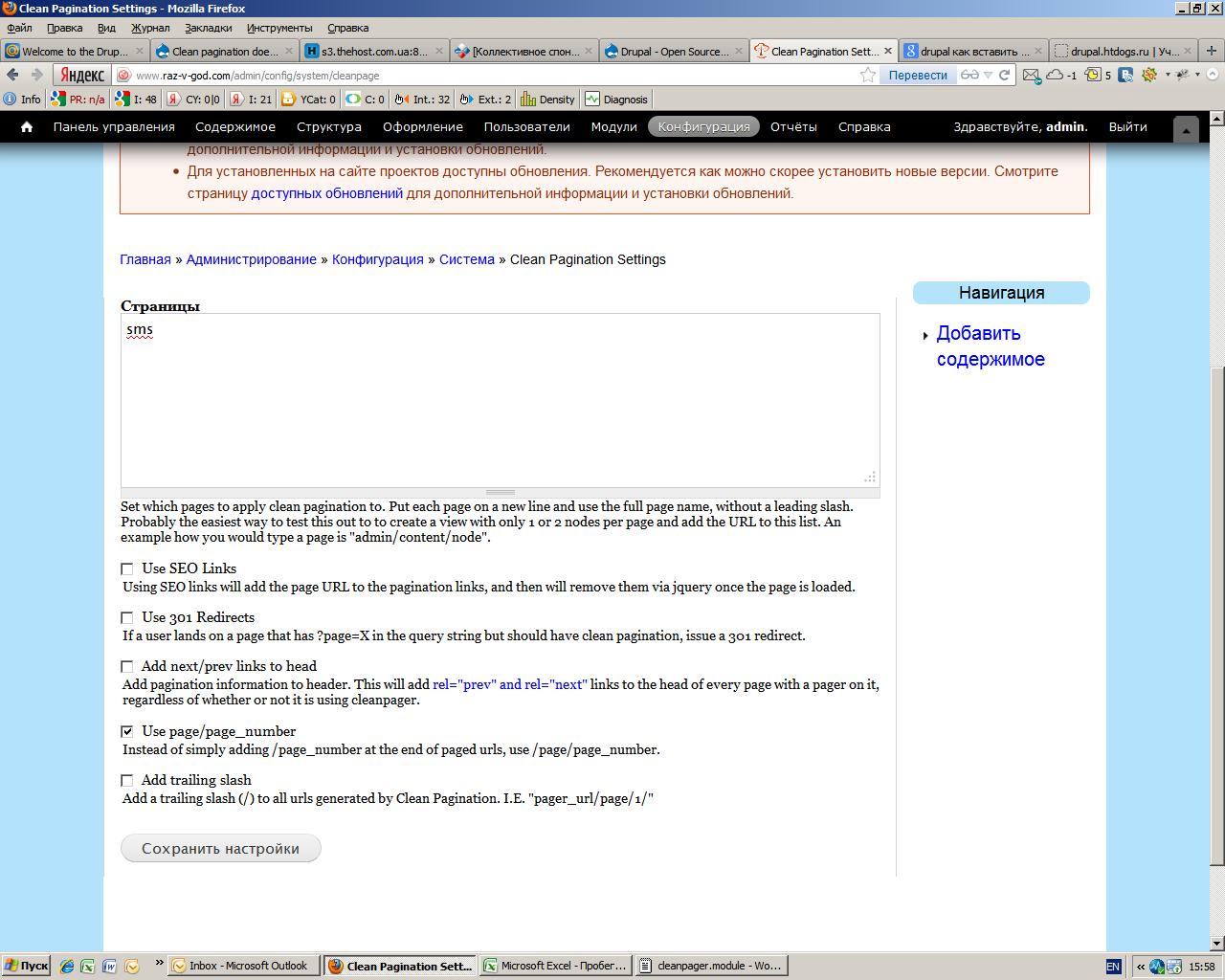
My_Maks commentedGood day. My situation is that clean pagination doesn't work correctly (with latest dev and on stable+patch (the same result)). You can see settings in attach file below. So, when I'm trying to go on second page at the end I'm still on the same page, but with 'sms/page/1' alias. Did you know where the problem is!
Thanks.
Comment #30
j_ten_man commentedEnter
<front>into the settings. It doesn't look like you're on the latest dev because the instructions under the box should tell you that. Here's what the latest description on the settings page should say (Drupal 7):Set which pages to apply clean pagination to. Put each page on a new line and use the source page path (do not use the url alias), without a leading slash. For example, enter "node/a" for node 1. For the front page, enter "
<front>".Comment #31
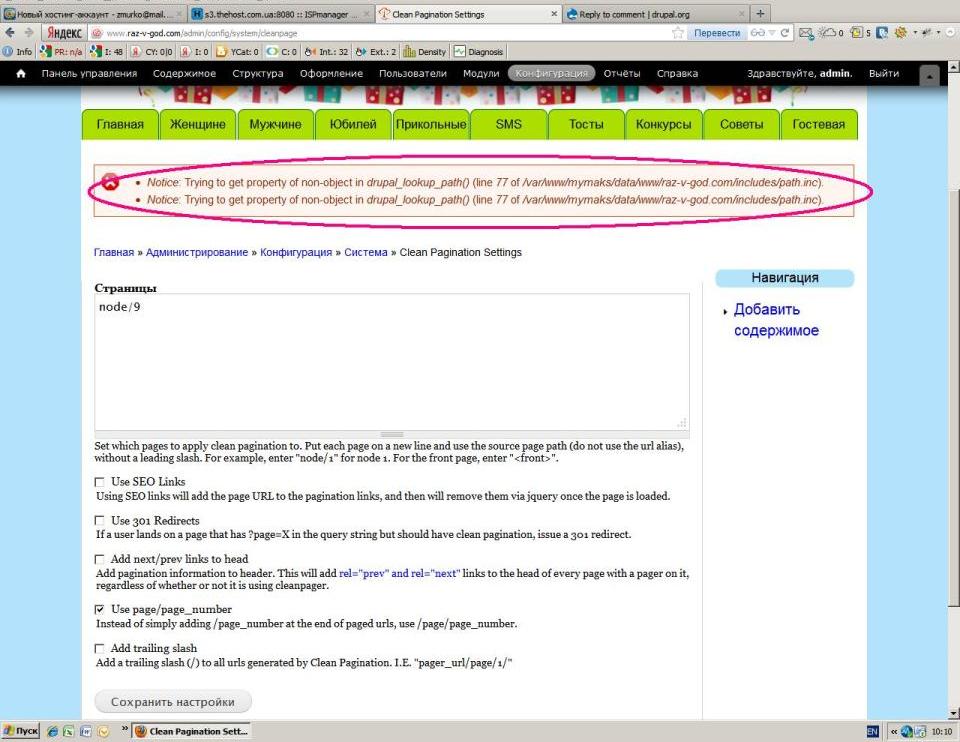
My_Maks commentedI undestand. I've done like you said. But, when I'm trying to go on second page it send me on 404 page.
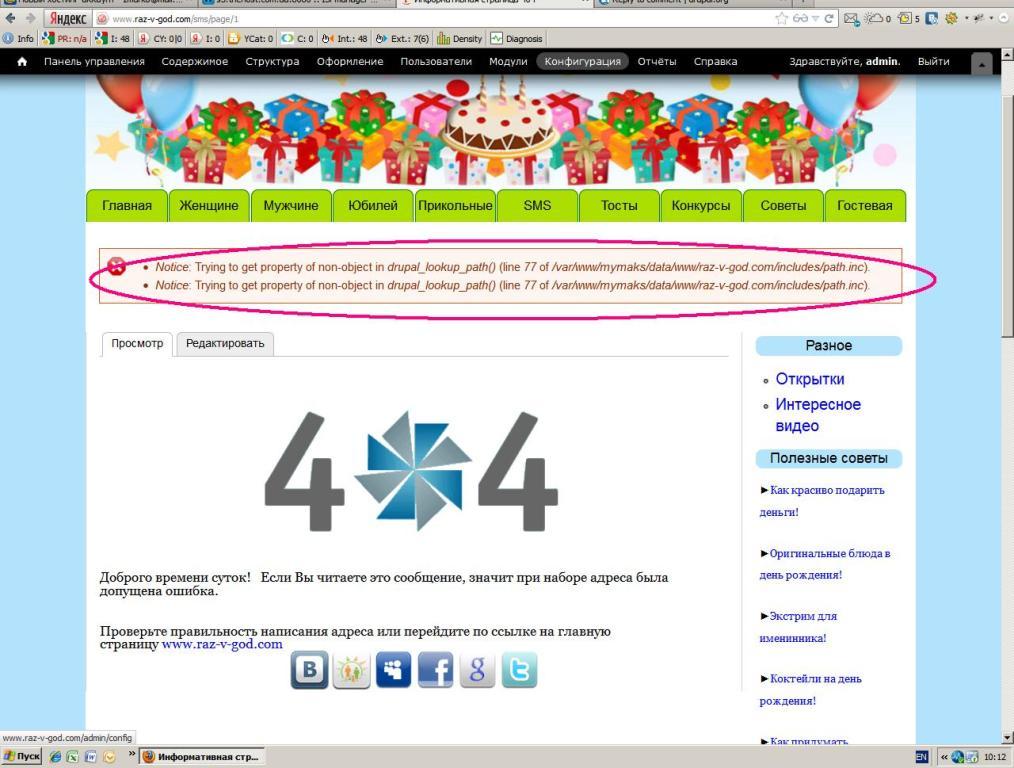
It's Drupal 7. Page for clean pagination has system path - node/9 (alias - sms). Settings in attach file. Result the same. And It's a mistake wich you can see on picture.
Note: I'm a beginer in Drupal.
Thank you!
Comment #32
j_ten_man commentedGetting closer. Is this the front page? You need to enter
<front>in the settings if so (like it says in the description).Comment #33
My_Maks commentedNo is not the front page.
Comment #34
j_ten_man commentedCould you pull the latest version and let me know if it works? I think it has to do with you being on a different language site. I pushed up a quick change, but I'm not 100% sure it will fix the problem.
Comment #35
My_Maks commentedUnfortunately the problem is still there. When I'm trying to go on second page at the end I'm still on the same page, but with 'sms/page/1' alias. You can see this on screens.
Thank you.
Comment #36
Angerslave commentedJust had a chance to port this patch to D6. Check this out.
Comment #37
jitendra verma commented