

Closed (fixed)
Project:
Views Slideshow: Dynamic Display Block
Version:
6.x-2.x-dev
Component:
Documentation
Priority:
Normal
Category:
Support request
Assigned:
Unassigned
Reporter:
Created:
27 Aug 2010 at 13:13 UTC
Updated:
16 Sep 2010 at 05:20 UTC
Jump to comment: Most recent file


Comments
Comment #1
ppblaauw commentedDid not try the views_slideshow_ddblock version 2.x yet with the embedded media field.
What did you try and what doesn't work?
Comment #2
Minna commentedI am using views_slideshow_ddblock version 2.x.dev. Then I installed emfield 6.x-1.24, enabled the embedded media field and embedded video field in Modules, set permissions. But now I don't know what to do.
The url is http://cch.diosav.org . Am trying to add three videos similar to the slideshow at http://themes.myalbums.biz/content/embedded-content-example.
Thanks again.
Comment #3
Minna commentedI've added a field to the content type called field_ddblock_if_video_url. I also added Content: field_ddblock_if_video_url to the Views Fields. When I create the node, I am able to enter the Embedded Video URL and the video displays in the node. How do I get the video to display in the slideshow. I'm guessing I need to add a preprocess function to the template.php? But this is where my skills stop. If you could assist that would be great.
Minna
Comment #4
Minna commentedComment #5
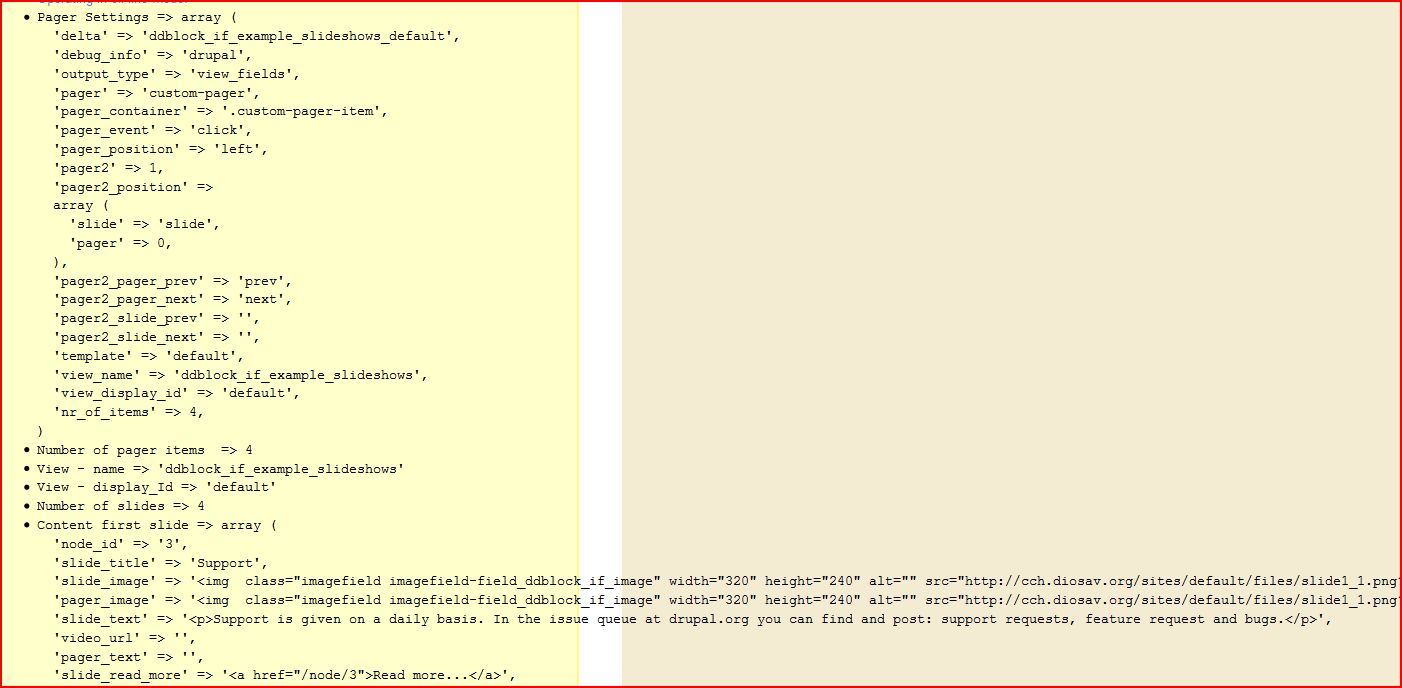
Minna commentedAttached are images of my Views settings, debugging lines and below is the Views Query:
SELECT node.nid AS nid,
node.title AS node_title,
node_data_field_ddblock_if_image.field_ddblock_if_image_fid AS node_data_field_ddblock_if_image_field_ddblock_if_image_fid,
node_data_field_ddblock_if_image.field_ddblock_if_image_list AS node_data_field_ddblock_if_image_field_ddblock_if_image_list,
node_data_field_ddblock_if_image.field_ddblock_if_image_data AS node_data_field_ddblock_if_image_field_ddblock_if_image_data,
node.type AS node_type,
node.vid AS node_vid,
node_data_field_ddblock_if_image.field_ddblock_if_slide_text_value AS node_data_field_ddblock_if_image_field_ddblock_if_slide_text_value,
node_data_field_ddblock_if_image.field_ddblock_if_slide_text_format AS node_data_field_ddblock_if_image_field_ddblock_if_slide_text_format,
node_data_field_ddblock_if_image.field_ddblock_if_video_url_embed AS node_data_field_ddblock_if_image_field_ddblock_if_video_url_embed,
node_data_field_ddblock_if_image.field_ddblock_if_video_url_value AS node_data_field_ddblock_if_image_field_ddblock_if_video_url_value,
node_data_field_ddblock_if_image.field_ddblock_if_video_url_provider AS node_data_field_ddblock_if_image_field_ddblock_if_video_url_provider,
node_data_field_ddblock_if_image.field_ddblock_if_video_url_data AS node_data_field_ddblock_if_image_field_ddblock_if_video_url_data,
node_data_field_ddblock_if_image.field_ddblock_if_video_url_version AS node_data_field_ddblock_if_image_field_ddblock_if_video_url_version,
node_data_field_ddblock_if_image.field_ddblock_if_video_url_duration AS node_data_field_ddblock_if_image_field_ddblock_if_video_url_duration,
node_data_field_ddblock_if_image.field_ddblock_if_pager_item_text_value AS node_data_field_ddblock_if_image_field_ddblock_if_pager_item_text_value
FROM node node
LEFT JOIN content_type_ddblock_image_field_example_item node_data_field_ddblock_if_image ON node.vid = node_data_field_ddblock_if_image.vid
WHERE (node.status <> 0) AND (node.type in ('ddblock_image_field_example_item'))
Comment #6
ppblaauw commentedHave been away for three days.
You would need to map the embedded media field (source field from the view) to the slide_image (target in slideshow theme)
Instead of an image from the image_field module the embedded media field should be shown.
Will try this also on my install later and let you know
Hope this help you further, please let me know
Comment #7
Minna commentedNo problem.
I tried your suggestion.
I mapped the embedded media field (Embedded video url - video_video) to the slide_image (target).
No embedded media field display in the slide. It only removed the images in other slides.
Thanks for your help.
Comment #8
ppblaauw commentedTried the functionality on my test server and it works, although have chosen a little bit different approach, so both images and videos can be used in the slideshow.
Steps:
changed
print $slider_item['slide_image'];to
print $slider_item['slide_image'];print $slider_item['slide_video'];This way an image will show up in the slideshow when an image is defined in the node and a video will show up when a video is defined in the node.
Hope this helps you further, please let me know.
Comment #9
Minna commentedThanks for quick response. I tried the following but no display of video in the slideshow block.
1. Added to content type (ddblock image field example item):
field (field_ddblock_if_embedded_video),
type (Embedded video),
provider (YouTube)
2.Added to View ddblock_if_example_slideshows:
field (Content: Video),
format (Full Size Video)
3. Added a video embed code to a node. deleted the image.
4. In ddblock_if_example_slideshows View:
selected style: settings
added a target (slide_video) with the source (Content:Video (field_ddblock_if_embedded_video)
saved the view changes
Debugging lines are:
5. In views-slideshow-ddblock-cycle-block-content-vsd-highlight-50l-B.tpl.php
edited
<?php print $slider_item['slide_image']; ?>to<?php print $slider_item['slide_image'];print $slider_item['slide_video']; ?>This is the source code for the node with a video:
This is the source code for the slides (note - nothing in the first slide):
Something is not set properly in the View. but I cant figure out the problem.
Thanks again
Comment #10
Minna commentedI got it working. I am using a custom template upright 50l and I had overridden some settings for upright50 view. so I reset to default setting and reapplied my settings in upright50. The video displays now.
How do I make the video custom thumbnail display in the pager_image?
Thanks again.
Comment #11
ppblaauw commentedYou can use the same approach as with the video itself, so both images and video-thumbnails can be used in the slideshow.
Steps:
and change
print $slider_item['pager_image'];to
print $pager_item['pager_image'];print $pager_item['pager_video_thumbnail'];This way an image will show up in the slideshow when an image is defined in the node and a video_thumbnail will show up when a video_thumbnail is defined in the node.
Hope this helps you further, please let me know.
Comment #12
Minna commentedEverything is working great in Firefox but not in IE8. For some reason the template_size css is not being applied in IE8. I have a workaround for now, I added the template_size css code to views-slideshow-ddblock-cycle-vsd-highlight-50l-B.css.
I have another slideshow with just the images (no the embedded video) same exact setup that displays perfectly in Firefox and IE8.
Minna
Comment #13
ppblaauw commentedMaybe your IE issue is that IE does only support 32 CSS stylesheets. The ddblock stylesheet is one of the last stylesheets added and could be ignored by IE when you have more then 32 CSS Stylesheets.
Enabling CSS optimalization at Administer > Site configuration > Performance will give you a solution for this issue. This is what you would do when your Drupal site is in production anyway.
The Internet site is offline, so could not check if this is the case.
Hope this helps you further, please let me know.
Comment #14
Minna commentedCSS optimization solved the IE issue. I sincerely thank you for your help. Once my sites are complete, I will add them the sites using ddblock page.
Minna
Comment #15
ppblaauw commentedThanks
set status to fixed