Closed (fixed)
Project:
Drupal Commons
Component:
Code
Priority:
Normal
Category:
Bug report
Assigned:
Unassigned
Reporter:
Created:
7 Sep 2010 at 18:36 UTC
Updated:
21 Jan 2011 at 17:44 UTC
Jump to comment: Most recent file


So, briefly, I'm just trying to change a primary links menu item from 'Groups' to 'Groups - Projects'.
Seems simple enough. Done it a thousand times. It even works for a few minutes. Then, magically, goes back to 'Groups'. A visit to the primary links config page and it's as if nothing was ever changed. Kinda cool. Kinda annoying.
The primary links don't seem to have a Strongarm entry, but I'm not too familiar with that module.
A - How can I get this change done?
B - What's making it go back?
Thanks.
| Comment | File | Size | Author |
|---|---|---|---|
| #15 | screenshot_022.png | 37.49 KB | mstef |

Comments
Comment #1
mstef commentedThis is actually sort of a bug in Commons. Those two drop-down menus are created manually on installation. If one was to disable then reenable Commons Core, that causes big problems with the menus - without going into detail. The *fix* was to purge and recreate those dropdowns inside hook_menu which runs everytime the menu cache is cleared. Forgetting that users would want to customize those two drop downs, this will revert them quite often. The next release of Commons will take care of this issue a different way.
Comment #2
mstef commentedFor now, clear out commons_menu in commons.module.
Comment #3
Mercury500 commentedThanks.
I removed lines 10-79 of commons.module.
Works. And no dead kittens yet.
Comment #4
mstef commentedNo no no...
Just remove line 15
Comment #5
mstef commentedAnd this needs to remain open because it's not fixed.
Comment #6
najibx commentedgot it
Comment #7
Crom commentedThanks for the tip mikestefff, I tried it but found that commenting line 15 causes the expanded menus to 'stick' meaning that as I roll the mouse along the menu I can get all the expanded drop-down menu lists visible at the same time. Any ideas what might be causing this?
Comment #8
Wolfflow commentedFYI, there is a good work around without hacking Drupal Commons core:
see -> http://commons.acquia.com/discussion/bug-customizing-primary-links#comme...
Comment #9
mstef commentedThe fix has been committed and will be available in the next release.
Comment #10
dfylstra commentedThis issue is NOT fixed in the recently (1/14/11) released Drupal Commons 1.2. When I updated my site to 1.2, this problem reappeared and again messed up the Primary Links on my site.
There's no change in 1.2 to the code in commons.module that causes this behavior. Commenting out line 15 does overcome the problem, as it did in Drupal Commons 1.1.
Maybe this will be fixed in 1.3... but until it is actually fixed, IMO this issue should remain open.
Comment #11
mstef commented1.2 became a security release - just updating modules that had security issues.
1.3, which is coming soon, fixes this, and many other issues.
Comment #12
growltiger commentedI am still having a similar issues in 1.3. Namely that primary links customizations don't stick at all, they don't even show up, though the nodes are created.
Comment #13
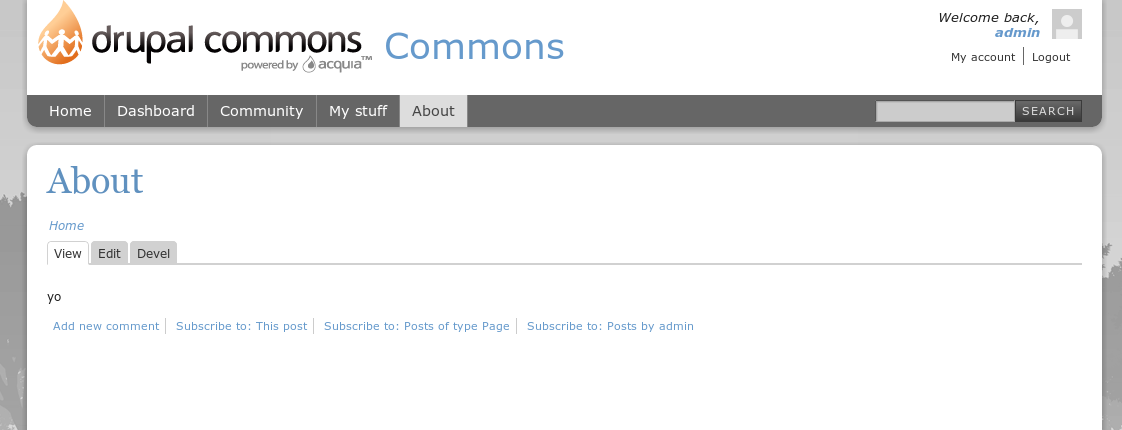
mstef commentedSo, you're trying to create primary link items via node creation? To link to a node off the menu?
Comment #14
mstef commentedI just tried creating a page node, with a menu entry, and it went without a problem.
Comment #15
mstef commented