

Needs work
Project:
Compact Forms
Version:
6.x-1.x-dev
Component:
Code
Priority:
Normal
Category:
Feature request
Assigned:
Unassigned
Reporter:
Created:
9 Sep 2010 at 21:59 UTC
Updated:
9 Jan 2011 at 05:34 UTC
Jump to comment: Most recent file


Comments
Comment #1
sunThe patch is reversed. But also, can you post a screenshot of how this looks, please?
Comment #2
elvis2 commentedThanks for pointing out the reversed patch. Attached are 4 screenshots. Two are only related to the file filed itself before and after on FF. The other two are to show the safari/chrome issues (before and after the fix).
Comment #3
elvis2 commentedSorry, compact_forms_file_safari_after.PNG was messed up. Here is the better one.
Comment #4
sunThanks for re-rolling an providing those screenshots.
Regarding the screenshots, I'm not sure what I'm looking at. I've highly prefer to see a screenshot from one of Drupal core's stock/default themes; e.g., Garland. With this patch, I guess you should be able to compact the node form (with Upload module enabled) and have the file attachments field compacted.
(and elsewhere in this patch) Trailing white-space introduced.
1) "dealing" does not explain why we are implementing this special, browser-specific code and behavior.
2) The comment talks about Chrome and Safari, but the code is conditionally executed for Safari only.
Powered by Dreditor.
Comment #5
elvis2 commentedThanks for the feedback. First you should know this is a webform file field the patch is dealing with. The screenshots are only referring the file field.
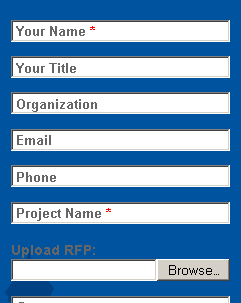
compact_forms_before.PNG AND compact_forms_after.PNG show the "file upload" label is not in the textfield form element.
http://drupal.org/files/issues/compact_forms_before.PNG
http://drupal.org/files/issues/compact_forms_after.PNG
On Safari and Chrome, the filefield is overridden by the browser, which is fine except the label field shows (on top) of the "Choose File" button the browser renders. See
http://drupal.org/files/issues/compact_forms_file_safari_before.PNG AND
http://drupal.org/files/issues/compact_forms_file_safari_after_0.PNG
Regarding the code for Safari and not Chrome condition, on my PC JS does not recognize $.browser.chrome when using chrome. But, it does recognize $.browser.safari when using both chrome and safari. Maybe it is different on a Mac.
Comment #6
elvis2 commentedHere are the screenshots with the garland theme...
Comment #7
sunSorry, but http://drupal.org/files/issues/garland_Safari-Chrome_after.PNG won't fly -- the label is missing entirely, so the user has no idea what to upload.