

 Come together with the global Drupal community in Rotterdam, 28 Sept – 1 Oct 2026. Sessions, contribution, connection, and Early Bird savings until 8 June.
Hi:
I have the latest stable version of node gallery and node gallery display; in the documentation is states as followed:
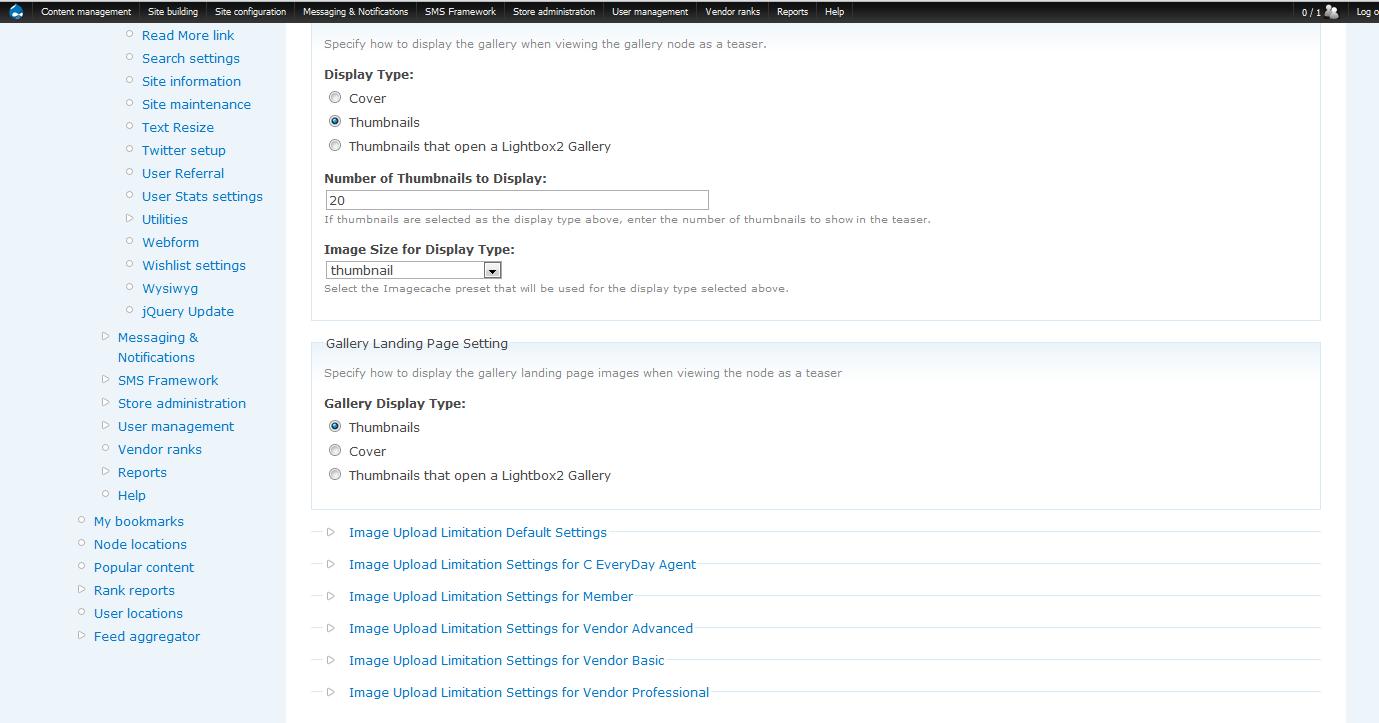
On the (create gallery) or (gallery edit) page there is a field set
called "Node Gallery Display Settings" with four options.
Make a selection to display the gallery as desired.
However, when I go into edit my gallery, I cannot find the "Node Gallery Display Settings" with the four options, I'm not sure why that is, have anyone run into this before?
I'm on Drupal 6.19 and tarski theme.
| Comment | File | Size | Author |
|---|---|---|---|
| #3 | node_gallery1.jpg | 91.02 KB | cwittusen |
| #3 | node_gallery2.jpg | 88.34 KB | cwittusen |
| #3 | node_gallery3.jpg | 91.97 KB | cwittusen |


Comments
Comment #1
dbeall commentedalways test your set up with the garland theme.. if it still don't work, check the permissions for node_gallery_display
Comment #2
cwittusen commentedOk, I will try that; I don't think its permissions since I'm logged in as admin.
Comment #3
cwittusen commentedI changed to garland, then selected edit on my gallery.
The first screen where you select the Gallery Type and Image Type does not have the screen or the four options; the next screen does not have it either so I'm not sure what the problem is. Any ideas? I attached images to show.
Comment #4
dbeall commentedThere is no backend or admin settings for the module.
Install it
goto create a new photo gallery and the 4 display options will be on that screen.
Comment #5
cwittusen commentedOk, I see that now, it wasn't clear from the instructions. My apologies, I thought it was after you had created a gallery that you could go in and change the display settings (which you cannot).
Comment #6
dbeall commentedyes, you can change the display setting at any time.. You have to go into the 'gallery edit' screen.
navigate to the gallery landing page, then edit and you should see the display setting along with the gallery title and description..