As someone who stares at a computer all day, I loathe sites that are difficult to read. Unfortunately, I'm finding this is the case for the new Drupal design due to the light font color (#333). I believe this could cause usability issues, especially for those who have vision problems.
Request: Please make the font color darker. #111 is acceptable (but of course something that starts with #00 would be preferred).
Justification: Please defend the use of a having gray as the primary font color. The Drupal.org website style guide is easier to read than the actual Drupal.org design as it uses a darker color!
(I once had a designer hand me a PSD that used #777 as the primary font color--man, that made me angry, what is it with designers and the color gray?)


Comments
Comment #1
drummThe prototype uses #222 and style guide uses #333.
I switched it to #222, which is definitely better.
Comment #2
drummComment #4
alex ua commentedI'm reopening this as it's related to #939124: Too much scrolling on issue page - less navigation, or more compact navigation and #936304: [META] Style issue comments (i.e. the current degraded user experience within the issue queues) and would like to get more opinions from people who actually use the issue queues. I think the #22222 makes the issue queue MUCH more unreadable, and there's no rational reason to degrade our user experience because designers said so. I'm sure there are plenty of studies that will tell you that anything other than black on white background is bad for readability (and bad for your eyes). A quick google search shows lots of discussion on the topic, but this really does seem like common sense.
Any idea why this decision was made?
Comment #5
drummSome of the smaller headings use black, and bold, for contrast. At this point the color isn't too different, but it does help.
I'm sure you can find evidence to support whatever on Google, but the general idea is that a little less than maximum contrast is actually easier on the eyes if you are reading a lot.
Comment #6
alex ua commentedNeil, I know you're working hard on getting the redesign out of the door, but please don't close my comments again without an actual reason. This deserves to be debated, and the fact that you're being paid to help doesn't mean you get to stifle debate and decide for all of us when an issue is "fixed". This is an active issue, please give some actual arguments in your favor before closing it.
Here's my #1 argument: the entire internet uses black on white background, so why do you think that you know better than the rest of the internet? It's easy enough for you to reduce the brightness on your monitor--if you use sites like the NYT, Google, Engadget, Mashable, The Huff Post, or really any text-heavy website you already have reduced your monitor's resolution if it hurts your eyes. On the other hand, how many highly-trafficked, text-heavy, websites can you find that use something other than black text on a white background? I'll save you the time, since you won't find any, so why not explain why we seem to "know better" than the biggest sites on the web...
Edit My point in the last paragraph was really that you can adjust your monitor's contrast, you cannot adjust the fonts of the site in the same easy way.
Comment #7
Everett Zufelt commentedIf the Drupal.org redesign is going to be accessible to the broadest set of users possible (IMO a good idea), the contrast ratio on the standard text should be at least 4.5. You can use a tool like the Juicy Studio toolbar for Firefox to easily and quickly analyze the contrast for all text on a page.
Comment #8
drummThe contrast ratio of #222 on #fff is 15.91
You did save me time, from your examples, Engadget uses #444 and Mashable #333 for their article text. Be careful when you generalize the whole internet, it is a big place.
On being paid, I'm generally conservative about billing. I'm not keeping track of time for this comment, and didn't bill at all this weekend since I was traveling and didn't have good chunks of time to really get things done.
Readability has been discussed in plenty of issues and we have increased the font size from 12pt to 13pt, changed the color from #333 to #222, changed to font stack to use better fonts, and worked toward making text-only browser zoom work better. Will we make everyone 100% happy? That's impossible, but I think we are doing a decent job.
Comment #9
Everett Zufelt commentedIf the text is resizable (using zoom and text resize) and the contrast ratio is above 4.5 then IMO this is no longer an accessibility issue.
Comment #10
Druid commentedIn general, the smaller the font, the more contrast you want (closer to black, if the background is light or white). On the other hand, if you blow up the text for somewhat decorative effects (say, a 24pt Helvetica Bold heading), it's good to dial back on the starkness of the contrast (in other words, go to a lighter, grayer color). In good layout design, you want to watch the overall "grayness" of a page, which means juggling font size, letter spacing, baseline spacing, margins, cutouts, etc. with a good text color (gray level) to achieve a desired percent coverage of ink (virtual or real). Even for a small font, if the letters are crowded (little spacing), you may want to go to a dark gray rather than a black, although if it's that bad, you may want to rethink your spacing. Bottom line, there's no one setting that applies to all cases — you have to make your page and then start playing with settings (including text color) until it "looks good".
Comment #11
Everett Zufelt commentedI should have been more clear in my above comment. If the text is resizable and the contrast is 4.5+ then it is not strictly an accessibility issue. Obviously there is a large overlap between usability and accessibility.
Comment #12
alex ua commented@drumm- sorry if that was overly snippy- I didn't mean to imply that you shouldn't be getting paid, or that it's not worth it-I really should have said "project owner" rather than just mentioning that you're getting paid to work on this (I am 100% supportive of the DA's efforts). I understand that you have a job to do here, and are under a tight deadline to get this out the door, but I think you're being a bit too quick to dismiss concerns about something we all have to use every day.
After looking a bit more at the style guide I wonder if there's not something else going on here. The text treatments in the guide are images, so it's hard to compare, but I don't have any problem reading the text on those pages (could be the thickness of the font or a difference between the web and adobe versions of the font). Anyway, my overall point is that the site is noticeably harder to read now- changing the color seems to help a good deal, but maybe there are other ways to improve it?
Comment #13
alex ua commentedOk, I no longer think the readability issue is the color of the font. It's the font itself. #912936: Change font family This is what happens when Open Source Software fanatics blindly adopt shiny closed source bs. Down with (cr)Apple!
Comment #14
Druid commentedRe: #13
OK, when you select a font face, size, and color, you have to have some sensibilities for usability by end users. You can't be an artiste and choose something because it's real kewl or artsy — it has to be usable by the largest population (unless you know for sure that your audience is the kewl and artsy sort). Black on black just doesn't cut it! Some font faces are too ornate to be usable at small sizes. Some browsers use antialiasing to make smoother angled lines, but this uses grayscales to blend pixels, which can cause problems at small sizes (the grays overwhelm the black, and the letter dissolves into a blur). Don't forget to test at a variety of screen sizes and resolutions. Not all fonts are available on all browsers — be sure to test with fallback fonts such as browser-specific "sans-serif" if you specified something like "helvetica".
As for the new drupal.org site, I must reserve judgment for now, until I've explored it a bit more. My first reaction is that it's a lot less "cluttered" than before, with more restful (on the eyes) blank areas. I don't know yet whether the choice of font face is bad, or the font is too small. If you want to open up "whitespace" on the page, you don't do it by keeping the same amount of text and making it smaller via a smaller font size — you keep it the same size and reduce the amount of text on-screen (this may mean a larger page that needs to be scrolled more).
Comment #15
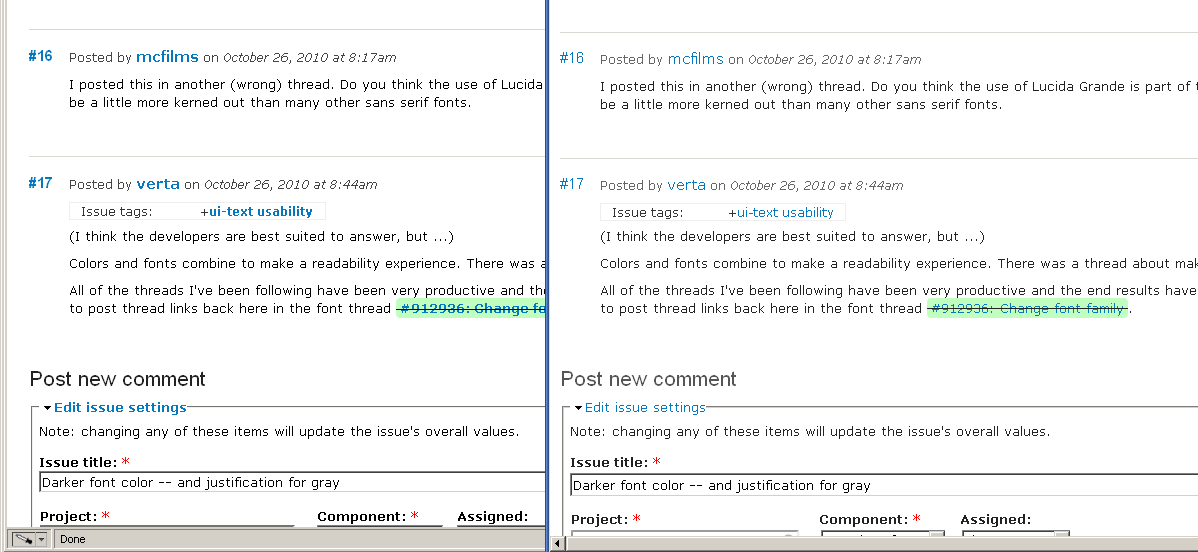
verta commentedI used the Firefox addon Firebug to disable the body color style, and it really was easier to see and read the copy. It's a great tool, since you can click any style off and on and get a 'blink' test.
The material here is already very complex, making learning the Drupal platform easier (removing readability barriers) is top priority.
With respect to #13, I think the color is important too, I blink tested the current beta site with the font family improvement, and it's better in black as well.
Comment #16
mcfilms commentedI posted this in another (wrong) thread. Do you think the use of Lucida Grande is part of the "readability problem"? The type seems to be a little more kerned out than many other sans serif fonts.
Comment #17
verta commented(I think the developers are best suited to answer, but ...)
Colors and fonts combine to make a readability experience. There was a thread about making the background explicitly white - good.
All of the threads I've been following have been very productive and the end results have been improvements. It might be interesting to post thread links back here in the font thread #912936: Change font family.
Comment #18
Jonah Ellison commentedWell, I finally just used Firefox to override the Drupal.org style.
Attached is a screenshot comparing the two. The overrides are similar to the old Drupal.org style -- dark body text and bold links.
If anyone else is interested, see http://www.electrictoolbox.com/firefox-custom-user-styles/ and the attached userContent.css file.
Comment #19
verta commentedFixed! For me anyway, much thanks.
Comment #20
drummI haven't heard many other complaints about the font color. This issue is a confusing mess and not useful to have open.
Comment #21
ressaLike @Jonah Ellison mentions, you can override the CSS if you use Firefox:
Add a file named
userContent.cssfile inside the folder/home/YOUR_USERNAME.mozilla/firefox/UNIQUE_STRING.default/chrome(substituteYOUR_USERNAMEandUNIQUE_STRINGto match your set up) and add this:Restart the browser for it to take effect. Note: You might have to enable
toolkit.legacyUserProfileCustomizations.stylesheetsviaabout:config.