

 Come together with the global Drupal community in Rotterdam, 28 Sept – 1 Oct 2026. Sessions, contribution, connection, and Early Bird savings until 8 June.
I am using ffmpeg_wrapper to convert MP4 videos to FLV. I am using Flowplayer 3.2.3 free version. When I create a video node and the video has been converted after cron, I get a File Not Found error in flowplayer when it tries to play the video. Flowplayer says it's looking for the video in /node/sites/default/files/videos/converted/ when the file actually is in /sites/default/files/videos/converted/.
Why is /node in the path and how can I get rid of it?
Some Drupal log details:
=======
Type video_conversion
Date Tuesday, October 5, 2010 - 14:56
User admin
Location http://www.domain.com/admin/reports/status/run-cron
Referrer http://www.domain.com/admin/reports/status
Message Successfully converted sites/default/files/videos/original/VID00042.MP4 to sites/default/files/videos/converted/VID00042.flv
Severity info
=======
Type page not found
Date Tuesday, October 5, 2010 - 15:00
User admin
Location http://www.domain.com/node/sites/default/files/videos/converted/VID00042...
Referrer
Message node/sites/default/files/videos/converted/VID00042.flv
Severity warning
| Comment | File | Size | Author |
|---|---|---|---|
| screencapture.png | 60.28 KB | fStew |

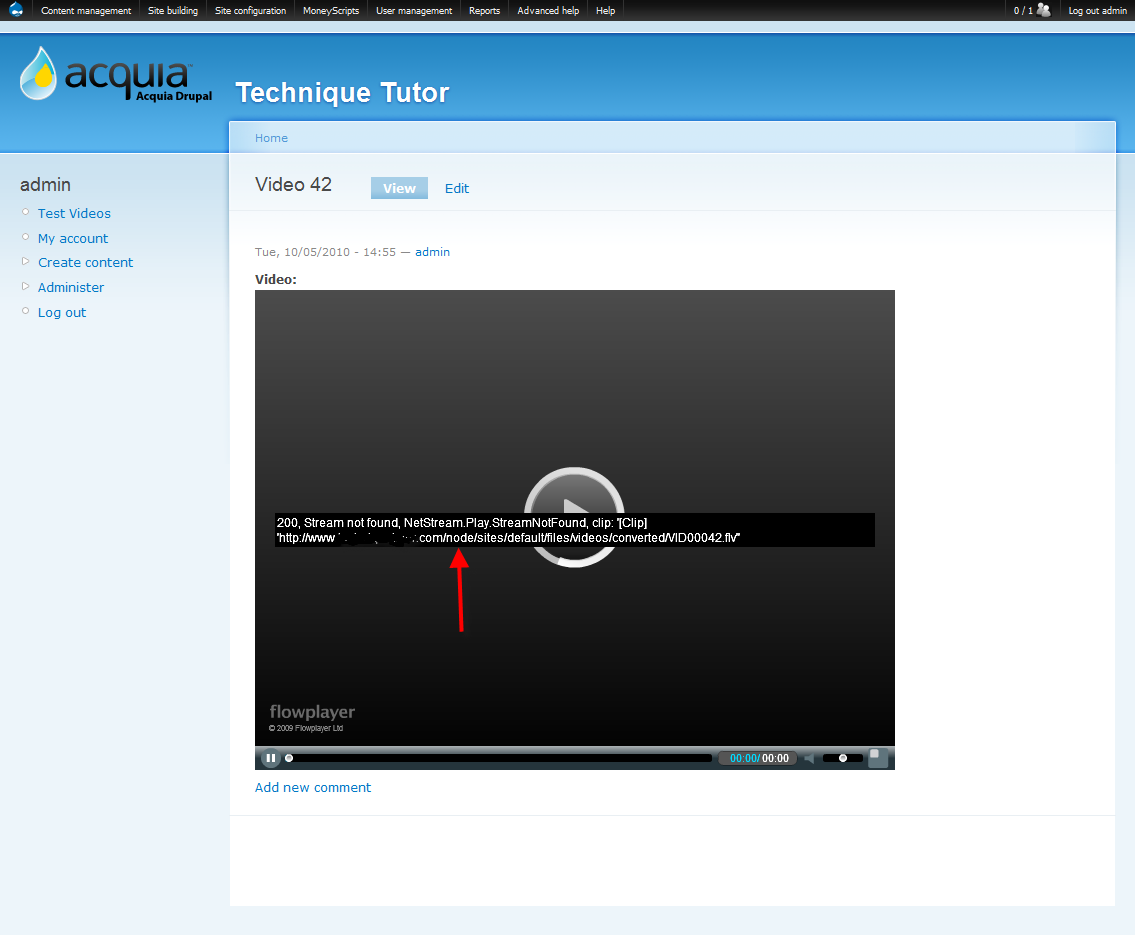
Comments
Comment #1
fStew commentedComment #2
hypertext200Are you using pathauto module? I got the same kind of report abt conflict with Pathauto module, but it can't be such a thing. Please check it and confirm, then I can work fixing on this.
Comment #3
fStew commentedI found a way around the problem, but it is not a fix.
To get this working I needed to enable pathauto and set the url alias to only [title-raw]. So all videos must be aliased off the root like domain.com/movie.flv. Also this seems to be a flowplayer problem. When I tried the swf tools player the problem disappeared.
Heshan, if you would like more details and to see the test website you can email me at stewart at inetmedia dot com
Comment #4
ppcc commentedHi
I have the same issue with flowplayer, after conversion the player gives an error message of:
Stream not found: [whatever-the-pathauto-alias-is]/sites/default/videos/converted/filename.mp4
Comment #5
hypertext200can you just go to your video field settings and check what is the path you set to the video files?
Comment #6
fStew commentedThe File Path is blank in the Path Setting section of the Video field.
Comment #7
hypertext200Please add the video/ there, that will fix the path issue. did you upgrade the module from older version?
Comment #8
agrivas commentedChanging the path did not work. I just don't know if this video module's bug or flowplayer's.
Comment #9
fStew commentedAt this time, the Video module and Flowplayer do not work together. We switched to JWplayer and all is good.
Comment #10
hmmdinger commentedinetmedia, what version of JW Player were you able to get working? Things for me are going from bad to worse as I try to get SWF Tools working. The default FLV player is the only thing I can ever get working, with just short of zero success with Flowplayer 3. You said Flowplayer does not work "at this time". Is that official or based on your experience? I haven't seen that stated anywhere else.
Also, are you using SWF Tools 2.5 or 3?
Comment #11
sp3boy commentedI have exactly the same problem. I built a test site with just CCK, Filefield, Video, Flowplayer (6.x-1.0-beta1). No pathauto, no extra path in the path setting section of the Video field.
I can upload mp4 and convert to flv but Flowplayer only plays the video as part of the site's front page (so the relative file path of "sites/default/files/videos/converted/myvideo.flv" is valid after "http://example.com/").
Whereas if I browse to the node view, the file path changes to "node/sites/..." and the player fails. Same with Quicktime if I "convert" the video to mp4.
BTW I had other problems like ffmpeg not working with filenames that contained spaces and Flowplayer not working with filenames containing UTF-8 characters like "ü" so that all wasted a good few hours.
I can't believe that something as simple as rendering the file path can affect more than one video format presentation.
Comment #12
ppcc commentedI resorted to a symlink to get it working.... yuk, but at least it works as a quick fix for a single site.
Strangely, the path is correct in all my views, just not on the node page.
Comment #13
hypertext200