

Active
Project:
Janrain Social Login
Version:
6.x-1.3
Component:
Code
Priority:
Normal
Category:
Support request
Assigned:
Unassigned
Reporter:
Created:
9 Oct 2010 at 00:03 UTC
Updated:
12 Oct 2011 at 22:58 UTC
Jump to comment: Most recent file


Comments
Comment #1
doublejosh commentedThought this was still valid. But it seems like it was a caching issue... combined with different field for each service used.
Though this issue may just be that this feature is not-clearly named and/or defined...
"Force registration form"
"Always show registration form on Engage login, in case there are additional required fields to be captured"
It additionally FORCES a user to make use of the social account they have connected to within the login block/page.
The registration inputs seems to differ depending on what is sent back by the authenticating provider.
Without Force...
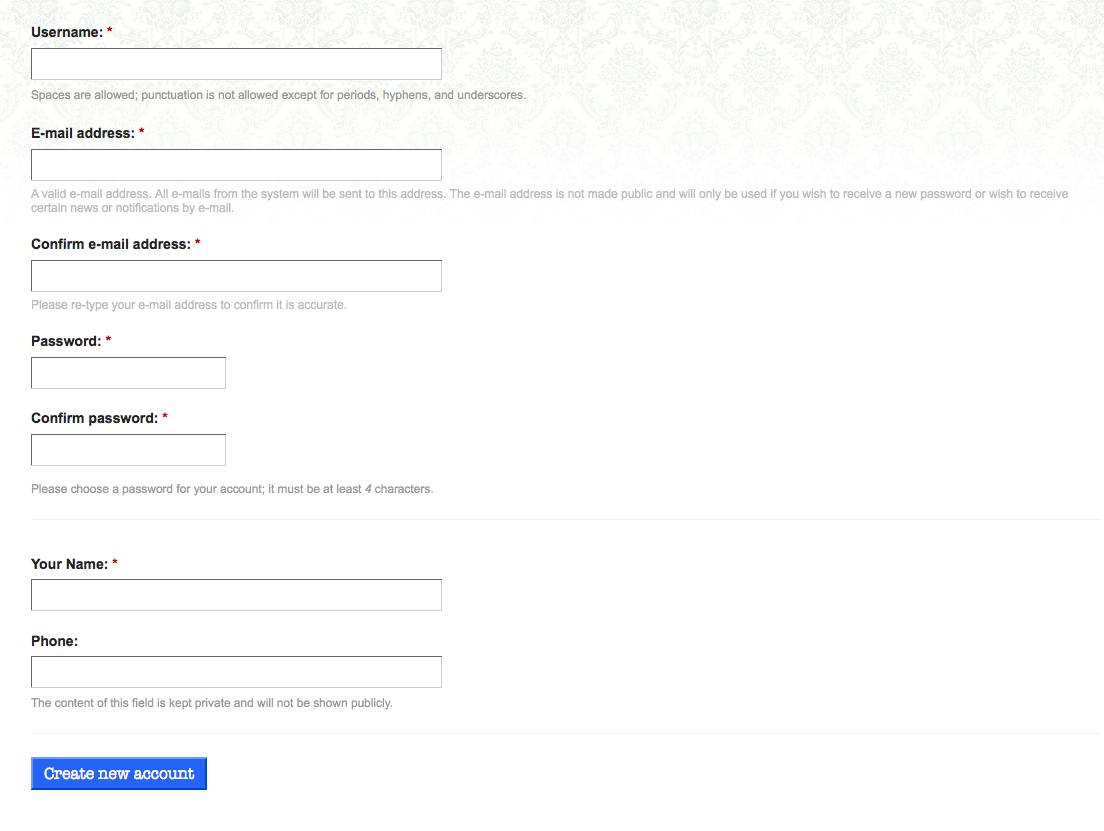
With Force (Twitter)...

With Force (Facebook)...

Comment #2
doublejosh commentedWhops. Uploaded the Force Twitter that had failed due to caching. Meant to show this one to illustrate how it differs...
Comment #3
doublejosh commentedIt's also true that the descriptive text is completely wrong in that registration inputs are NOT present on the login form.
Additionally the janrain form is NOT shown on the registration form.
... both of these prior to having ever used the janrain widget.