My setup contains:
Drupal 6.19
Subscriptions 6.x-1.3
JQuery update 6.x-2.0-alpha1
JQuery 1.3.2
Now, the comment permalinks work fine with drupal+jquery_update as well as with drupal+subscriptions.
But when both modules are enabled together, the permalinks misbehave in that when clicked it leads to the top of the page instead of the comment. One would have to click on the addressbar and hit 'Enter' again to go to the correct comment.
There indeed seems a workaround.. that is to use "Display only a Subscribe link that makes the fieldset visible"... however, it takes some sheen off the collapsible-link magic.


Comments
Comment #1
njathan commentedHowever, with the workaround, the subscriptions block does not work well when used in panels...
Comment #2
salvisOnly one issue per issue, please. There may already be a thread about Panels.
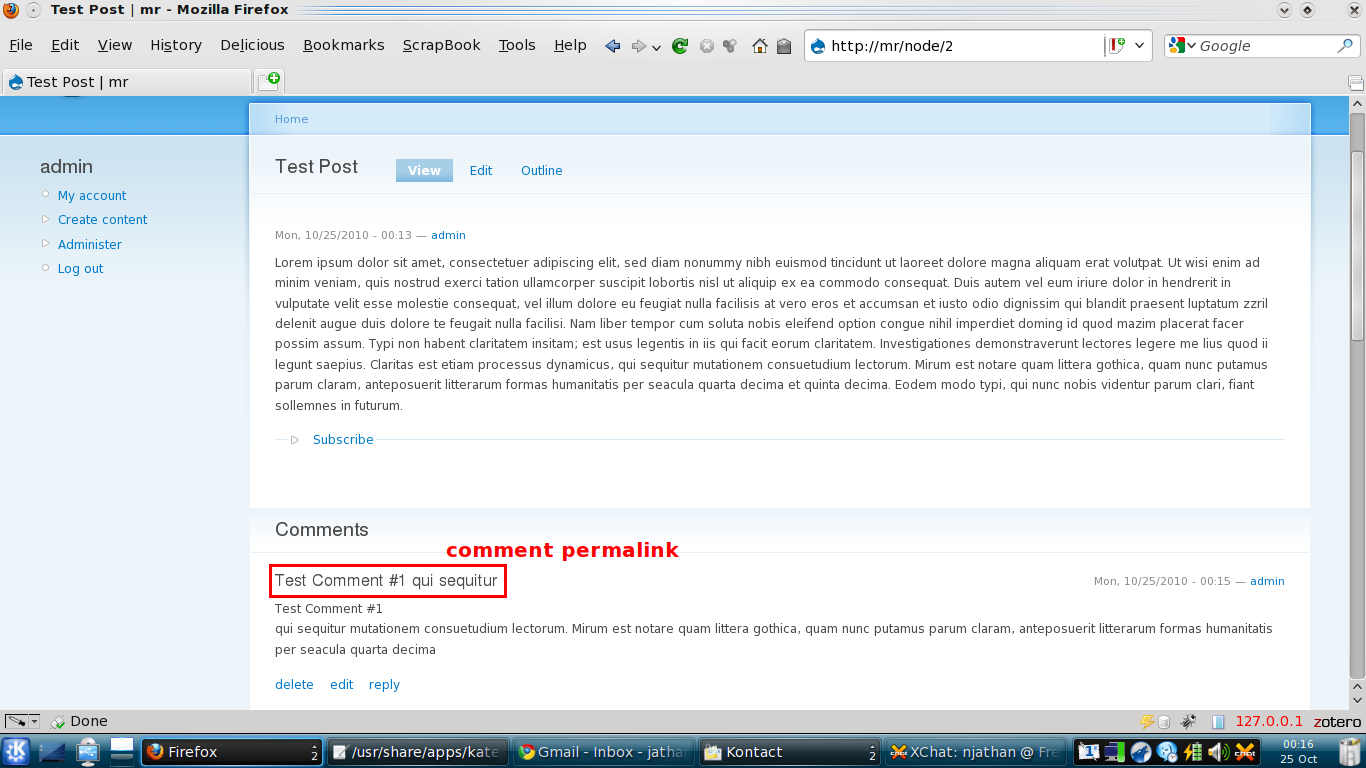
What are "comment permalinks"? Please post a screenshot so we can see what you see.
What's the URL on your "comment permalink"? Are you saying the URL is different depending on whether Subscriptions is enabled or not? Look for the #fragment in the URL (the part after the '#').
Inspect the source code (HTML) of your page and search for
id="fragment". This should occur exactly once for any given fragment. Does this change whether Subscriptions is enabled or not?I fail to see why Subscriptions would have any effect on either of these things.
Comment #3
njathan commentedok. dropping the panels part of the issue...
I have attached two screenshots..
node-view.png highlights the permalink part of the comment... which when clicked or used in any other post leads the user directly to the comment (and not to the node body)
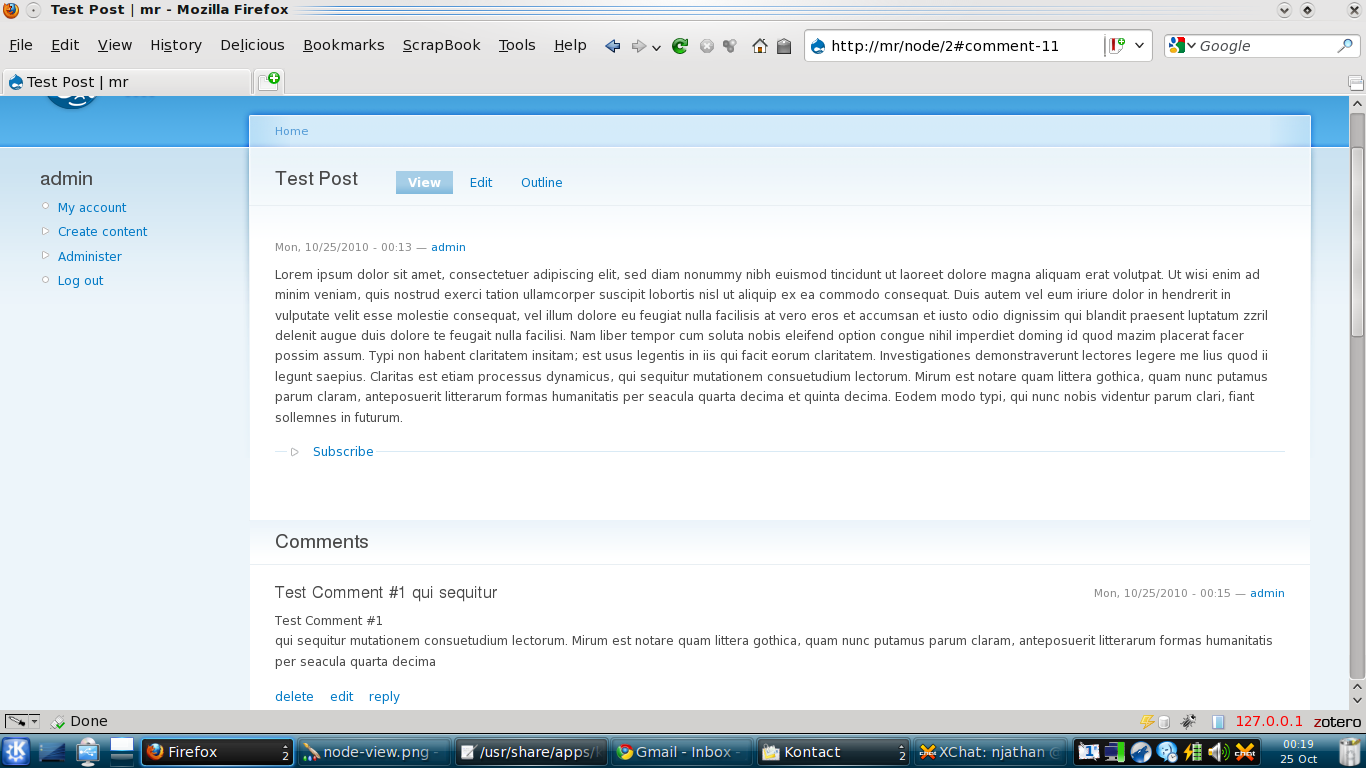
comment_permalink_clicked.png shows the page when the permalink is clicked. Note the URL.. it does have the #fragment... but still landed on the top of the page (i manually scrolled the page down a bit for the sake of the screenshot). Now, here on, if the same comment is clicked again OR if the user clicks on the address bar of the browser and hits 'Enter' button, it does lead to the target comment.
As for id="fragment", i cannot find it in the page source with or without subscriptions module enabled.
Comment #4
salvisSeeing that you have Firefox: it would help if you could install WebDeveloper. This has a toggle switch to display all the id's.
The way I understand it so far, the permalink should link to itself, i.e. the fragment part of the link should be the same as the ID of the link.
If you have WebDeveloper, and you hover your mouse over the link, you should see the fragment in the link target being the same as he ID.
I still don't see how Subscriptions could have any effect on any of this.
Comment #5
njathan commentedok.. by fragment if you meant 'comment#' in the id tag, then yes its there. screenshot attached.. the status bar shows the target link when hovered on the same comment permalink.
Comment #6
salvisThat screenshot looks good. Now, the only other thing that could go wrong is that there might be more than one ID with "comment-11" in them on the page. That is not allowed — IDs must be unique!
If there's only one "comment-11" ID, then the HTML is correct and the browser should jump there, when you click on the "#comment-11" link. If it doesn't, then it could still be JavaScript somehow interfering with the positioning, but that's completely out of Subscriptions country...
Comment #7
njathan commentedI can find only one 'comment-11' id on that page.... so i can be sure its unique.
What you may want to note is that when you hide the subscriptions fieldset (either by disallowing user role to subscribe, or by using the exclusion list in subscriptions settings page), all works ok. But when there is this collapsed fieldset (belonging to subscriptions) things go awry.
You may also want to note the jQuery version 1.3.2, for which jquery_update_6.x-2.0-alpha1 module was used. I am not much of a programmer, but has some jquery code you are using, depreciated with jquery 1.3.2 (and further versions... 1.7.x also gives same problems)?
Comment #8
njathan commentedSomething that may amuse you... this problem cannot be seen on Chrome browser (i am using version 6.0.408.1 dev)
Comment #9
salvisI'm at a loss here. You confirm that the page is built correctly, but the browser doesn't behave as it should.
Subscription is not using jQuery at all. The fieldset that you mention is the official one from core...
Comment #10
njathan commentedCould this then be called a drupal core issue... that comment permalinks do not work with 1.3.2 (or above) versions of jquery?
If someone could test and re-verify this, maybe i can create an issue there...
Additionally, to reaffirm this, it may help if we could test this with an altogether different module that provides a collapsible fieldset in node view mode (remember? the problem does not occur for the anonymous user who does not rights to subscribe and hence does not have a collapsible fieldset in the node view mode..)
Comment #11
salvisThe Devel's Execute PHP block has a collapsible fieldset.
Comment #12
batbug2 commentedThat's a commom problem with jquery 1.3.x
Downgrading it to 1.2.6 solves the issue.
Comment #13
salvisThank you, batbug2! That's great information!
I'm leaving this open to keep it visible.
Comment #14
anotheruser2012 commentedWill there be a fix with jquery 1.3.x?
Comment #15
salvisIs there a way to fix it?
Comment #16
salvis