

 The 2026 Drupal Business Survey is open. Your response will help shape the future of the Drupal business ecosystem.
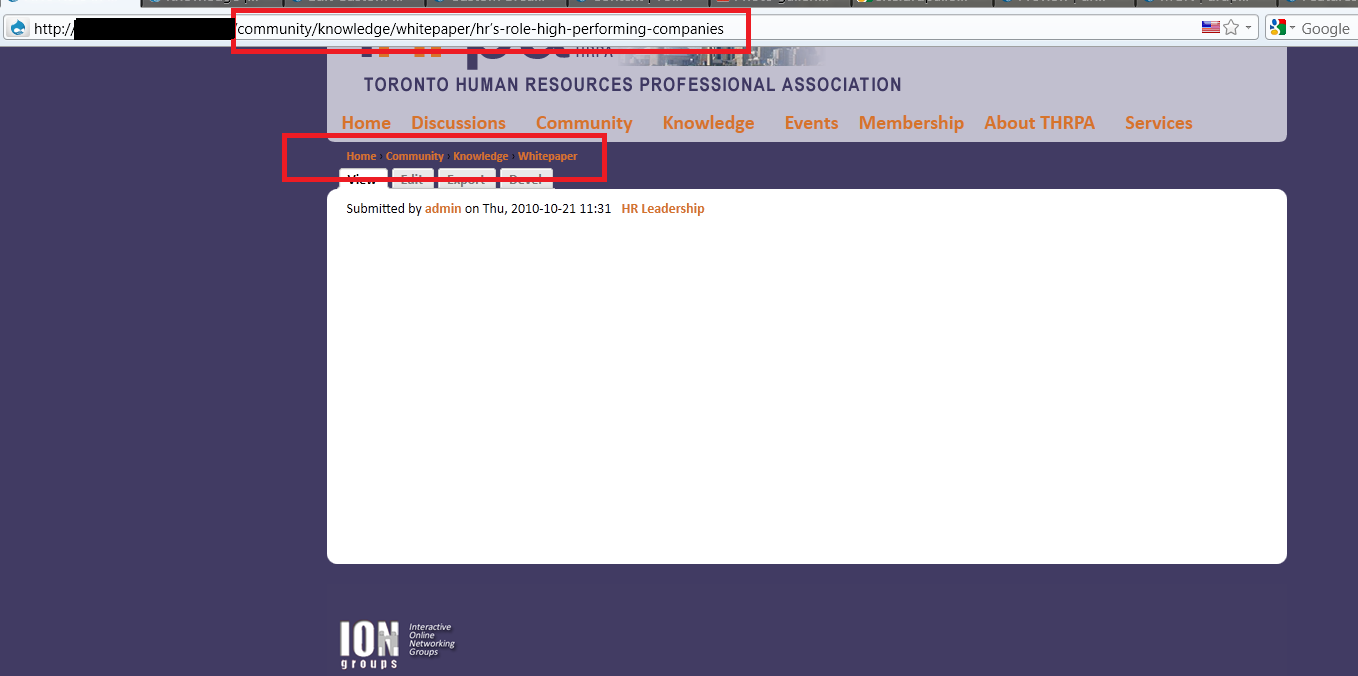
Just thought I would share some code. I wanted a breadcrumb that mimic the url path. I tried the menu-parent-trail identifier and had no luck. With PHP and wildcard enabled I was able to complete what I wanted.
Specific Path
Community/*
Title
  $a = explode('/', drupal_get_path_alias($_GET['q']));

  //Uppercase the First Letter
  foreach($a as &$value) {
    $value = ucwords($value);
  }

  //pass by reference need to unset
  unset($value);

  //pop the title off
  array_pop($a);

  return $a;
Path
  $a = explode('/', drupal_get_path_alias($_GET['q']));

  //start with last item in the array and move to the first
  for( $i = count($a); $i > 0; $i-- ) {
    $b[$i-1] = implode('/', $a);
    array_pop($a);
  }
  return($b);
(If you are copying and pasting my code, then remove the comments)
I believe there are quite a few people that are trying to something similar to me. The issues queue around this issue are very hard to follow. If someone found a better way of doing this, then post your comments/code.
| Comment | File | Size | Author |
|---|---|---|---|
| custom_breadcrumb2.png | 65.54 KB | istryker | |
| custom_breadcrumb.png | 42.63 KB | istryker |


Comments
Comment #1
aaronbaumanI implemented something similar, except if a path in the parent url has a menu item, i used the menu item title instead of the raw url string:
So, i'm using custom_breadcrumbs_paths, php + wildcard, and "Home" and "Content Title" settings from my zen-based theme.
Title
Path
Thanks for sending me down the right path!
Comment #2
finedesign commentedI'm not sure how to enable PHP for these fields. I got the following error:
Use of PHP in paths is not permitted and will be filtered out.
I have "PHP code" listed on /admin/settings/filters and am logged in as user 1.
Comment #3
finedesign commentedSorry, I thought you meant to enable PHP in the core. I just found the custom breadcrumbs settings page which allows you to enable it.
Comment #4
giorgoskjust using latest dev of custom breadcrumbs 6.x-2.x-dev
in the options for custom breadcrumbs enable option to " Use the menu structure to set the breadcrumb trail"
and all works great and without using menu breadcrumbs module or custom PHP
Comment #5
lamp5