

 The 2026 Drupal Business Survey is open. Your response will help shape the future of the Drupal business ecosystem.
Hello,
I am trying to find a way to create views for displaying gantt charts for all projects in one page. and also would like to create gantt charts for invoices based on their request & due dates along with expences...
I came across this
http://drupal.org/project/views_jsgantt
but because this is designed for open atrium I couldn't make it work with storm task dates...
Is anyone else interested in this?
Anyone has any recommendations on how it would be best to work on trying to achieve this?
Thanks in advance!
| Comment | File | Size | Author |
|---|---|---|---|
| #10 | storms experimental gantt chart feature's view.png | 110.7 KB | d34dman |
| #10 | views snapshot used to create gantt chart.png | 84.78 KB | d34dman |
| #10 | jsgantt page view.png | 41.05 KB | d34dman |
| #9 | gantt.jpg | 28.78 KB | PatchRanger |




Comments
Comment #1
juliangb commentedIt should work.
Storm exports all data as views fields, and views_jsgantt is a method of displaying those.
I haven't used views_jsgantt myself though, so you may need to find someone using that module to help you with this.
Comment #2
dkoukoul commentedthanx for the reply,
as you said from what I saw yes it should work... the problem is that it doesn't work, at least in my case...
Has anyone tried this?
I think it will be a very useful feature for storm to be able to create jsgantt views of our own.
To be able to view the coses (invoices & expences) in gantt chart and all our cross-project tasks...
Comment #3
juliangb commentedMoving project as you may get better support for this specific thing here.
You may also get more help if you post a few more details in terms of what you have tried, and the results of those - has something shown up? If so, what?
Comment #4
danepowell commentedDing ding ding
I don't use Storm any longer, precisely because it tended to be incompatible with external modules. In this case, I suspect the problem is that it doesn't use CCK Date fields, but some sort of proprietary date field- but that's just a guess, I really don't know much about it.
Comment #5
juliangb commentedI would be surprised if the problem relates to the method of storage for the date fields.
The fields have been exported as views date fields, and that should be independent of the logic behind them.
Comment #6
dkoukoul commentedI am using the Task Date begin and Task Date End for the jsgantt start date and end fields.
I have tried changing the date format in the views but still can't make it to show me anything... I get a blank page.
Does the jsgantt expect the dates in a specific format? If yes what is that?
Appart from setting the start and end dates and sorting the fields by the start date are there any more requirements in order to make the view work?
Here is one of the many queries I have been trying:
SELECT node.nid AS nid,
stormtask.datebegin AS stormtask_datebegin,
stormtask.dateend AS stormtask_dateend,
stormtask.project_title AS stormtask_project_title,
stormtask.taskstatus AS stormtask_taskstatus,
node.title AS node_title,
stormtask.duration AS stormtask_duration,
DATE_FORMAT((FROM_UNIXTIME(stormtask.datebegin) + INTERVAL 7200 SECOND), '%Y%m%d%H') AS stormtask_datebegin_hour
FROM node node
LEFT JOIN stormtask stormtask ON node.vid = stormtask.vid
WHERE stormtask.taskstatus in ('inserted', 'in progress', 'on hold', 'completed')
ORDER BY stormtask_datebegin_hour DESC
Comment #7
danepowell commentedCan you please confirm that you are using the latest version of jsgantt_view (6.x-1.x-dev)? If so, can you please view the HTML source of the page with the Gantt chart and post all of the javascript that appears under
(all of the lines that start with
g.AddTaskItem)Comment #8
danepowell commentedNo response, going to assume this is no longer an issue.
Comment #9
PatchRanger commentedHi, Dane!
I confirm using the latest DEV-version.
Here you are what I have in the page source.
Note: 'Первый_нах' is the name of project. I'm NOT using modules like Storm or Case Tracker, I'm just trying to work with custom fields. Interesting (as you mentioned above) that the date, provided by the module Date is showing correctly, and in the other hand system date from field 'Date of creation' is not working (01/01/1970, as you could see on the screenshot).
Hope it will be useful for troubleshooting.
Comment #10
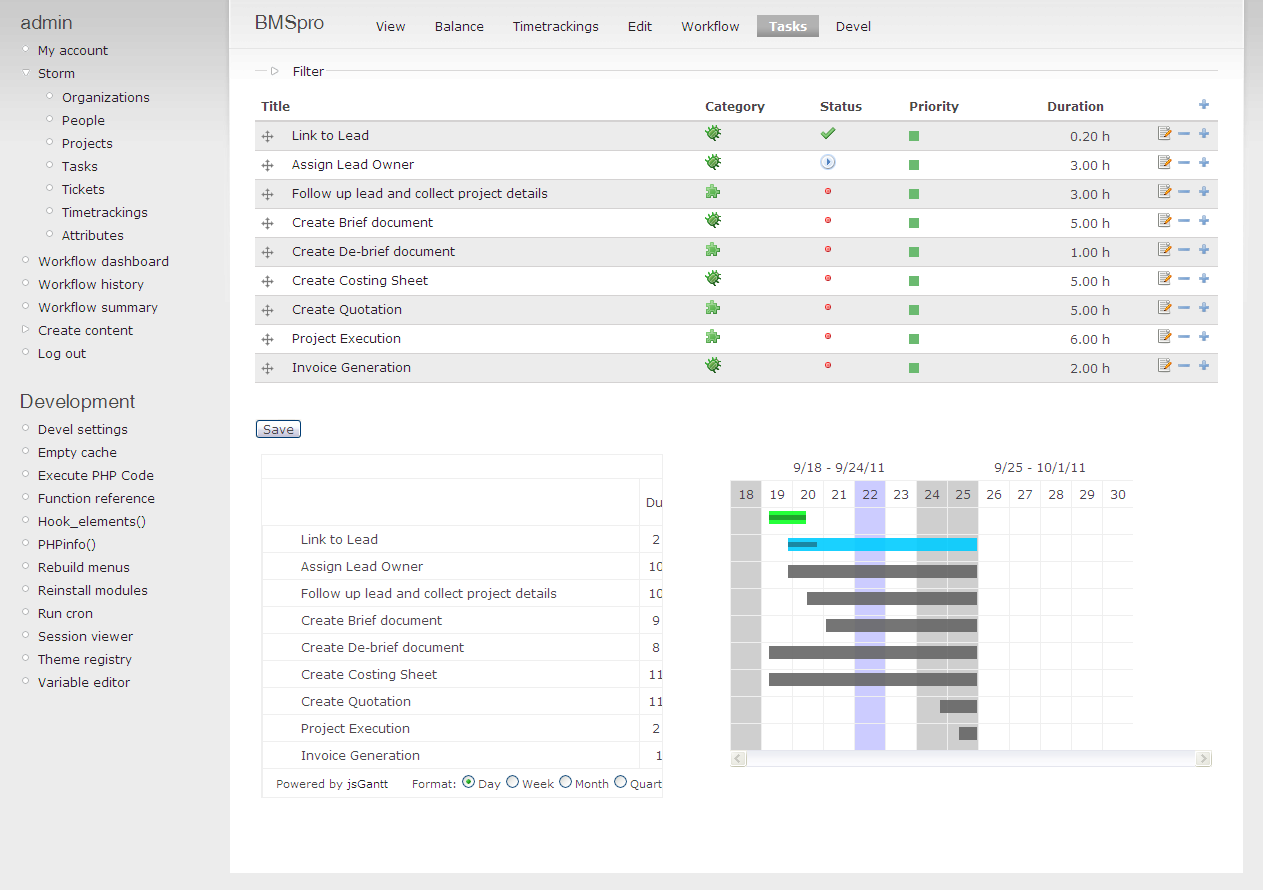
d34dman commentedYes there is some issue regarding the views_gantt not able to recognize the date fields... may i know what is the date format that its expecting? so maybe after setting up custom format in views display option for that field i might be able to get it working. Displaying snapshots for your reference. The gantt chart shown in the first attachment is the storm modules inbuild test feature. I included that so as to get an idea how the task were laid out.
Comment #11
BrdNLSrg commentedI have the same problem
Comment #12
Virt commentedbump!
The same problem (drupal 7.19 and 7.20). Can't make view to show date other than 01/01/1970. Tried various date field storage formats (Date, Date ISO format). Please suggest fix/workaround