

Closed (won't fix)
Project:
Drupal core
Version:
7.x-dev
Component:
overlay.module
Priority:
Normal
Category:
Bug report
Assigned:
Unassigned
Issue tags:
Reporter:
Created:
14 Nov 2010 at 14:11 UTC
Updated:
4 Dec 2013 at 21:40 UTC
Jump to comment: Most recent, Most recent file


Comments
Comment #1
johnnymast commentedComment #2
gumanist commentedThis is flash issue. Try to add wmode="opaque" and
to your flash.
Comment #3
johnnymast commentedPoint taken, this is very true but since the most of the people are not high skilled users it could not hurt to add a z-index to the overlay.
Comment #4
David_Rothstein commentedThe overlay already has a very large z-index. I think the point is that Flash content effectively has a z-index of infinity (unless you fix it as @gumanist described above), so in that case, there probably isn't much Drupal can do about this. I could be wrong, though.
Comment #5
lotyrin commentedIndeed. Unless wmode=transparent or opaque (neither of which are default, unfortunately), the Flash window isn't rendered as part of the html and isn't affected by z-index. We should make sure that any D7 flash modules are setting an appropriate wmode, but overlay can't really do anything about this.
Comment #6
David_Rothstein commented#999328: Embedded flash (you-tube/vimeo etc..) movies in a node show on top of (and render useless) the overlay administration. was a duplicate issue.
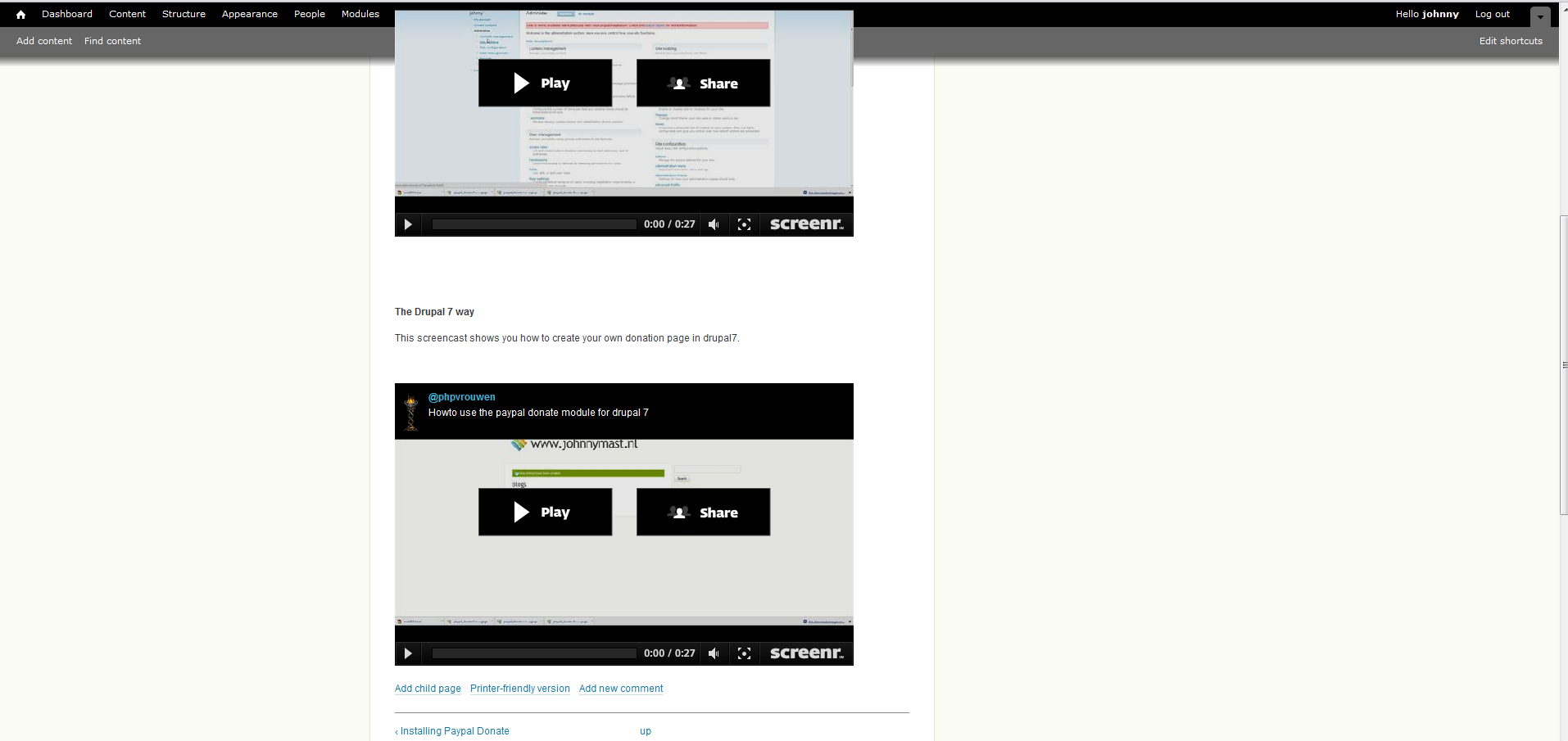
I am giving this issue a better title. Also, looking at the above screenshot - it doesn't even have anything to do with the overlay! That screenshot just shows the toolbar. However, the screenshot posted at the duplicate issue does show the overlay. Apparently it can be a problem with either (and info at the other issue suggested it depends on the browser you're using).
Comment #7
David_Rothstein commentedSee also: #569918: Flash applets lay over the toolbar
Comment #8
robbdavis commentedThanks David,
I am copying my thoughts on this from the duplicate post:
The problem is that simply embedding flash code in a node causes the flash movie to sit on top of (and basically render useless) the overlay administration in D7.
This was not a major problem in D6 because, other than than the odd menu or lightbox, there is not much for flash movies to interfere with. But, in D7, embedded flash movies create havoc with the entire administration process.
There are two work arounds but neither are really acceptable for developing for clients, new users, or a good user experience.
The first work around is to shut off the administration overlay completely... but this defeats the purpose of the D7 improved user experience.
The second work around is to add extra code to the flash code. ('param value="transparent" name="wmode"/ ' as a parameter within the 'object' tags and then ad wmode="transparent" within the 'embed /' tag.. ) This is obviously not acceptable when developing for clients or new users who simply want to copy and paste You-tube or Vimeo movies into a node.
The only real solution is to have a way for the administration overlay to always and automatically show up on top of any and all content. This might be impossible with regards to flash(?) so, alternatively, there needs to be away for the code mentioned above to be automatically added to any flash embed code. Is there already a module for this? Perhaps a php function that can be dropped somewhere?
I'd like to keep the d7 overlay... so any thoughts, suggestions, etc... would be appreciated.
Comment #9
robbdavis commentedI tested in firefox and safari and the problem does not occur in those browsers. I don't have access to test internet explorer but I can definitely say this is an issue in chrome 8.0.552.215.
Comment #10
robbdavis commentedSo anyone got any ideas on this? Does chrome just render flash differently than the other browsers? If so, how and why? Is this a bug in chrome? Is there anything we can do to the overlay module to fix this?
Comment #11
repelsteel commentedJust to confirm, IE has the problem too
Comment #12
aspilicious commentedConfirmed the problem in chrome dev 10.
Comment #13
adamgerthel commentedSame problem still, using Chrome 10.0.648.204
Comment #14
docwilmot commentedcan you use hook_overlay_child_initialize to add js to search for object tags in the underlying page and add visibility:none to those tags?
would probably need to use js to force the page to reload or remove that visibility proprty once you close overlay.
i cant do it now, just thinking out loud.
Comment #18
sunDefinitely not major.
Comment #19
laura s commentedAnother use case: site with flash ads loaded by Google Adsense (or other adserver). Since ads are loaded dynamically, there's no way to simply add some parameters to the resulting flash code that's loaded by the ad code without some code to read the flash as it's loaded.
Comment #20
IronWorker commentedOnly partial problem in Chrome 13 (overlays the admin toolbar but not the overlay. Serious problem in IE 8. Not a problem in Firefox or Safari.
Comment #21
robbdavis commentedThis is still an issue.... Also, I'm not sure why this was changed to d8... it's a problem in d7.
Comment #22
aspilicious commentedAnd one in D8 and bugs get fixed first in d8
Comment #23
effulgentsia commentedMy opinion is that we should "won't fix" this issue, because increasingly, video providers like YouTube and Vimeo are offering up IFRAME based embed codes rather than OBJECT/EMBED, and Javascript on the Drupal site has no mechanism at all to traverse the contents of these IFRAMEs to fix their OBJECTs/EMBEDs, because of cross-domain security enforced by the browser. Depending on provider, different options are possible, such as YouTube supports adding a wmode parameter to the src of the IFRAME, but I don't think we want Drupal core being responsible for provider-specific integration logic.
For making it easy for content editors to add media into a node, without worrying about or messing up rendering options like wmode, my (admittedly biased) recommendation is to use the Media module, combined with the oEmbed module. I added an oEmbed patch in #1289202-3: wmode for flash embed to support wmode configuration, that hopefully, the project maintainer will accept. If you don't want to use Media module, then oEmbed can also be used as a straight filter module without any Media integration. oEmbed is an awesome way to simplify and reduce errors in content entry.
If the AdSense module doesn't handle wmode, or provide appropriate configuration for it, I would add an issue to that project.
Comment #24
lotyrin commented+1 on #23 per my comment in #5. There simply is not a reasonable solution to this in overlay.module
Users who copy and paste an embed code from a third party are subject to that third party's wmode. If the wmode is wrong, they must seek another solution (such as using a filter/embed module that supports the third party content and sets a proper wmode). That's really all there is to it.
Comment #25
nod_Overlay is dead to D8 #2088121: Remove Overlay.
Comment #26
lotyrin commented