

 Come together with the global Drupal community in Rotterdam, 28 Sept – 1 Oct 2026. Sessions, contribution, connection, and Early Bird savings until 8 June.
I recently grabbed the Alpha Version of ELMS from the site mentioned in your notes. However, upon installing the 'profile' for ELMS, I get the following errors:
---
[Fri Nov 19 13:25:35 2010] [error] [client 204.185.42.2] PHP Warning: Table 'elms_data.elms_access' doesn't exist\nquery: SELECT 1 FROM elms_access WHERE type = 'host' AND LOWER('204.185.42.2') LIKE LOWER(mask) AND status = 0 LIMIT 0, 1 in /usr/local/www/data/elms/includes/database.mysqli.inc on line 128, referer: http://minion.spg.more.net/elms/install.php?locale=&profile=dump
[Fri Nov 19 13:25:35 2010] [error] [client 204.185.42.2] PHP Warning: Table 'elms_data.elms_users' doesn't exist\nquery: SELECT u.*, s.* FROM elms_users u INNER JOIN elms_sessions s ON u.uid = s.uid WHERE s.sid = '7flnrodmmao70v1ks299tc1533' in /usr/local/www/data/elms/includes/database.mysqli.inc on line 128, referer: http://minion.spg.more.net/elms/install.php?locale=&profile=dump
[Fri Nov 19 13:25:35 2010] [error] [client 204.185.42.2] PHP Warning: Table 'elms_data.elms_cache' doesn't exist\nquery: SELECT data, created, headers, expire, serialized FROM elms_cache WHERE cid = 'variables' in /usr/local/www/data/elms/includes/database.mysqli.inc on line 128, referer: http://minion.spg.more.net/elms/install.php?locale=&profile=dump
[Fri Nov 19 13:25:35 2010] [error] [client 204.185.42.2] PHP Warning: Table 'elms_data.elms_variable' doesn't exist\nquery: SELECT * FROM elms_variable in /usr/local/www/data/elms/includes/database.mysqli.inc on line 128, referer: http://minion.spg.more.net/elms/install.php?locale=&profile=dump
[Fri Nov 19 13:25:35 2010] [error] [client 204.185.42.2] PHP Notice: Undefined variable: variables in /usr/local/www/data/elms/includes/bootstrap.inc on line 558, referer: http://minion.spg.more.net/elms/install.php?locale=&profile=dump
[Fri Nov 19 13:25:35 2010] [error] [client 204.185.42.2] PHP Warning: Table 'elms_data.elms_cache' doesn't exist\nquery: UPDATE elms_cache SET data = '', created = 1290194735, expire = 0, headers = '', serialized = 0 WHERE cid = 'variables' in /usr/local/www/data/elms/includes/database.mysqli.inc on line 128, referer: http://minion.spg.more.net/elms/install.php?locale=&profile=dump
[Fri Nov 19 13:25:35 2010] [error] [client 204.185.42.2] PHP Notice: Undefined variable: variables in /usr/local/www/data/elms/includes/bootstrap.inc on line 565, referer: http://minion.spg.more.net/elms/install.php?locale=&profile=dump
[Fri Nov 19 13:25:35 2010] [error] [client 204.185.42.2] PHP Warning: Table 'elms_data.elms_system' doesn't exist\nquery: SELECT name, filename, throttle FROM elms_system WHERE type = 'module' AND status = 1 AND bootstrap = 1 ORDER BY weight ASC, filename ASC in /usr/local/www/data/elms/includes/database.mysqli.inc on line 128, referer: http://minion.spg.more.net/elms/install.php?locale=&profile=dump
[Fri Nov 19 13:25:35 2010] [error] [client 204.185.42.2] PHP Warning: Table 'elms_data.elms_url_alias' doesn't exist\nquery: SELECT COUNT(pid) FROM elms_url_alias in /usr/local/www/data/elms/includes/database.mysqli.inc on line 128, referer: http://minion.spg.more.net/elms/install.php?locale=&profile=dump
---
Using the normal Drupal installation, everything appears to work fine. I just wanted to see what the proposed 'profile' installation actually looked like however.
Thanks,
Jason Cameron
| Comment | File | Size | Author |
|---|---|---|---|
| #15 | screen.png | 42.4 KB | johnflyersmith |
| #6 | screen.png | 426.32 KB | johnflyersmith |



Comments
Comment #1
cameronjb commentedPS: This is a brand new installation with a clean database. I have no idea why the profile would not be able to find these database tables.
Comment #2
cameronjb commentedA little debugging: Your profile apparently does not take kindly to the database 'prefix' that can be set in the Drupal installation. You may want to take a look into that, as I got it to work without a prefix.
Comment #3
btopro commentedcorrect, the current version won't work with prefixing. It's using an incorrect way of making sustainable distros (large reason why it's alpha1) based on a technique mentioned by lullabot. Did this to get something out the door for discussion, future builds (at least once out of alpha) won't have this issue.
Comment #4
johnflyersmith commentedI had no trouble installing. However, after leaving to Assignment Studio, it goes to syllabus and no other page. I can delete the database and reinstall to get back to square one. I have tryed activating just the modules to use Assignment Studio with no luck. Any sugestions?
Comment #5
btopro commenteddo you have a screenshot of this behavior? the open studio does alter the theme / primary menu so you have to hit back to course. but u should still be able to get to the rest of the site
Comment #6
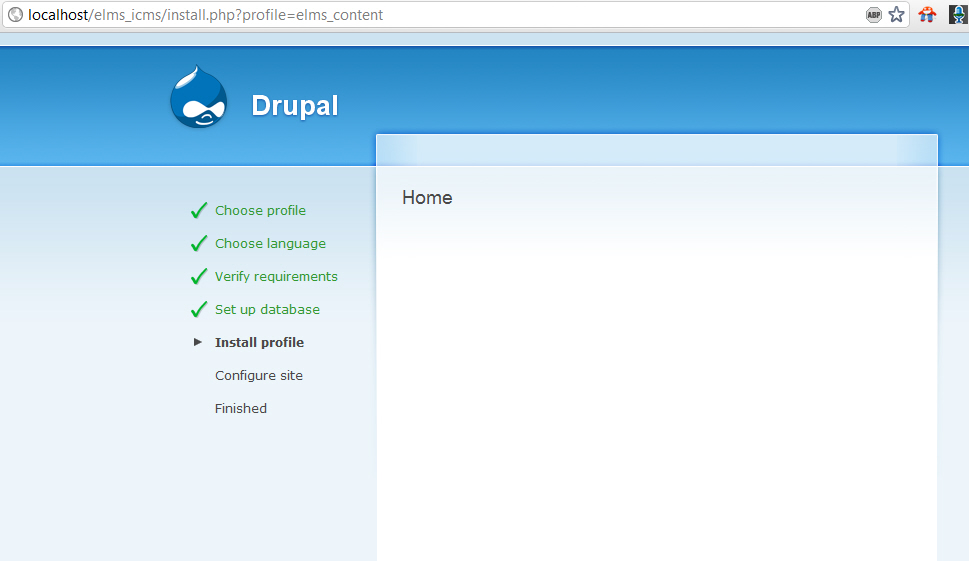
johnflyersmith commentedThanks, This is the screen shot. Hitting back goes to 'webpage has expired'. The fact that it changes theme / primary menu sujest to me that I have missed something in setup.
Comment #7
btopro commentedthat page looks correct to me, you're saying that it doesn't do anything after the fact? is this on apache or IIS cause it's untested on IIS
Comment #8
johnflyersmith commentedapache on win7 ( is what they want me to use on my dev machine. So I know win7 ) the production machine is SUSE Linux. Do clean URLs need to be active?
Comment #9
btopro commentedahhh, install profile most likely has clean URLs turned on by default; there's a good chance that's it or a big part of it
Comment #10
johnflyersmith commentedI've just added the rewrite mod to apache, it works. I will reinstall and try again.
Comment #11
johnflyersmith commentedClean URLs fixed the Problem. Thanks for your time and help.
Comment #12
btopro commentedexcellent, I'll add it to the documentation
Comment #13
johnflyersmith commentedHi,
One more problem, Creating rubric has no title field and needs one to save. I can't seem to even find a clue on google.
attached is a pic of screen and after save screen.
Comment #14
btopro commenteddon't see a picture. Rubrics were kind of included as an afterthought in this distribution. We use them in courses in full production but there are no plans to bundle this in the distribution at this time
Comment #15
johnflyersmith commentedUpdate: it seems to be in the Chamfer theme, I changed themes and every thing shows. Also this seems to be more of a Drupal bug, as I searched for missing fields (genericly) and found other modules have the same problem.
I'm trying to resend pic.
Comment #16
btopro commentedInteresting, what browser are you using?
Comment #17
johnflyersmith commentedIE 8, I wll try others.
Comment #18
btopro commentedComment #20
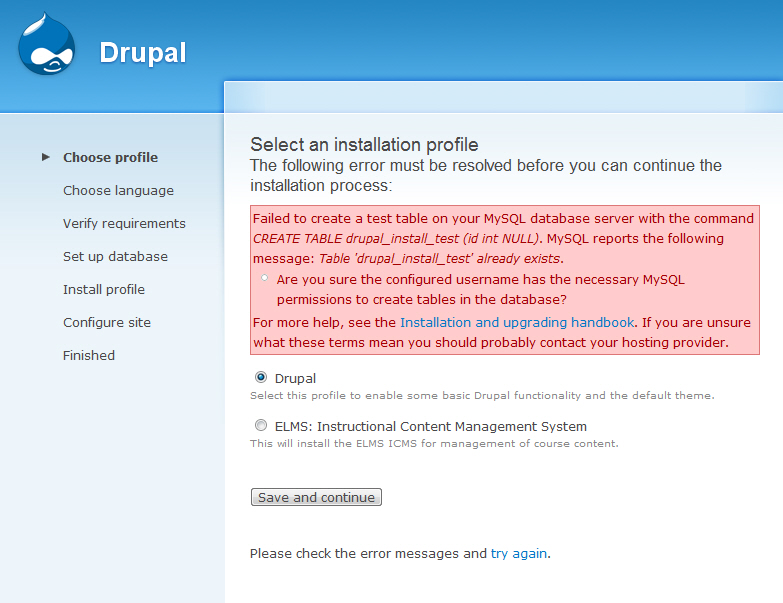
petermayerla commentedHello, I get the following message when I try to install ELMS from Alpha-1
Failed to create a test table on your MySQL database server with the command CREATE TABLE drupal_install_test (id int NULL). MySQL reports the following message: Table 'drupal_install_test' already exists.
Are you sure the configured username has the necessary MySQL permissions to create tables in the database?
For more help, see the Installation and upgrading handbook. If you are unsure what these terms mean you should probably contact your hosting provider.
Before this message came I got a timeout message and after refreshing the browser I got the message that the content in the database already exists.
Can I just say drop table in the database?
Thanks,
Peter
Comment #21
btopro commentedDid you try upgrading from Alpha 1 to alpha 4? There are no upgrade paths currently for elms distributions as they are point releases. You need to install the distribution in a fresh location with a fresh database. Alpha 1 2 and 3 are not supported, once we move into a beta release we'll be able to support upgrades between versions but as there are significant platform changes between versions right now there is no way of doing this.
Comment #22
btopro commented