

 The 2026 Drupal Business Survey is open. Your response will help shape the future of the Drupal business ecosystem.
This module looks and works great, and I have tried many.
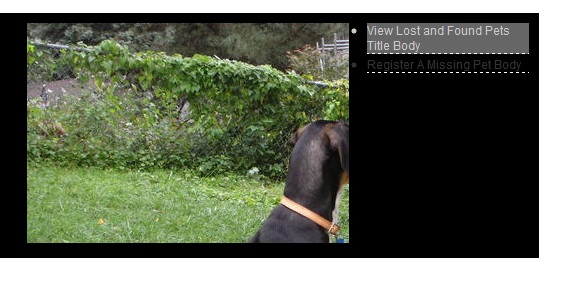
One feature I am having trouble with is the teaser for the currently displayed node image.
On the project page, the title Another Content appears on the right, as the image is displayed in the Big Box.
Below the image the title and teaser appear.
It is this last part, the title and teaser, which I can not configure. Per the attached screen shot.
I am guessing this is configured through the cog at Views Showcase under Showcase Display Options but perhaps this was a 6.1 feature only. Guidance appreciated.
| Comment | File | Size | Author |
|---|---|---|---|
| ViewsShowcaseMissingThirdBox.jpg | 56.91 KB | itserich |

Comments
Comment #1
itserich commentedIt appears the problem is my image cache was set too large and it caused it to overwrite the teaser text.
EditThe optimal image cache for me "out of the box" appears to be an image cache of 300px x 200px scale and cropped.
The text is hard to read so I am changing the color through sites/all/modules/views_showcase/css/views_showcase.css
This is the most functional slider / slidshow I have seen that looks so polished. It resembles the one on The Economist front page which I have coveted.
Thank you.
Comment #2
itserich commentedFor my use, the reason the title and image were not visible seems to be because the text is default black, which, set against a black background, is not visible.
So, I created CCK fields, created the text, then turned it white. Background color in the CCK Field did not seem to matter.