

Closed (fixed)
Project:
Mix and Match
Version:
6.x-1.3
Component:
Code
Priority:
Normal
Category:
Feature request
Assigned:
Unassigned
Reporter:
Created:
1 Dec 2010 at 18:55 UTC
Updated:
2 Mar 2011 at 14:40 UTC
Jump to comment: Most recent file

Comments
Comment #1
ajross commentedSure thing. First you need to declare the color in the .info file as you mention. If it is just a background color, add it to the Skinr styles section where the first line is:
You'll need to add two lines to the bottom of this group, one to set the name of the color (label) and the other to set the CSS class that will be applied to the block. So you could copy the last two lines, which are:
Change the number 12 to 13 for both, change "Light Orange" to whatever your color is, and change "lt-orange-background" to the CSS class you want to use. Then add your custom CSS to local.css (if you haven't set up local.css, see instructions in local-sample.css for how to do this). For example, the CSS that sets the style for the lt-orange-background class is as follows, so you could paste this in and replace it with your class name and your color or other styles:
There are some extra items there if you want to use this color setting for comments, or specifically for the .node-top or .node-bottom blocks (to override any node color settings). It won't hurt to do all of them, but for most blocks you only need .your-class .inner. Save all of this, clear the theme registry and go try it out on your block config page. Let me know if you have any problems.
Comment #2
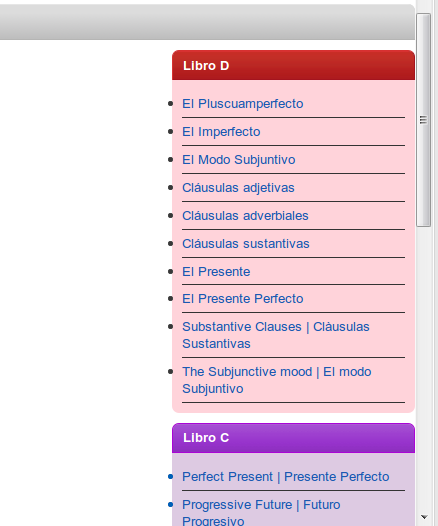
ericking commentedHello! Thankyou so much. I follow your directions and it works. The only thing I found is the bullets are out the limits of the block. Please, see my results. I am sorry I changed the code in the skins.css probably this is the problem.
Comment #3
ajross commentedOh, sorry, that isn't your fault; that is a mistake I made. I've got custom bullets for different block backgrounds, but to use the Fusion/Skinr setting "List/menu styles: bottom border (no bullets)" I had to add some extra CSS to hide the bullets. But I did it just for the specific color background classes, when I should have set it for all blocks in general. I will have this fixed in the next release, but in the meantime, you should be able to fix it by adding the following code to local.css:
Let me know if that doesn't fix it. Sorry about that.
Comment #4
ericking commentedIt works, thankyou so much. I am asking you for the last favor...I promise: I would like to customize the color of the lines between items, now they are black and I would like to "match" with the backgorund color, i tried to change this:
But i didnt work...
Comment #5
ajross commentedThat should work. The code you pasted in above is missing a closing bracket (}). Is there any chance you just forgot that?
Comment #6
ericking commentedSorry....was that, the bracket....Ready!!!
thank you man!
Comment #7
ajross commentedFixed bullet problem in release 6.x-1.4
Comment #8
roball commented@ #6: which man?