

Closed (fixed)
Project:
Views (for Drupal 7)
Version:
7.x-3.x-dev
Component:
user data
Priority:
Normal
Category:
Bug report
Assigned:
Unassigned
Reporter:
Created:
6 Dec 2010 at 17:13 UTC
Updated:
22 Apr 2012 at 20:11 UTC
Jump to comment: Most recent file

Comments
Comment #1
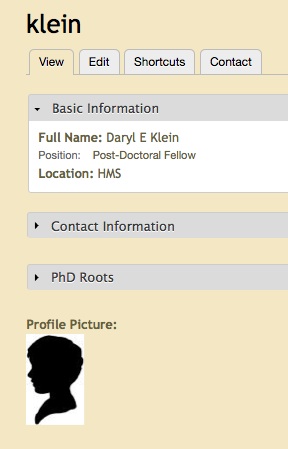
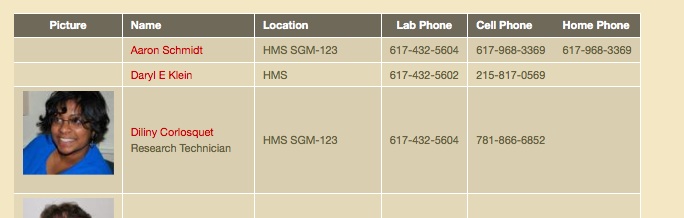
dcor commentedpicture of profile in above case...
Comment #2
dawehnerThe problem is the following code:
If there is no database result the rendering will be skipped.
Comment #3
dawehnerIs this still an issue?
Comment #4
idiotprayer commentedI am experiencing this issue as well. For users that don't have pictures, the view is rendered with the link to the user "Username's picture".
There also doesn't seem to be a way to set image styles on user pictures.
Comment #5
dgastudio commentedsame problem, in image field, the default image is set, but in views doesn't appear.
Comment #6
bojanz commentedThat's a different problem, see #1029704: Add an UI for formatter settings on user picture.
As for the issue at hand, my only guess is the patch attached. Try it.
As far as I can see, we need imagefield specific code, there's no generic field mechanism for this.
Of course, the patch is too crude for commit, but if it works for people, we have a start.
Comment #7
dboulet commentedPatch no longer applies and is, as bojanz said, a little crude.
Can anyone jump in here and suggest a good fix for this?
Comment #8
AgaPe commentedalso interested
Comment #9
ben kuper commentedI'm pretty sure it's not just the image. I experienced this behavior with other types like text.
From what i saw, i think it has to do with this line (548) of views_handler_field_field.inc (in views/modules/field)
The field_get_default_value could be interesting, but i don't know how to get the $instance parameter at this place.
Comment #10
ben kuper commentedAs a side note, the version 7.x-3 alpha1 works, but the views_handler_field_field.inc is really not the same.
I may have said something wrong about the code above, because the similar part in the alpha1 version doesn't handle the default_value there.
Comment #11
AdroAdro88 commented+ subscribing
Comment #12
bojanz commentedLet's try this. It's a real patch! :)
EDIT: Of course, it fails when the field table join is made (since there's no row to actually display). It only works when there's no join.
Comment #13
dboulet commentedPatch works well for me. Not sure what is meant by "only works when there's no join".
Comment #14
bojanz commentedTry to add a filter on the field. The table gets added to the query. No field value == no row.
Comment #15
dboulet commentedIsn't that the desired behavior?
Comment #16
reglogge commentedsubscribing
Comment #17
bojanz commentedProbably. In any case, we can't really avoid it. Feel free to RTBC this, and we can get it in :)
Comment #18
bojanz commentedComment #19
dawehnerYou can't RTBC your own patch ;)
Commited to CVS and GIT.
Comment #20
ben kuper commentedHi,
i'm on the latest cvs version and this is not working for me.
I got a basic setup with a term view, the terms have a image field with a default image (that i can see well in the term pages), but the view doesn't show the default images. the empty field text in empty field behavior is showing well...
Comment #21
ben kuper commentedOups sorry for that, it seems i got mixed up with other fields, or a cache problem...
It's working well !
Comment #23
bluestarstudios commentedHmm. I'm running the latest dev and this doesn't work. I can't see the default values for a (select) list field I created. Do I need any patches with the latest dev to make it work?
Comment #24
dawehnerUpdate status. Needs review means that there is a patch available to fix the issue.
It's kind of hard to help you here. Take care that you cleared some caches. If this does not help perhaps try to reproduce
it on a new clean system and explained detailed how to reproduce it.
Then it's probably fixed in some minutes but the time until then can need quite some time.
Comment #25
bluestarstudios commentedHere are the steps to reproduce.
1. Create clean Drupal 7.8 install
2. install following modules: Chaos Tools (7.x-1.x-dev), Views & Views UI (7.x-3.x-dev).
3. Create New Content Type "My-Content" (Admin -> Structure -> Add...)
4. Create 3 nodes of "My-Content" type.
5. Go back into Structure->Content Types. Manage Fields for "My-Content". Create new field called "my_field" of type: "List (text)" -> "Select List". Add "Allowed Values List" to read:
Make the field required and set "DEFAULT VALUE" to "Option 2".
5. Create 3 more new content nodes of "My-Content" type, in each selecting a new option in my select menu.
6. Create a new VIEW. Table with fields "Title" & "my_field". You should see all 6 nodes you created. However "my_field" values will be visible only in the 3 newest nodes. The ones that were created before the field existed will display empty values instead of the default value.
Comment #26
bluestarstudios commentedI've posted step by step instructions to recreate. I'd really appreciate your help in fixing this. Thanks!
Comment #27
bluestarstudios commentedIn the end it seems that it's the way CCK in core works by default. Adding a new field doesn't add any value to existing nodes. I managed to solve this issue otherwise following this video:
http://www.commerceguys.com/resources/articles/217
Sharing it in hopes that it might help somebody else in the future.
Comment #29
seaneffel commentedI'm still seeing this trouble as described in the original post. I've got a view of users that calls the user picture field that links back to user accounts. Users who have pictures return nicely formatted pictures that link. Users without pictures turn up no result. I'm forced to use the "no results behavior" rules to call the default user picture directly, but then I have to noodle with the code to get that default picture to link back to the user account.
What's a default picture for if not for showing up when user pictures are called, right?
Anyway, here is a paste of my view so you can see it or try it yourself. No dependencies on other modules, pretty clean view here so I'm sure you'll see the trouble when you compare the two displays.
Comment #30
seaneffel commentedPS, I'll say this. If you have the same trouble, then import my view from #29 above and try my trick for working around this until the real fix comes down the tubes eventually.
Comment #31
dawehner#1442470: User profile picture styles doesnt work. shows you what you probably have configured wrong.
There are actually multiple issues which explains that: http://drupal.org/project/issues/views?text=default+picture+views&status=7