

 Come together with the global Drupal community in Rotterdam, 28 Sept – 1 Oct 2026. Sessions, contribution, connection, and Early Bird savings until 8 June.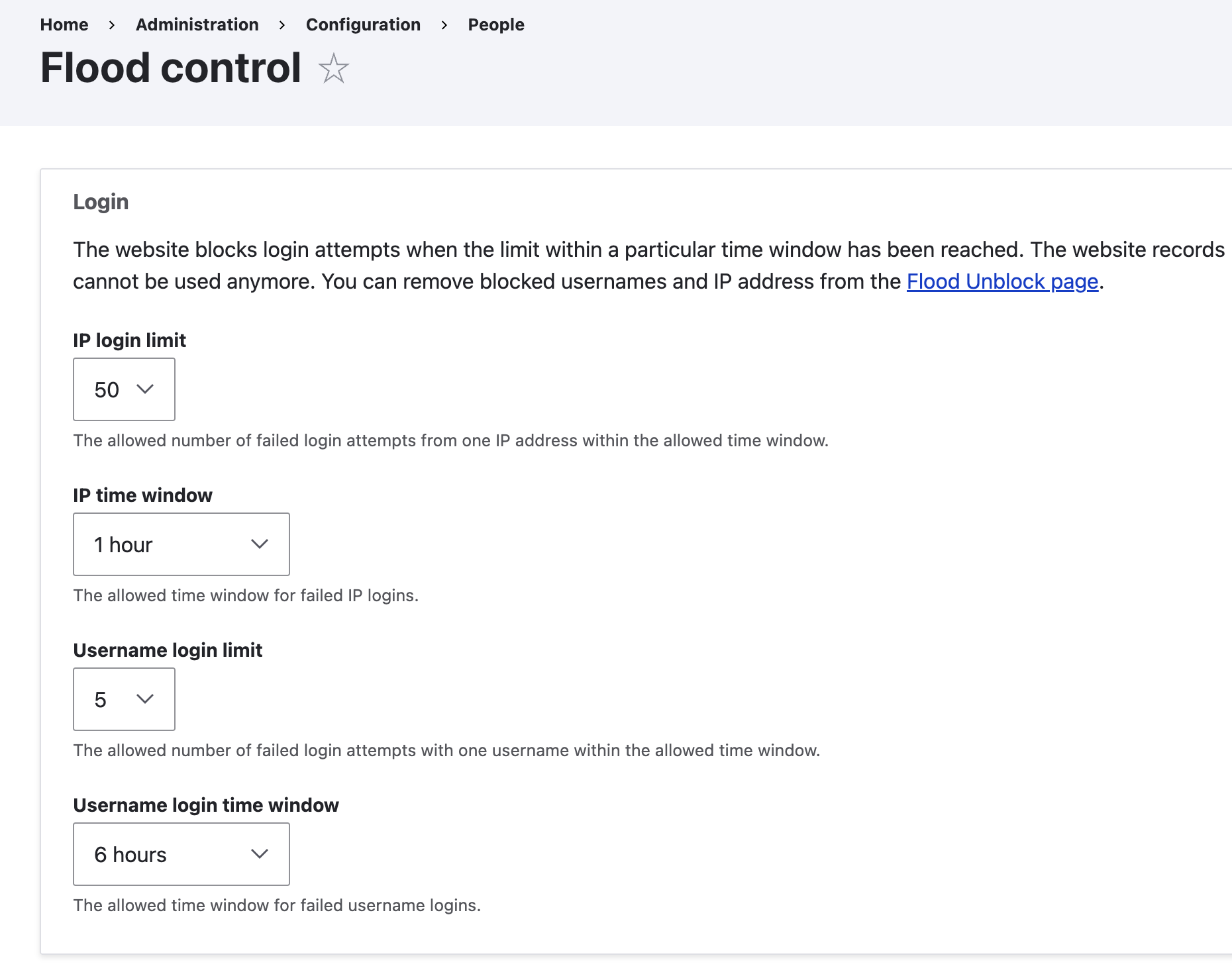
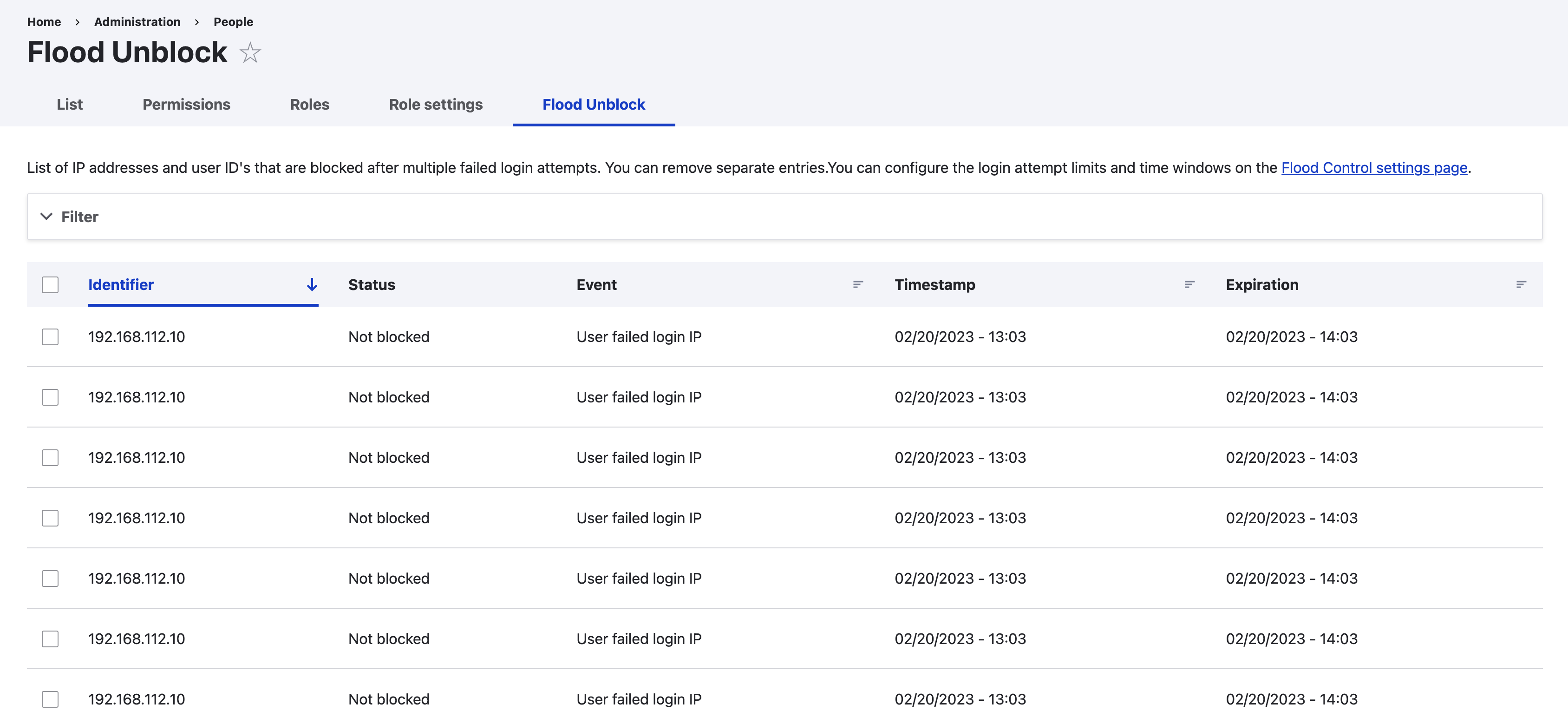
Drupal's built-in flood protection blocks login attempts after repeated failures – but provides no interface to configure limits or unblock affected users. Flood Control fills that gap with an intuitive admin UI for managing brute-force protection settings and unlocking blocked IPs.
Features
- Configurable limits – Set login attempt thresholds per IP address and per username
- Time window control – Define how long blocks remain active
- IP allowlist – Exempt trusted IPs or ranges from flood protection
- Unblock interface – View, filter, and remove blocked entries with one click
- Contact form protection – Limit email submissions when Contact module is enabled
- Drush commands – Manage flood entries from the command line
- No external dependencies – Works with Drupal core only
Why You Need This
When legitimate users get locked out after mistyping their password, there's no core UI to help them. Flood Control gives administrators the tools to:
- Quickly unblock users without database access
- Whitelist office IPs to prevent accidental lockouts
- Fine-tune security thresholds for your specific needs
Requirements
- Drupal 10.2+ or Drupal 11
Documentation
Documentation, covering:
- Configuration options and recommended settings
- IP allowlist format (single IPs and ranges)
- Drush commands for automation
- Permissions overview
Related Modules
- Login Security – Additional login protection like access denial and notifications
- CAPTCHA – Challenge-response tests to prevent automated submissions
- Honeypot – Invisible spam prevention using hidden form fields
- Perimeter – IP-based access control and blocking
Sponsors

Development sponsored by Finalist, a Dutch Drupal agency specializing in custom solutions for the education and healthcare sectors.
Supporting organizations:
Development & maintenance
Project information
- Project categories: Administration tools, Developer tools, Security
- Ecosystem: Flood control
 31,468 sites report using this module
- Created by dave reid on , updated
 Stable releases for this project are covered by the security advisory policy.
Look for the shield icon below.


