

Automatically log in via IP address, range or wildcard.
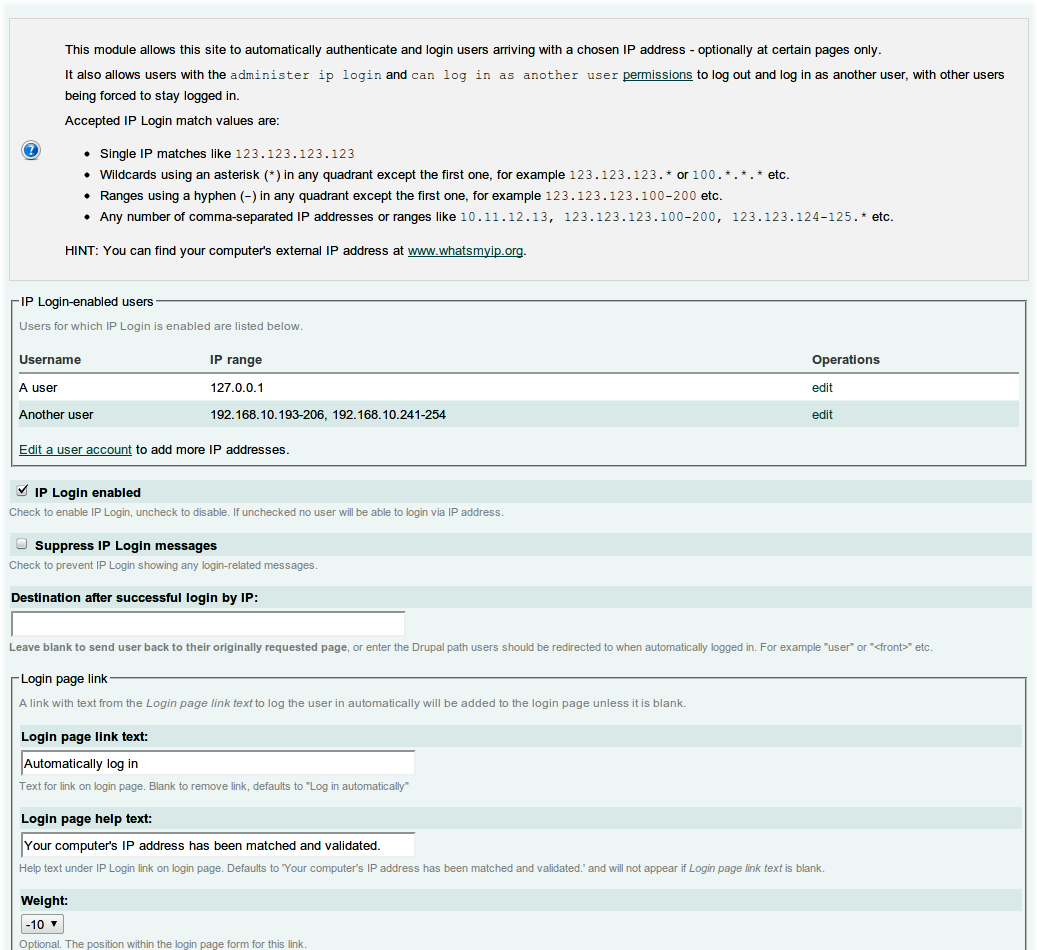
This module allows users to login automatically via their IP (v4) address ranges or wildcards instead of having to enter a username and password - plus many other features.
News - May 2015
- Updated 7.x-3.x version with Field API integration.
- Better handling of IP address data.
- Upgrade path provided to migrate from old to new IP address info.
News - May 2012
- 2.0 is out! Thanks for the bug fixes, tweaks and love from Jim Kirkpatrick, JohnV and PeterX...
- The 6.x-1.x branch is now deprecated. When you upgrade to 6.x-2.x (and you should, it's much better!) the IP field you added to users via core the Profile module will be auto-imported into the new
ip_login_userstable, so if you're not using Profile module for anything else it can safely be disabled.
Features
- Integration with User Login page and block, with customisable text and labels
- 'Log in by IP' block with simple auto-login link for those who don't want to use the modified User Login block.
- Users with permission can log out and and back into another account.
- Can be set to auto-login (or not) only on certain pages, or when custom PHP returns TRUE.
- Optional destination address can be set when logged in by IP.
- Lists IP-enabled users on the admin page at 'Site configuration' -> 'IP Login'.
- IP address matching works on:
- Normal single IPs, comma separated:
123.4.5.6or123.4.5.6, 234.5.6.7 - IP ranges:
123.4.5.6-10or123.4-111.5.6 - Wildcards:
123.4.5.*or123.*.*.* - Any combination:
127.0.0.1, 123.4.5-66.*, 234.4-5.6-77.* - Coming soon: IPv6 and Subnet matching via CIDR notation.
- Normal single IPs, comma separated:
- Will work with external caches like Varnish when IP Login is set to auto-login only on specific paths.
How it works
When a user visits any Drupal page (or admin-chosen page), IP Login will:
- Check if the user is not logged in and that IP login hasn't run yet for this session.
- If so, it compare the IP address (using Drupal's
ip_address()function) to IP ranges stored in its own private table in the database. - If a match is found, IP Login logs the user in programmatically as the account matching the IP address.
- If a matching IP is not found, the user can log in via normal Drupal accounts if they choose to.
- If the user has permission to log out, they can and will be given the option to login back in normally as another user. Users without this permission are auto-logged back in IP Login. This way you can force an IP address to stay associated and logged into an account.
Documentation
For information on installation, testing, notes & incompatibilities with other modules, please read the IP Login documentation.
Project information
- Project categories: Access control
 204 sites report using this module
- Created by davidwhthomas on , updated
 Stable releases for this project are covered by the security advisory policy.
There are currently no supported stable releases.
Releases
4.0.0-beta2
released 16 April 2026
Works with Drupal: ^8.9 || ^9 || ^10 || ^11
Install:
Development version: 4.x-dev updated 12 Jun 2026 at 12:21 UTC


