

 The 2026 Drupal Business Survey is open. Your response will help shape the future of the Drupal business ecosystem.
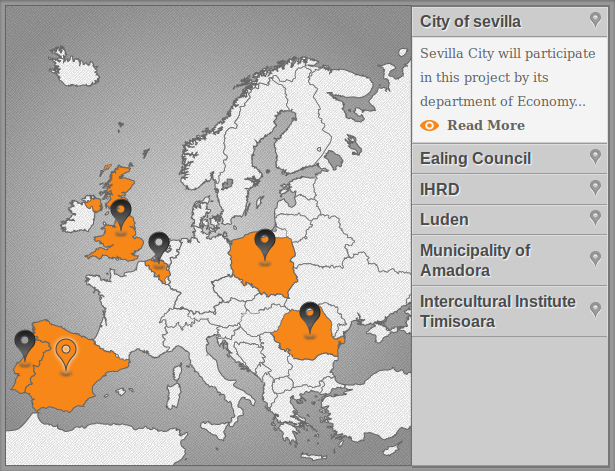
With this module you can setup in some minutes a map of ANY region of the world with pins (markers) displaying information of many regions/places with some nice jQuery animation.
This module doesn't use any third party technology or a complicated SVG or HTML map system, it uses coordinates to set markers on an uploaded image of a map.
Benefits
1. You can upload any image and use it as map.
2. You can choose between 14 different markers or set your own.
3. You can add fields to the content type used as items for the simple pin map to create detailed pages.
Setup
- Copy the module's directory to your modules directory and activate
the module. - Place the block Simple Pin Map
- Upload an image of a map and choose the marker style you like on the module or the block configurations page.
Make your custom Pins
You can also add custom marker images ( two images, one for the active
state and another for the normal state ).
To add a custom marker you have to upload the files to modules/simple_pin_map/markers/ and you need to call markerX.png and marker-activeX.png where X is a number.
For example marker17.png and marker-active17.png would do it.
Those images can be as you like them the only restriction is that it has to be a png file and the pin has to be just in the middle of the image. Add empty spaces on one or another side of the image if the pin doesn't point the exactly to the middle (see the markers/marker14.png file as example)
Add pins to the map
To add or edit an item just go to content find the item and edit as any other content, then to place it on the map just click on it and the coordinates will be recorded.
Modify the stylesheet
The CSS file that is more likely to be personalized is called simplepinmap-custom.css
You can find it inside the simple_pin_map/css folder.
The other two css are used as basic CSS to make the pin position work and for the edit and create forms. Is better to don't apply changes in those files if you want to keep the code steady.
Project information
- Project categories: Content editing experience, Site structure
 12 sites report using this module
- Created by cubeinspire on , updated
 Stable releases for this project are covered by the security advisory policy.
Look for the shield icon below.

