


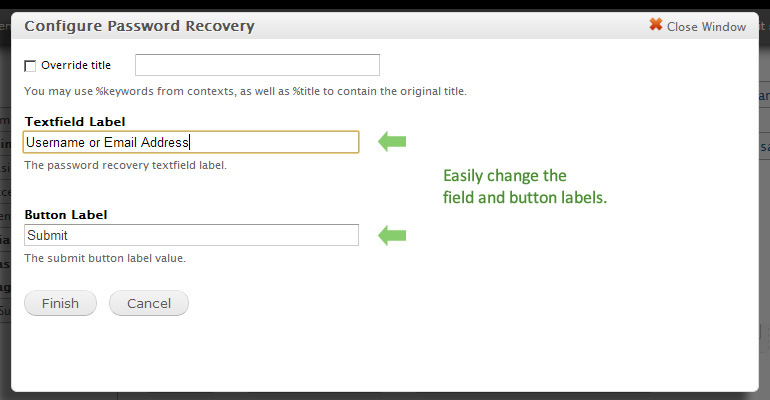

Need to customize the Password Recovery form in Drupal? So did my client, and Panels seemed to be the best route for my needs.
This module exposes the Password Recovery form as a Ctools plugin, allowing you to embed the form into panels as a widget.
When the module is enabled the original Password Recovery page is disabled and a new tab on the Login form is created that goes to a new URL (user/recover). This is a Ctools page that can be configured/customized as easily as any other page using Panels.
Important Notes:
- All links that point to user/password are altered to point to the new user/recover page.
Required Modules:
- Ctools
- Panels
Features
- Change the text field label
- Change the submit button value
- Embed entire form in your custom HTML via Panels page.
- All point-and-click (Yay! Happy customers)
This project has been sponsored by:
Project information
 Maintenance fixes only
Considered feature-complete by its maintainers. 5 sites report using this module
- Created by cravecode on , updated
 Stable releases for this project are covered by the security advisory policy.
There are currently no supported stable releases.

