
Bulk Remove File Entities
This example is used to bulk remove image files that are no longer associated with a media gallery. The site this code is used on is a drupal 7 site with the following modules among others:
- Media Gallery 7.x-1.0-beta8
- Views Bulk Operations 7.x-3.1
The attached text file is the views export of the view using the bulk operation. The view lists all files which in my case is fine since the only files uploaded to the site are images in galleries. There is a built in Delete Item option but this did not remove the files and that why I made my own action called Delete Media Files as shown in the image below.

To make a new action head to /admin/config/system/actions and create a new Execute arbitrary PHP script and call it Delete Media Files if you want it to work with the attached view. The PHP script is below.
Note the php tags should not be pasted in the textbox, just the code.
$file = file_load($entity->fid);
$references = file_usage_list($file);
if (!empty($references)) {
  drupal_set_message(t('The file %title is in use and cannot be deleted.', array('%title' => $file->filename)));
}else{
  $result = file_delete($file);
  if (is_array($result)) {
    drupal_set_message(t('The file @title is in use and cannot be deleted.', array('@title' => $file->filename)), 'warning');
  } elseif (!$result) {
      drupal_set_message(t('The file @title was not deleted due to an error.', array('@title' => $file->filename)), 'error');
    } else {
      $message = t('File @title was deleted', array('@title' => $file->filename));
      watchdog('media', $message);
      drupal_set_message($message);
    }
}
return;
This code is adapted from the code in the file media.pages.inc which is part of the media module.
Once it is all together visit the view at /all-files and then order the files by Entity ID. Files that are no longer linked to a gallery have Entity ID = 0 and the Entity type value is blank so you can delete are these files.
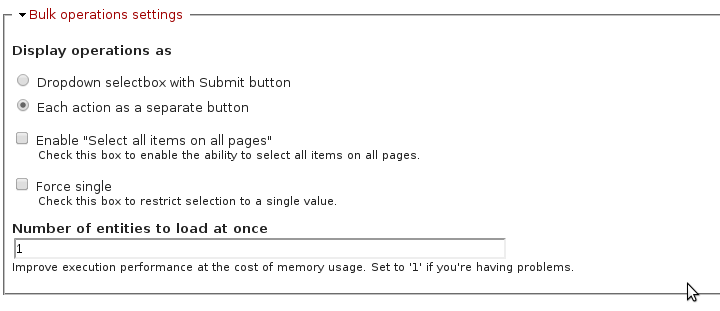
Note this code is simple and deals with one file at a time so the Number of Entities to load at once setting should be set to 1 as below.
Help improve this page
You can:
- Log in, click Edit, and edit this page
- Log in, click Discuss, update the Page status value, and suggest an improvement
- Log in and create a Documentation issue with your suggestion

