
Overriding and Removing Overridden Modules included in a Distribution
The Virtuous Cycle is a continuous integration approach to maintaining a distribution where site builders play an active role in reporting bugs and testing fixes by moving releases between the profile and sites/all.
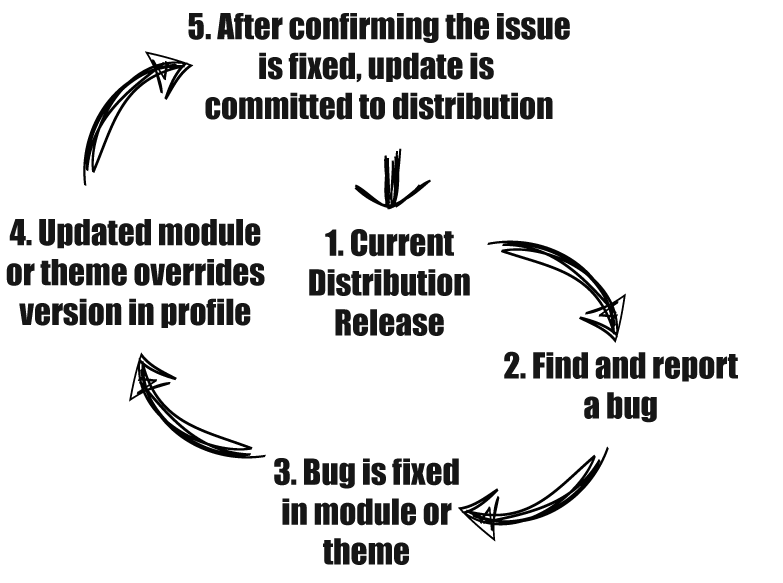
From time to time, you may want to use a newer or even older version of a module than what is included in a distribution. That is expected and supported by utilizing the different locations Drupal loads modules from and the priority it gives each location. Similar to how a .tpl file for a theme can override the version include with the base theme or a module by placing it in sites/all/themes/[YOURTHEMENAME], adding a module to sites/all/modules will override the version in profiles/[STARTERKIT]/modules.
Currently, it isn't possible to use admin/modules/install to override a module. You will have to manually download it and upload it to sites/all/modules to apply the override.
You can use Profile Status Check to visually see which modules are being overridden.
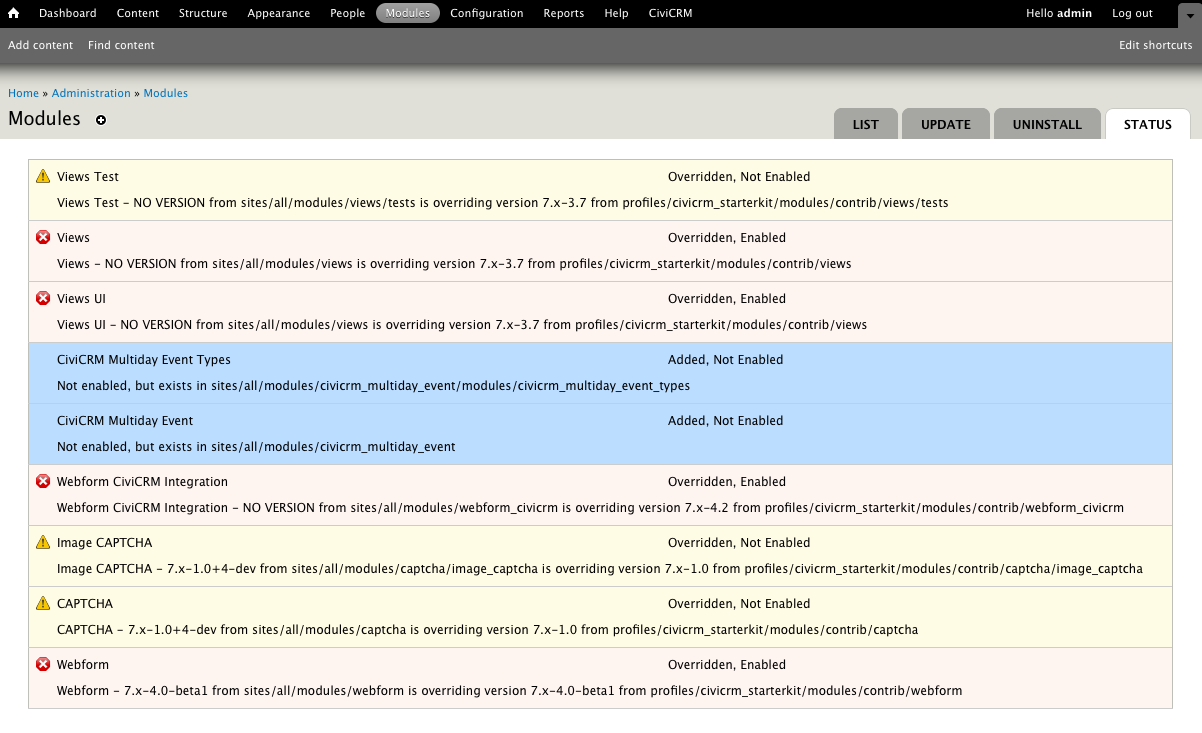
The version of the module in /profiles is overridden by the /sites/all version regardless of whether the module it is a newer or older version of the module. An ideal workflow is to open an issue to alert other developers working with the distribution about why you needed a different version of a module or theme. If when using the newer version you didn't find any conflicts or issues with other modules in the distribution, other sites should test that by overriding to too. If there are no issues, the distribution should be updated.
ONCE THE KIT IS UPDATED, YOU MUST REMOVE THE MODULE FROM SITES/ALL/MODULES OR IT WILL CONTINUE TO BE OVERRIDDEN.
Changing the location of modules can cause errors. See steps for resolving registry and cache errors.
Help improve this page
You can:
- Log in, click Edit, and edit this page
- Log in, click Discuss, update the Page status value, and suggest an improvement
- Log in and create a Documentation issue with your suggestion
