
Feed Import 3 - Edit fields
You are browsing documentation for an older version of Drupal, which is not supported any longer, and the information may not be correct. See current documentation for Contributed modules
Edit imported fields. Fields are mapped using source path format. All paths are relative to parent (if parent path exists in source configuration).
Edit fields
- Enter path to unique id - this is the path to an unique identifier in source and will be used
to monitor entities for update/delete/reschedule. If you don't use this it is considered a one time import,
meaning that the second time you run int there could be duplicates. Path format is source dependent - Use defined fields - this will can switch between textbox (Enter field name) and selectbox (Select defined field) mode, when you want to
add a new field. You can use the textbox to attach Fake fields.
To add the field press "Add field" button
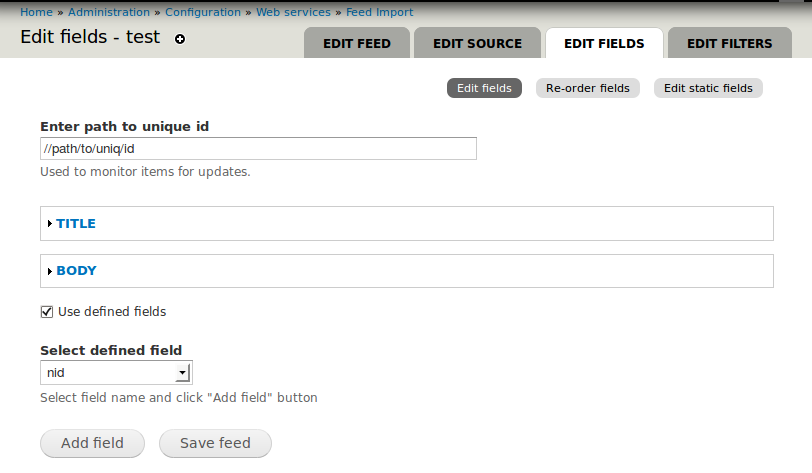
Field configuration form
- Paths - paths used to match values from source. You can enter multiple paths (one per line)
and the first that has content and passes pre-filters is used. Path format is source dependent - Action when filtered result is empty - when no path passes pre-filter or is without content you can
specify what action to take next:- Provide a default value - field value will be the text from Default value textarea
- Provide a filtered default value - field value will be the text from Default value textarea but with all field filters applied
- Ignore this field - field will not be attached to entity
- Skip importing this entity - the whole entity will be skipped and not imported
- Default value - enter default value. Only visible for some actions
- Field update mode - how the merge of new field values end current entity field should happen
- Merge field - no duplicates - default mode an recommended one. Only changes will be updated
- Merge field - allow duplicates - the new values will be appended on current entity values.
If field supports a limited number of values it could result an unncessary update (since the appended values won't be saved) - Overwrite field - the entity field value will always be overwritten.
However, e simple equality check will be made, but for fields having multiple properties in most cases will mean an update
- Remove field - removes the field from configuration
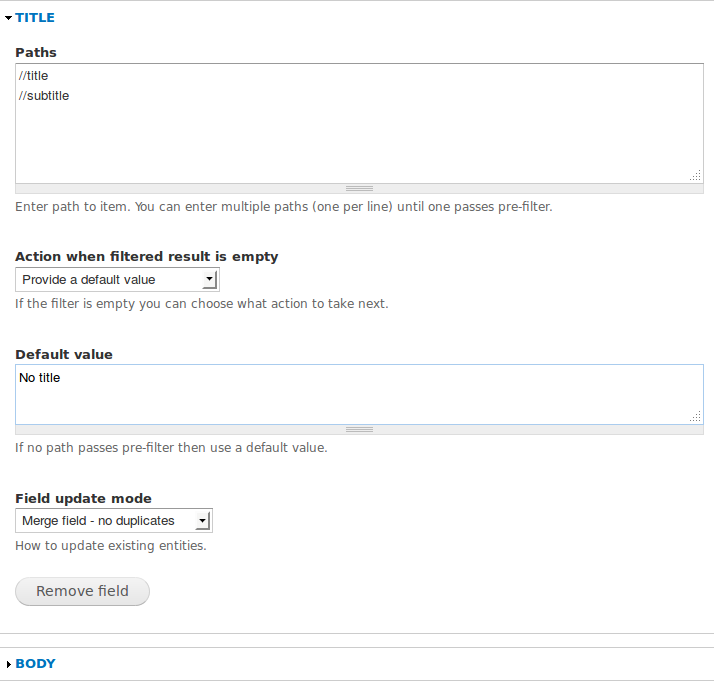
Fake fields
When you have complex fields to build and don't know how to map multiple properties to a field you can use a fake field.
Assuming we have a field_location containing the following properties: country, city, address and the source item looks like this:
  <item>
    <name>Some name</name>
    <country>Some country</country>
    <city>Some city</city>
    <street>Some street</street>
  </item>
We want to add country, city and street into filed_location. We create 2 fake fields:
_country <= country item
_city <= city item
and the third one can be our location field: field_location <= street item.
Now we have to add a filter to our field_location, and the function must look like:
  function my_location_field($street) {
    // Get current entity to have access to fake fields.
    $current = &FeedImportFilter::getCurrentEntity();
    // Create the field.
    $field = array(
      'country' => $current['_country'],
      'city' => $current['_city'],
      'address' => $street,
    );
    // Remove the fake fields from entity. This is important!
    unset($current['_country'], $current['_city']);
    // Return an object!!!
    return (object) $field;
  }
Now the field should have all required properties.
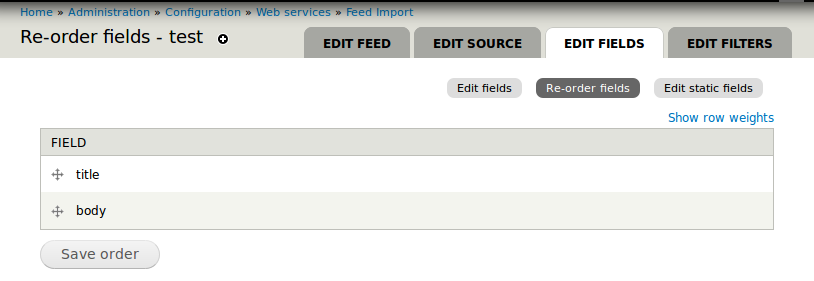
Re-order fields
The order of fields it is very important if you use Skip importing this entity as action. Move up all fields with this action because will
speedup import process by early skipping items you don't want.
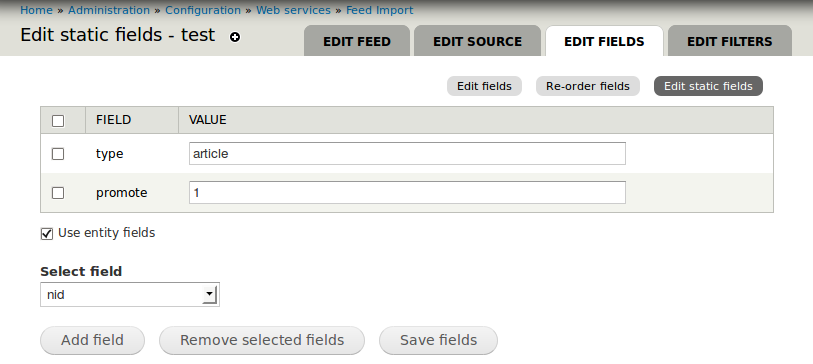
Edit static fields
Static fields contains user submitted values, and are constant for every item. Are used to speedup the import process and cannot have filters.
You can use them to specify bundles or other properties. In 2.x you can only specify bundle (or similar) by using no paths and a default value.
Anyway, in 3.x if a field have no paths and a default value, it will get converted into a static field before import is started.
Next part » Edit filters
Help improve this page
You can:
- Log in, click Edit, and edit this page
- Log in, click Discuss, update the Page status value, and suggest an improvement
- Log in and create a Documentation issue with your suggestion
