
 The 2026 Drupal Business Survey is open. Your response will help shape the future of the Drupal business ecosystem.
On this page
Feeds Tamper Example
You are browsing documentation for an older version of Drupal, which is not supported any longer, and the information may not be correct. See current documentation for Contributed modules
Overview
The idea behind this post is how to import data through feed for multi-value field. Feeds Tamper module gives you the feature to import multi-value field data into system. Let's understand this step by step.
Problem Statement:
You have to import data for Page content type where one field contains multivalue field. There is some games associated with every basic page that need to be imported through feed.
Step 1: Enabled the module.
Enabled all modules. Don't forget to enable Feeds Tamper Admin UI module.

Step 2: Add multi-value field.
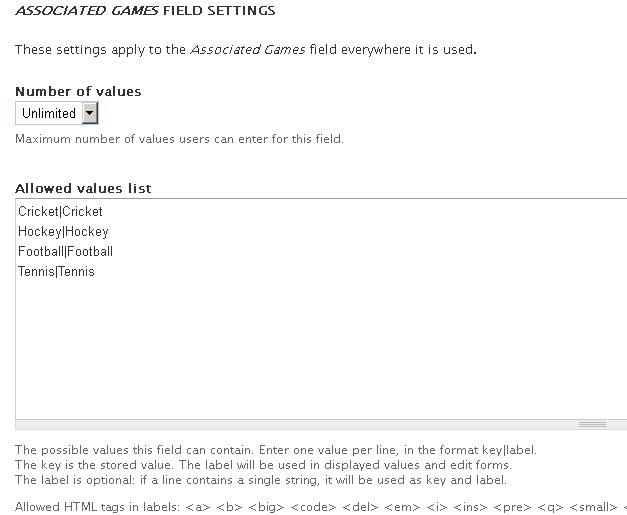
Add multi-value field in page content type. Here we add "Associated Games" field with some values and enabled "Unlimited" values option.
Step 3: Add Importer.
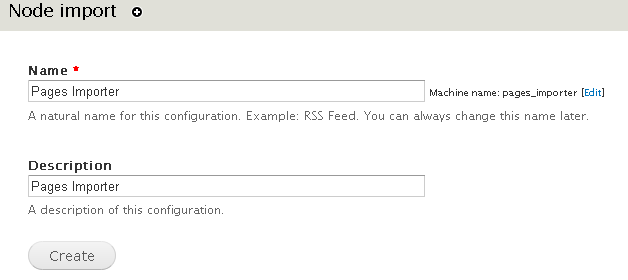
Go to admin/structure/feeds/create and add importer there. Here we add "Pages Importer" of Node Processor type.
Step 4: Setting for Node Processor.
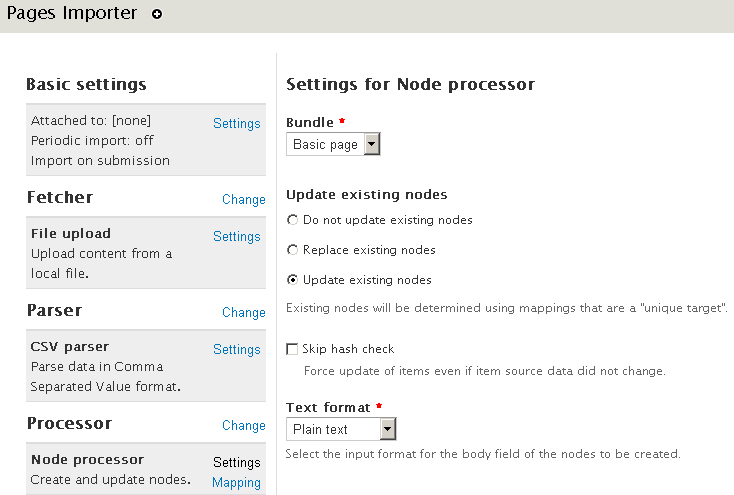
Enable Basic page content type and choose appropriate option from "Update existing nodes". We choose "Update existing nodes" option here that enable existing content will get update in case same data imported.
Step 5: Add Multi-value field in importer.
Choose "Mapping" tab under "Processor" option and add "games" field there that contains multi-value data.

Step 6: Do tamper setting.
Click to Tamper link and do the required setting for your multi-value field.

Step 7: Add plugin.
Add plugin for "games" field and choose the explode option for plugin. This option would enable you to import multi-value field data, separated by some special symbol.


Step 8: Prepare CSV.
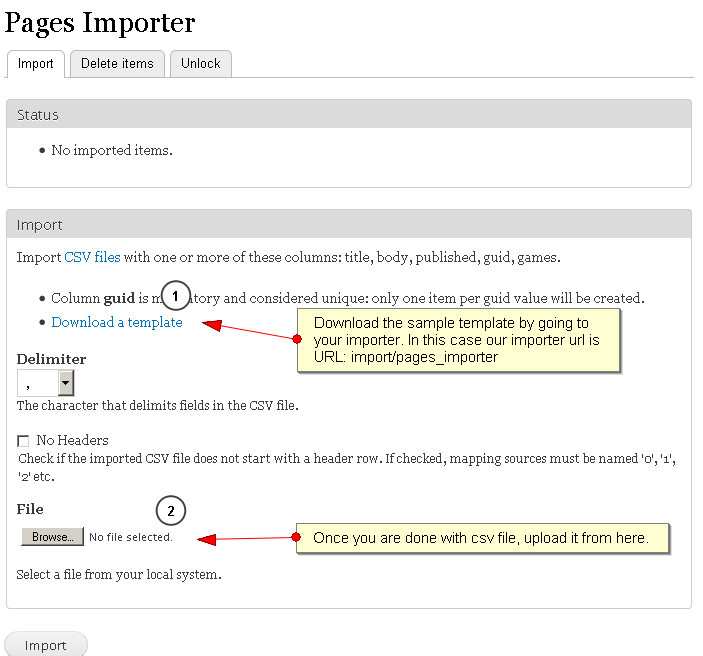
Now go to your importer link. Here we have created "page_importer", so go to import/pages_importer and download the sample template in which you would keep your data. Both screenshot would help you to understand how to prepare your csv.

Note: Don't give extra space after comma(,) in your csv.
Step 9: Check CSV data.
Go to admin/content and look for your data.

Step 10: Done.
Check for "ken" row, it would display all three games are associated with this i.e Football,Tennis,Cricket.

Help improve this page
You can:
- Log in, click Edit, and edit this page
- Log in, click Discuss, update the Page status value, and suggest an improvement
- Log in and create a Documentation issue with your suggestion
